Every Vastralook account comes with a personal code. It does two jobs at once, and they are easy to mix up, so this post takes them one at a time: the code your friends type when they buy, and the invite link you send when they sign up.
Step 1: find your code
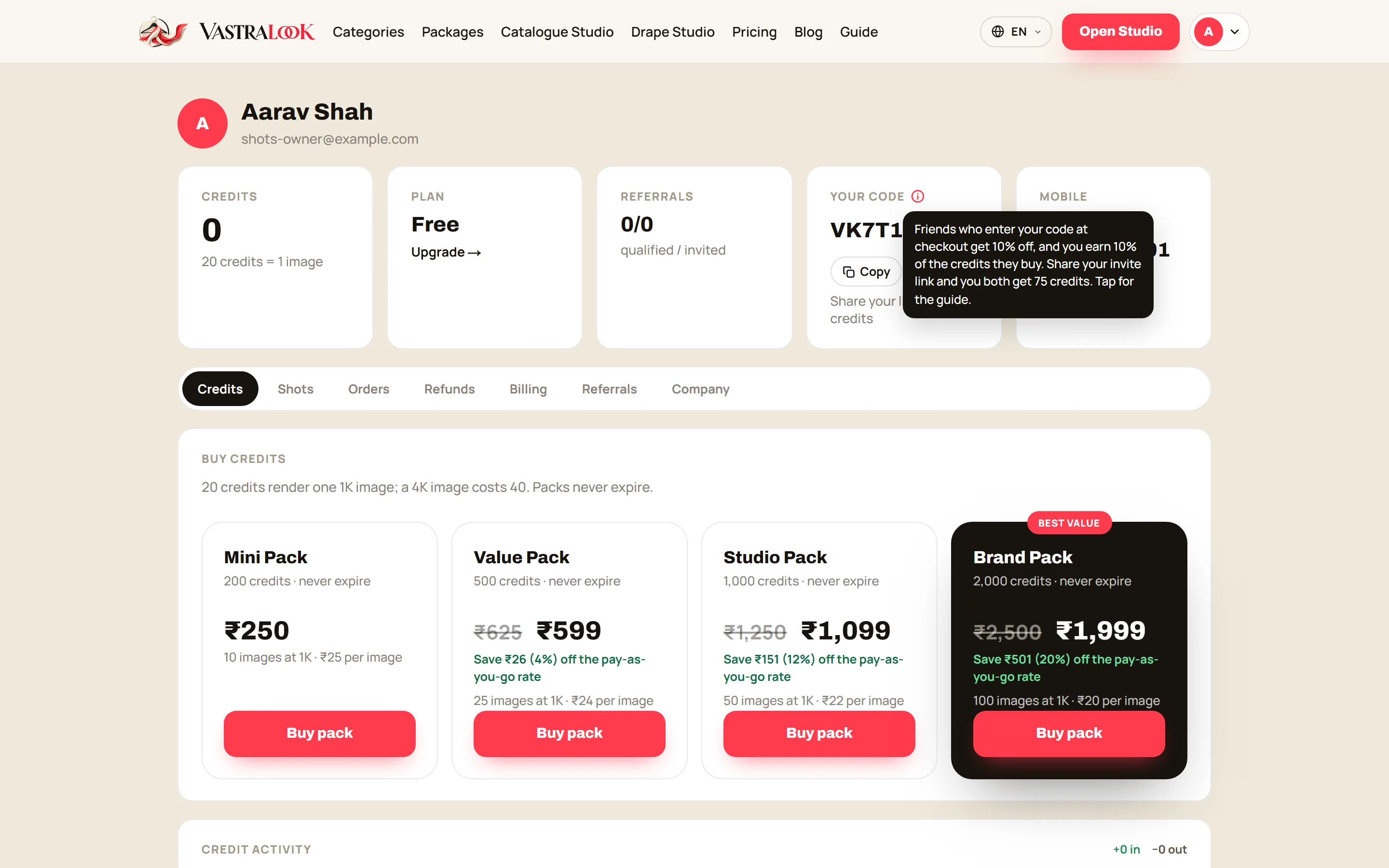
Open your Dashboard. The code sits in the fourth card, next to Credits, Plan and Referrals. Hover the ⓘ beside the label to see what it does, or tap it to open the full guide.
Step 2: share the invite link
Open Dashboard → Referrals and press Copy link. When a friend signs up through that link and verifies their mobile number, you both get 40 credits. No purchase is needed. Your friend also gets the 40 welcome credits every new account gets.
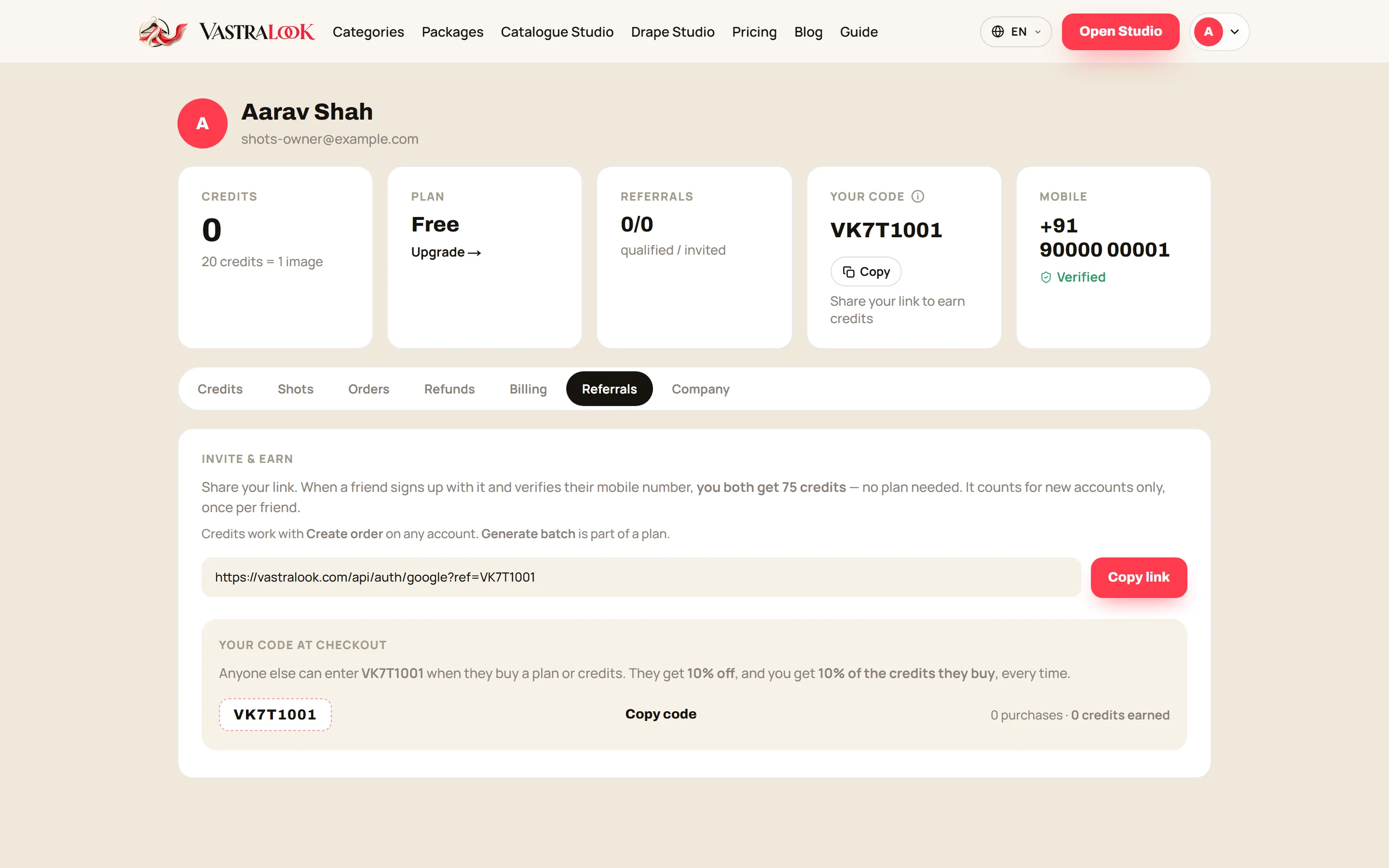
It counts for new accounts only, once per friend, and for up to 20 friends in any 30 days.
Step 3: a friend buys with your code
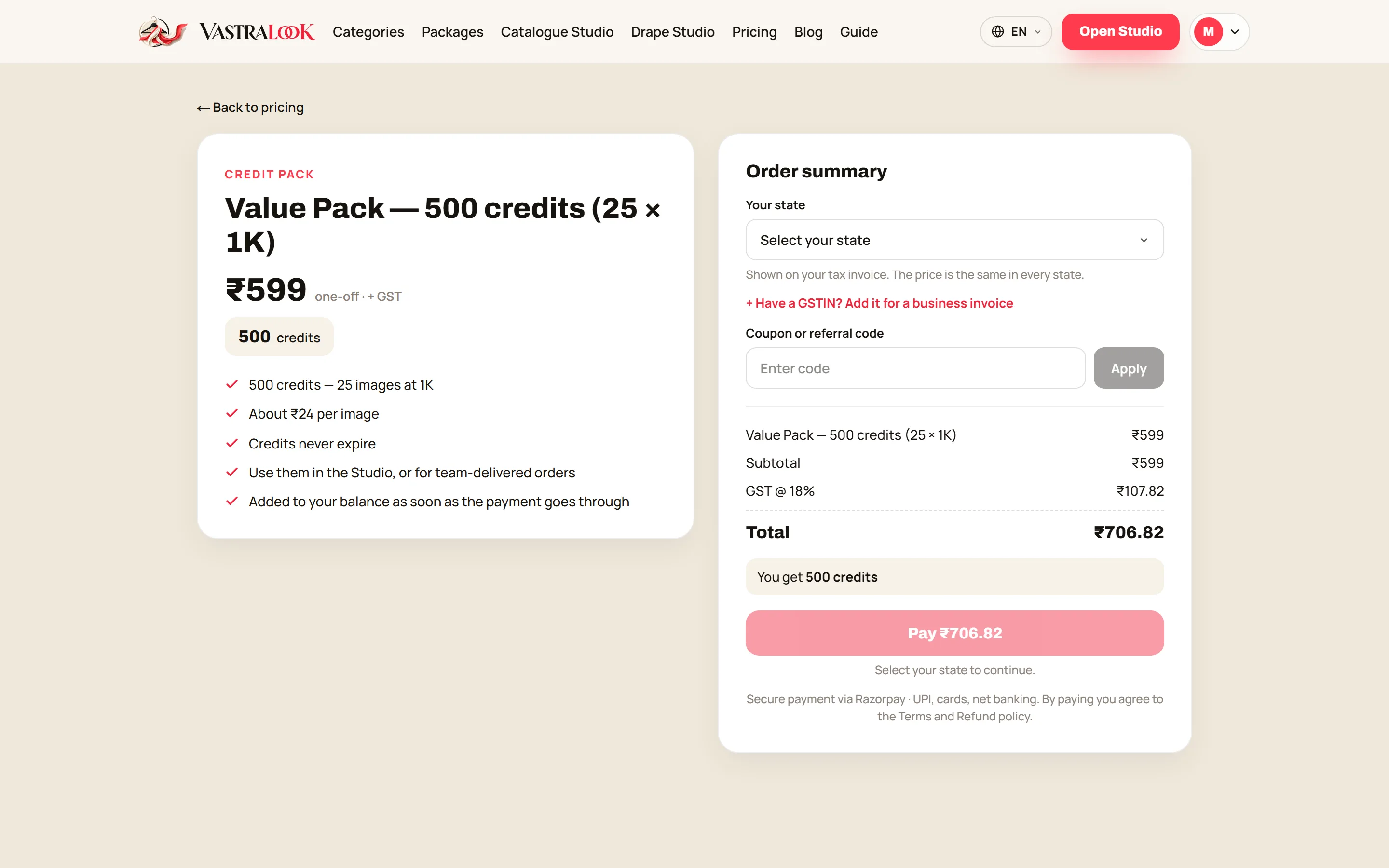
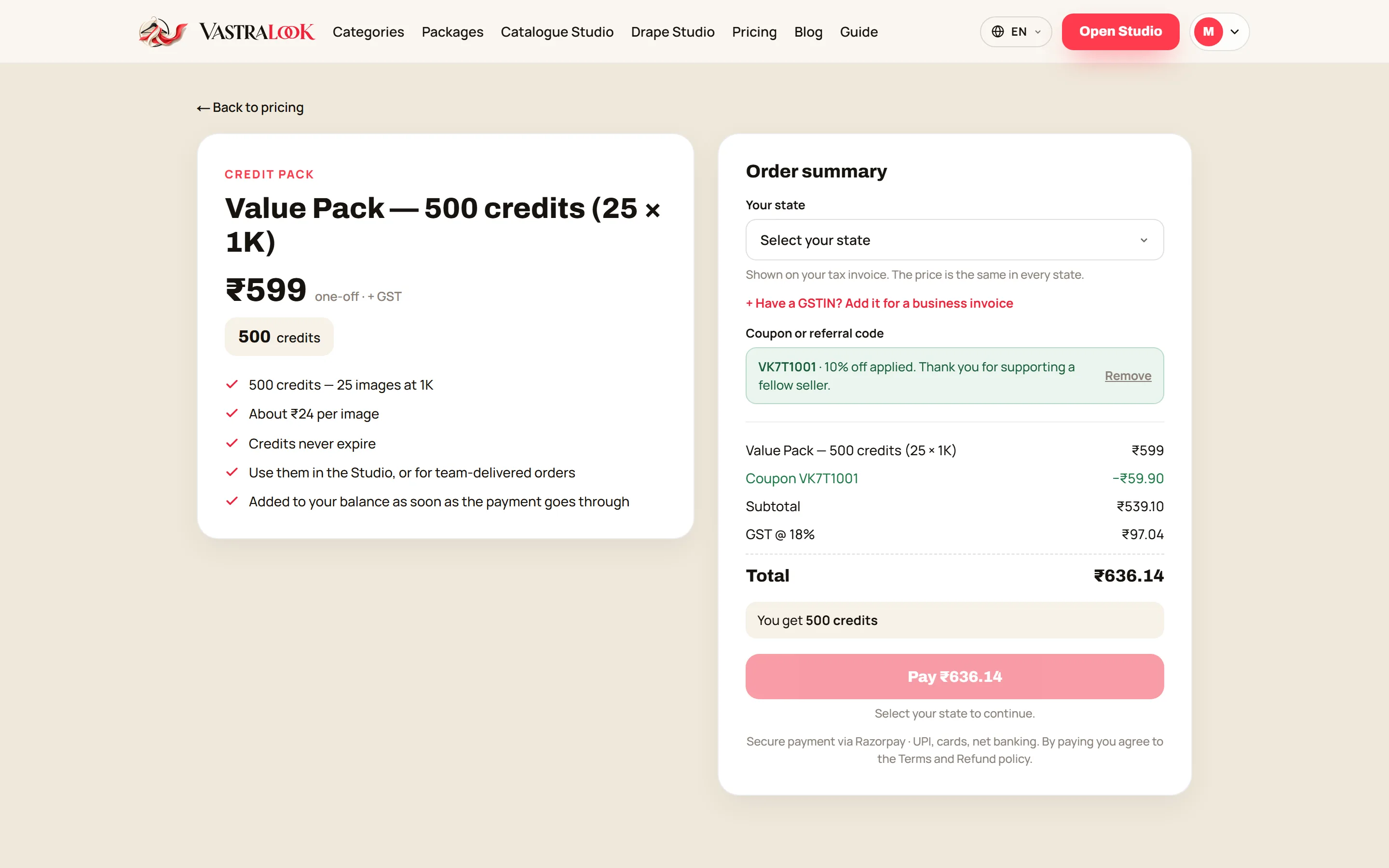
On the checkout page, your friend types your code into Coupon or referral code and presses Apply. They do not need your link for this; any customer can use any code. Nobody can use their own code, and a checkout takes one code at a time.
What the code is worth: a worked example
Take the Value Pack (500 credits) at ₹599. With your code applied, 10% comes off first, and 18% GST is charged on what is left.
| Amount | |
|---|---|
| Pack price | ₹599 |
| Code discount (10%) | −₹59.90 |
| Subtotal | ₹539.10 |
| GST (18%) | ₹97.04 |
| Your friend pays | ₹636.14 |
| You earn (10% of 500 credits) | 50 credits |
Where do I find my code?
On your Dashboard, in the Your code card. The Referrals tab shows it again with your earnings.
Does the code expire?
No. It belongs to your account for as long as the account exists.
Do the invite link and the code stack?
They do different jobs. The link gives you both 40 credits when a friend joins; the code gives them 10% off and you 10% of their credits when they buy.
Does the discount apply to plans?
Yes — 10% off a credit pack or a plan, before GST.