If you have tried a general-purpose AI image generator on a garment, you already know the failure mode. The first image is often startlingly good. The second has a different model. The third changes the neckline. By the tenth you have ten unrelated pictures instead of a catalogue. This post explains what Vastralook does differently, where it helps most, and, just as important, what it does not do.
Why is a generic AI image tool not enough for a catalogue?
A catalogue is not a collection of good images. It is a collection of images that agree with each other. The same model across a range, so customers recognise the fit. The same lighting, so a category page looks deliberate. And the same garment, genuinely the same, across every angle, not a plausible reinterpretation of it.
General-purpose generators are excellent at making a single striking picture from a description. That is a different job from showing the piece you actually sell. A description such as a red silk saree with a gold border produces a red silk saree with a gold border, but not yours. For a seller, that is the difference between a mood board and a product photo.
What does Vastralook do differently?
- It starts from your garment photo. Colour, print and border come from what you upload, so your own product is what gets shown.
- It lets you hold the model steady. Pick the same model for every batch in Catalogue Studio, or the same StyleMuse model or uploaded Model Image in Drape Studio, so one face can carry a whole campaign.
- It reuses looks. A style sets the pose, framing and setting, and a package groups styles into a ready-made set, so shot 200 can follow the same recipe as shot 1.
- It counts before it charges. Catalogue Studio's Summary tab lists every garment, model and style combination before you order, and you can remove any of them.
- It gives output shapes sellers use. You choose the ratio and the 1K, 2K or 4K size, and in Drape Studio, marketplace presets for Myntra, Amazon, Flipkart and Meesho set the poses, background, model, size and format in one tap.
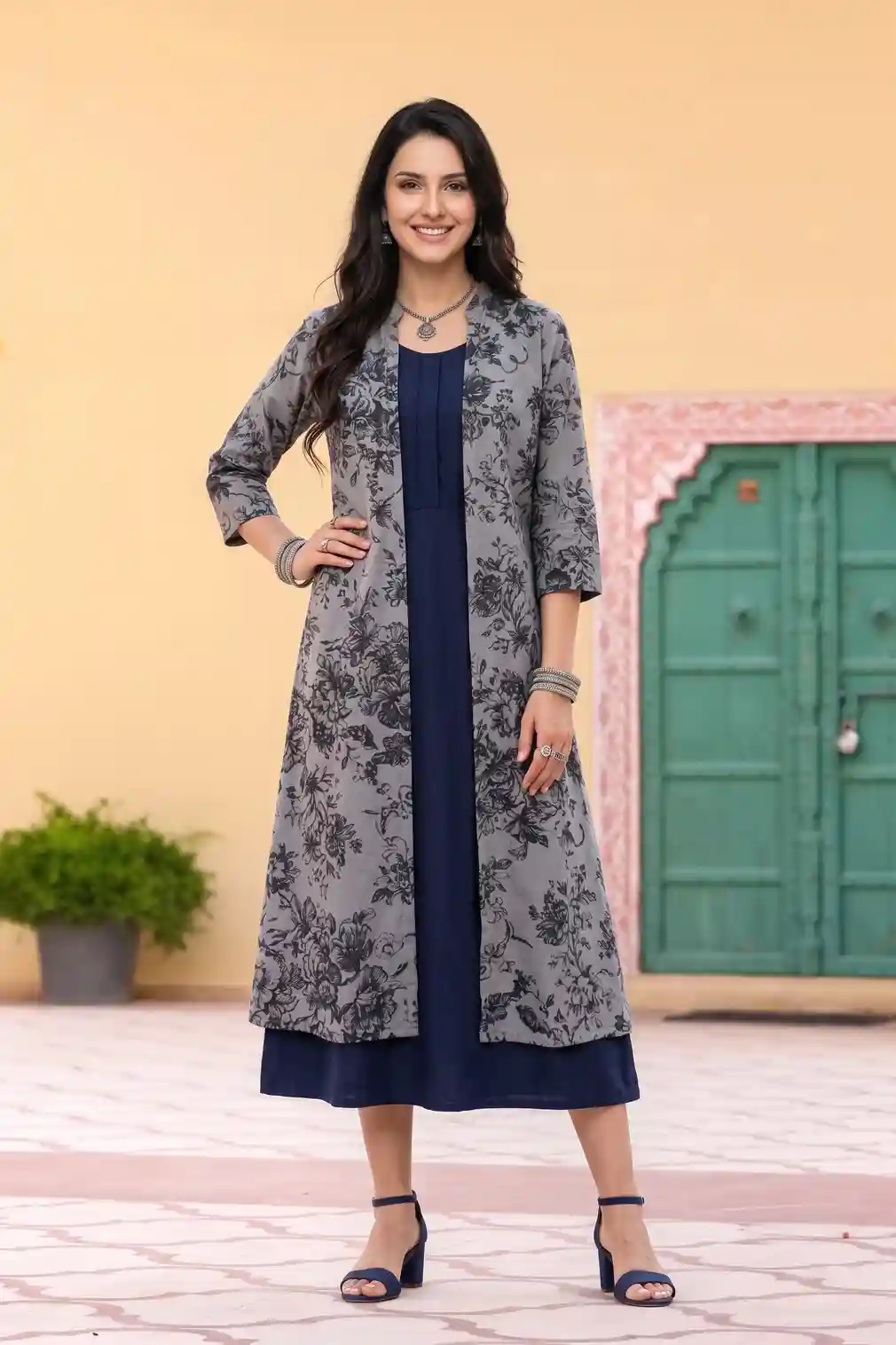
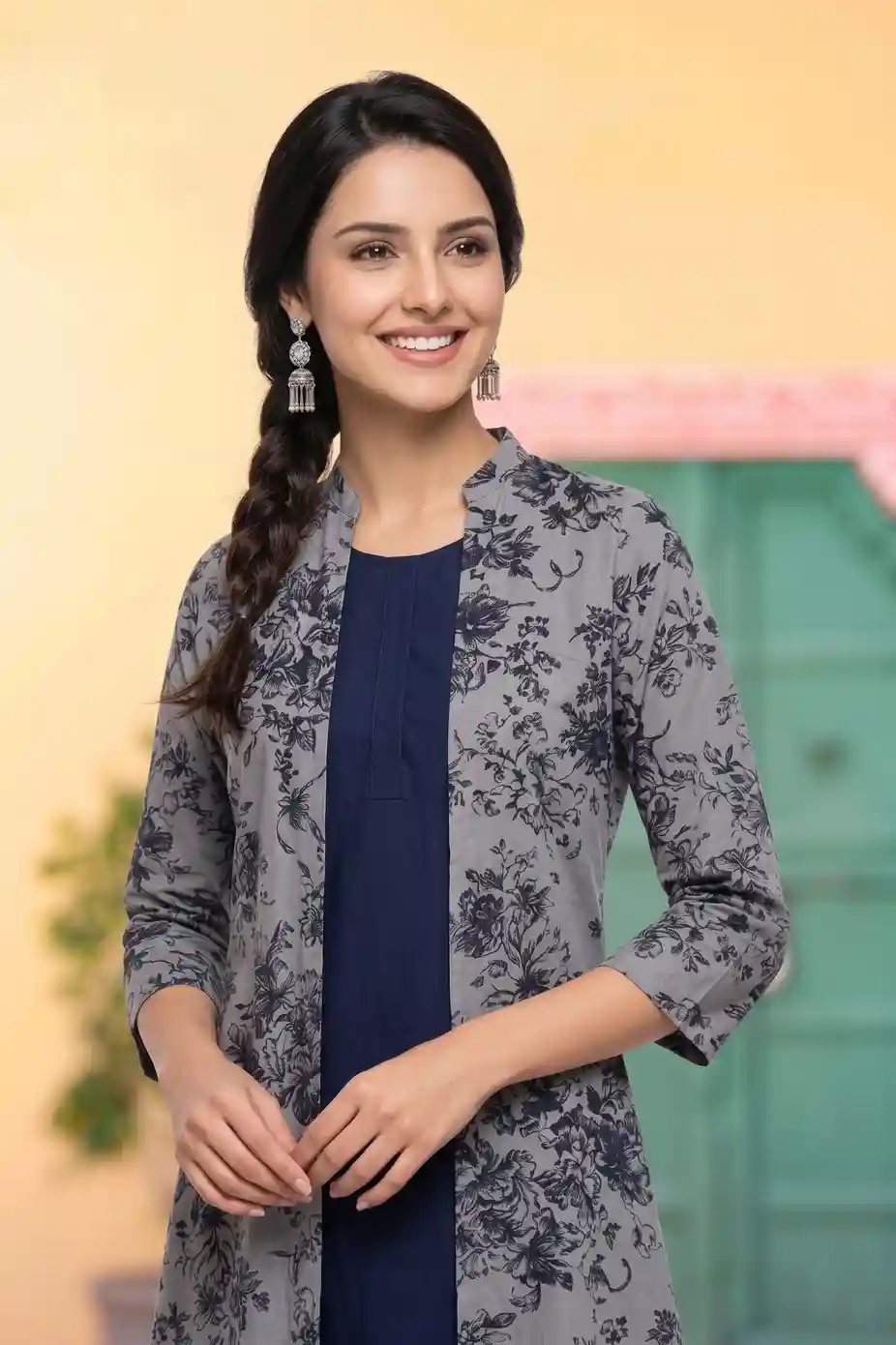
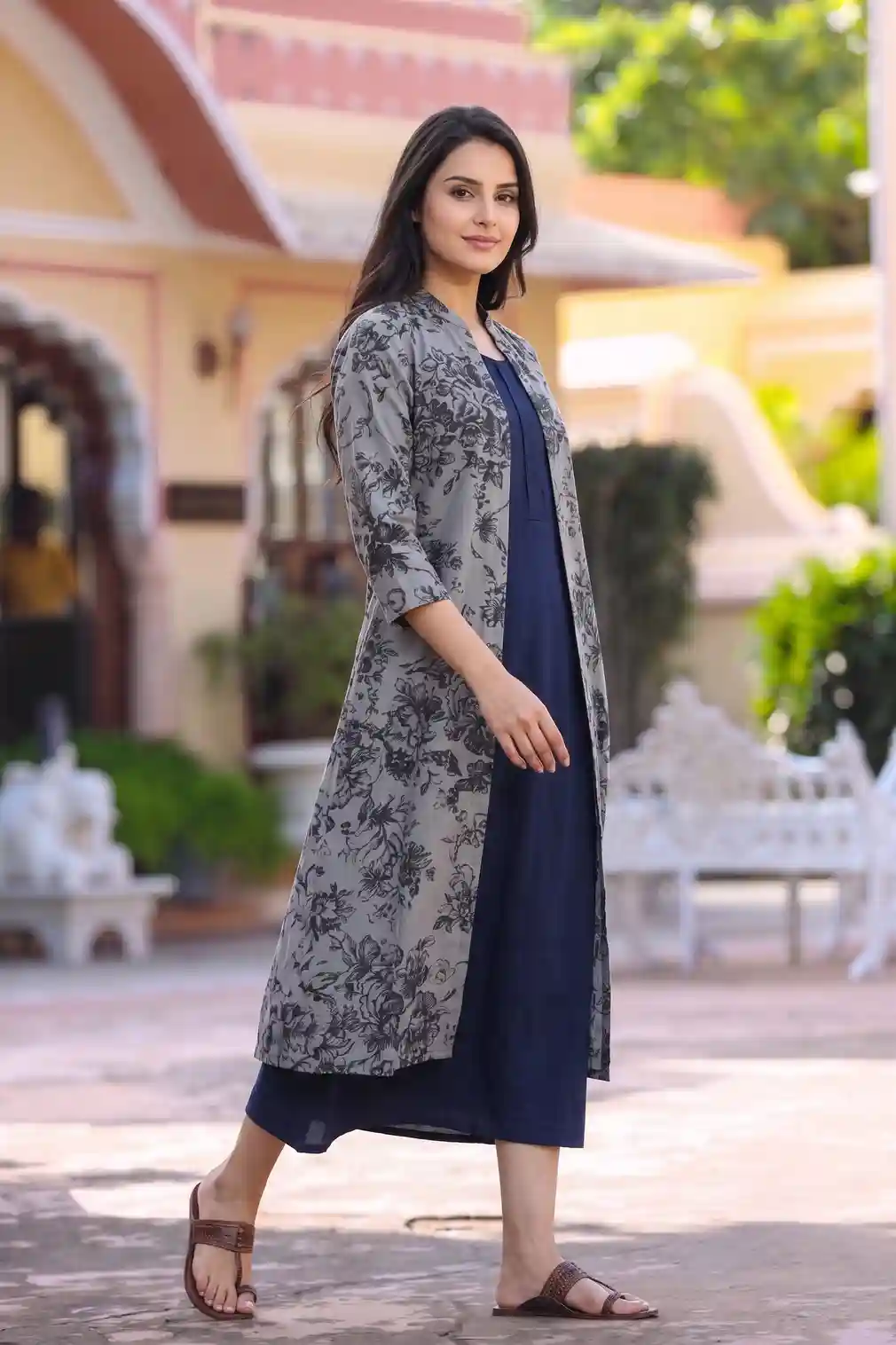
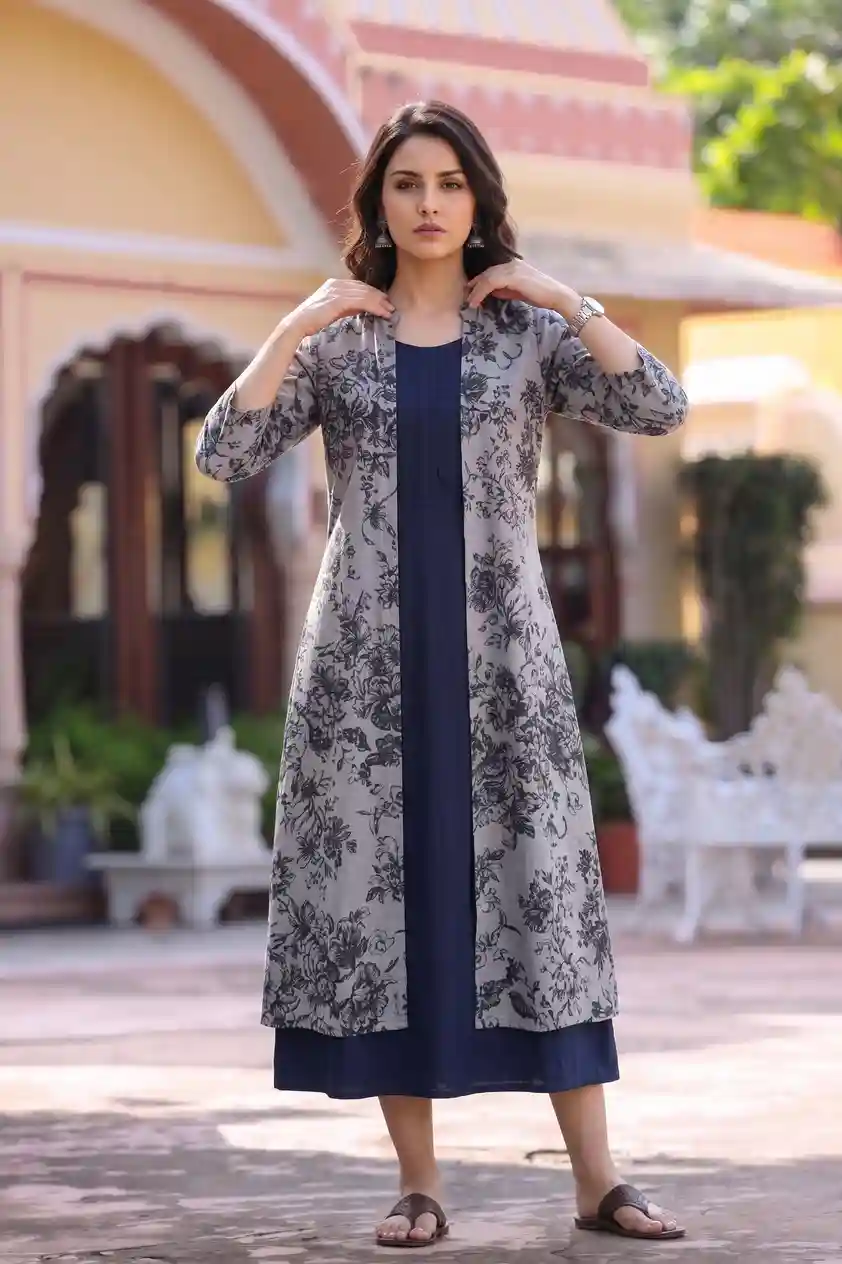
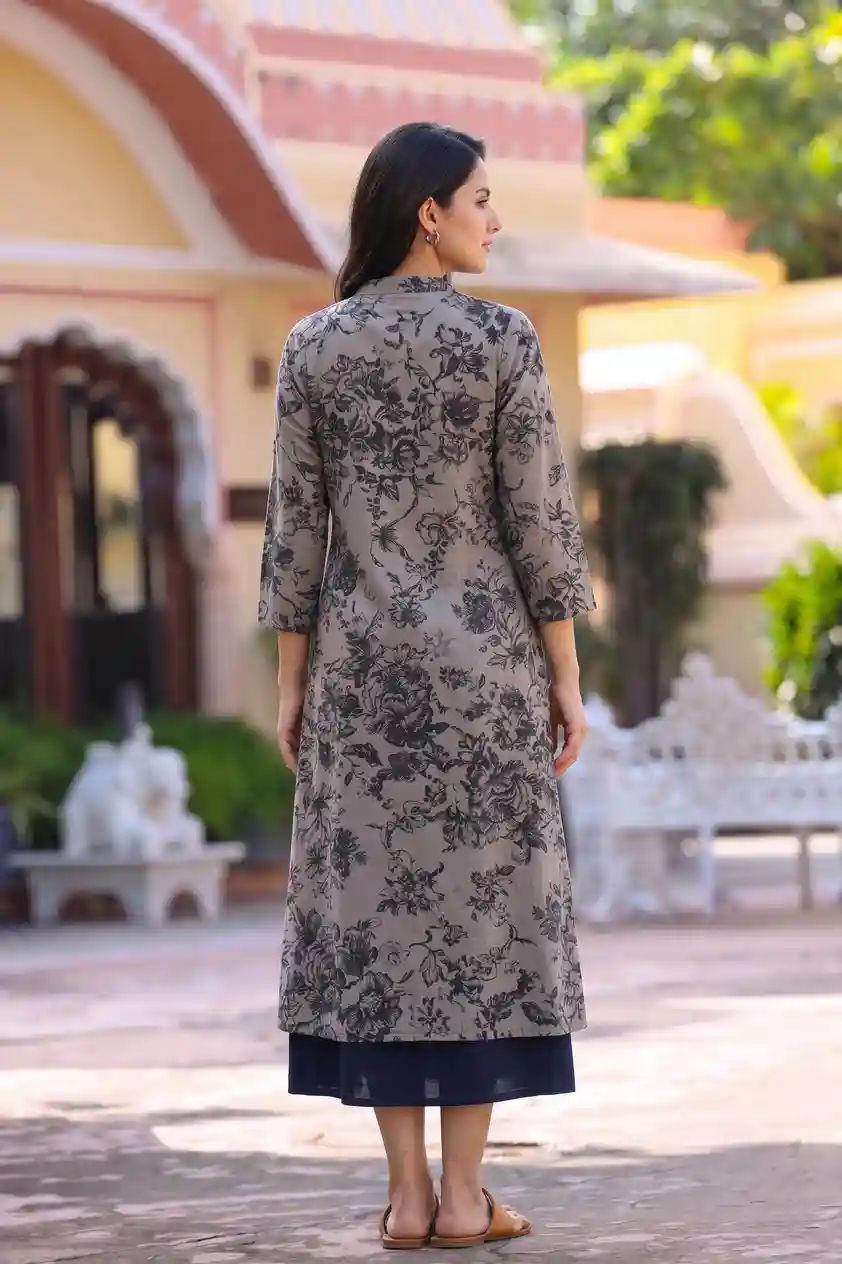
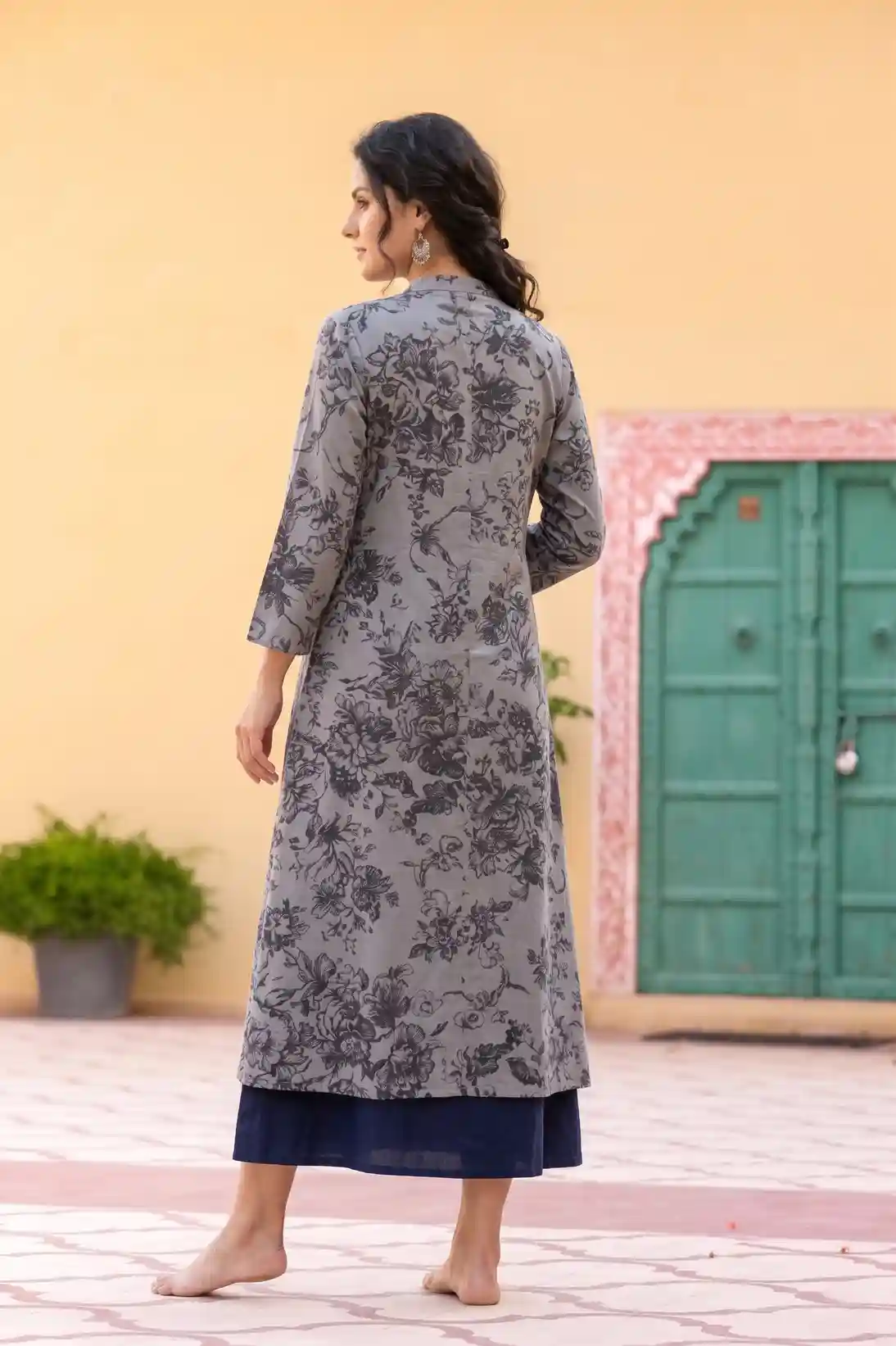
Look at the face, the fabric print and the light across all six. Holding those steady frame after frame is the actual product; a single striking image is the easy part, and it is where general-purpose generators stop.
How is a saree different from every other garment?
Sarees break most AI image tools because a saree is not a shaped garment. It is several metres of cloth with a body, a border, pleats and a pallu, each with its own design. Drape Studio is built for that. You upload one flat photo of the full saree, body and pallu together, and optionally a blouse piece. You square up the cut by placing a pin on each corner, or trace round the cloth with the Lasso. You mark the pallu line, so the pallu design falls over the shoulder instead of landing in the pleats. You can also mark one pattern repeat and choose how many times it repeats along the saree.
If you add blouse fabric, the Adjust Blouse Pattern window cuts the blouse pieces out of it and lets you pick sleeve length. Then you press Use this cut to see the saree draped before you pick a model and a background and order. Lehengas follow a similar path, with the skirt, blouse and dupatta fabrics uploaded separately. Catalogue Studio covers everything else, such as kurtis, kurta sets, dresses, gowns and Western wear, across 102 garment types.
Why does no prompt writing matter?
The other difference is who can operate the tool. Generic generators ask you to learn weighting syntax, negative prompts and which phrase stops the model adding a sixth finger. That is a real skill, and it is not one a merchandising team should need to publish a product page.
The studios work visually. You see your cut, your picks and the shot count, you change what you want to change, and you order. The person who knows the product can do the work directly, instead of briefing someone who knows the tool. There is still judgement involved: you decide which model, pose and background suit the garment, and you decide which finished shots are good enough to publish.
| General-purpose generator | Vastralook | |
|---|---|---|
| Garment | Described in words, reinvented each run | Your own photo is the starting point |
| Model | A new person each generation unless you manage it yourself | Pick the same model across the set |
| Saree | No pallu, border or blouse handling | Drape Studio: cut, pallu line, repeat line and blouse pattern |
| Output | Usually one image at a time | Batches counted before you order; ratio and 1K, 2K or 4K; marketplace presets in Drape Studio |
| Cost | Depends on the tool and tier | Credits per shot, shown on the button before you press it |
| Rights | Varies by tool and tier | What you generate is yours to use commercially across your store, ads and social |
What does it look like to work in a batch?
Most AI image products are built for one beautiful picture. Fashion is a volume business. In Catalogue Studio you add garments, up to four photos each, choose models and styles, and read the Summary: garments x models x styles equals the shots. One order holds up to 24 shots. You pick Instant, ready in about 1–2 minutes, or Budget, about 4–5 minutes. Each button shows its credits before you press it, and a shot that fails gets its credits back automatically.
What are the limits we should be honest about?
- Sarees, lehengas and Indian ethnic wear, with a workflow built for the pallu and blouse
- A catalogue of many garments on the same few models
- Sellers who need on-model stills without booking a studio
- Checking the shot count and credits before you spend
- Studios in English, Hindi and Gujarati
- It makes still images, not video
- The output varies: pose, drape and fine detail can differ from your reference
- The result is only as good as your photo; a warm bulb or a filter carries into the shot
- It is not a fit for footwear, watches and other rigid products
- It does not replace a physical sample when a buyer needs to feel the fabric
That last list is not a disclaimer to skim. It is how you get good results. Photograph the garment in daylight, check every shot against the real piece, and if a finished shot misses, you can ask for half the credits back from its menu in the Orders tab. A person reviews the request, normally within about two working days.
Who should and should not choose Vastralook?
It is a good fit if
- You sell sarees, lehengas, kurtis, suits, gowns or Western wear and need many consistent images.
- You are a boutique, reseller, D2C brand or wholesaler without a studio budget for every drop.
- You want the person who knows the product to run the shoot themselves.
It is not the right tool if
- You need video or animation.
- You sell mainly shoes, bottles or gadgets.
- You want to avoid checking results, or you need a pixel-exact match to a physical sample every time.
Frequently asked questions
How is Vastralook different from a general AI image generator?
A general generator builds a picture from a description. Vastralook starts from a photo of your garment and gives you studios for choosing the model, pose and background, so a set of images can agree with each other. You still check every shot.
Can I keep the same model across all my products?
Yes. Pick the same model in Catalogue Studio for every batch, or the same StyleMuse model or uploaded Model Image in Drape Studio. Look at the results to confirm the face stays consistent.
Do I need to write prompts?
No. You work visually: upload photos, pick models and styles, and press an order button.
Can I use the images commercially?
Yes. What you generate is yours to use commercially across your store, ads and social.
Does Vastralook make video?
No. It makes on-model still images.
Related reading
Start every shoot with a free AI garment analysis
In Drape Studio, the moment you upload a saree photo Vastralook reads it for you: category, occasion, fabric, colours, design and work. It costs no credits. A saree added through Catalogue Studio opens the same drape window, so it gets the same reading.
- Upload the saree photo; the AI garment analysis fills in beside it.
- Open Model & Background: five AI recommended packages appear, each a model, a background and jewellery with a match score.
- Click one package to use all three, or choose each yourself from StyleMuse.
- Check the combinations, then order. Studio-quality shots that start from choices made for your garment.
Photos are also checked in your browser before they are taken: a garment photo should show the garment, an own model photo one person, an own background nobody. If a photo is not right, the reason is shown right under the upload box.