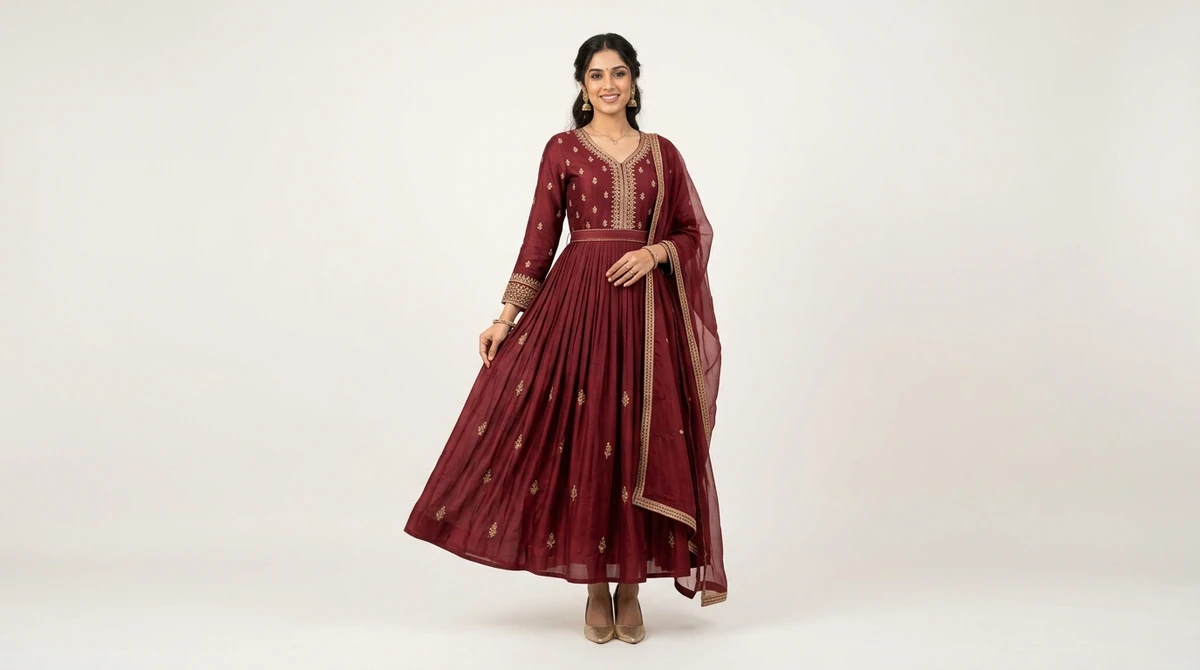
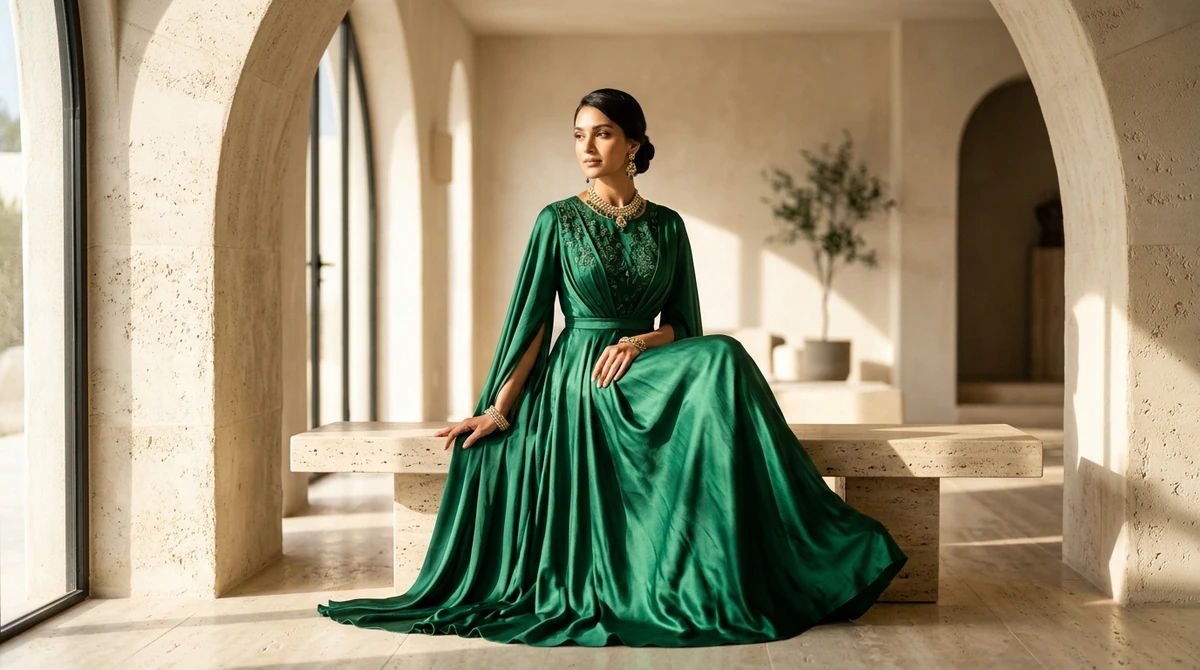
Dynamic catalog ads—often run as Meta Advantage+ Catalog Ads (formerly Dynamic Product Ads or DPA) and Google Shopping feeds—are the backbone of profitable ecommerce advertising. Instead of designing individual static ad graphics for hundreds of dresses, kurtis, or shirts, catalog ads automatically pull product photos, titles, prices, and availability directly from your store's inventory feed.
However, most fashion marketers make a costly mistake: they sync flat, lifeless mannequin cutouts or grey-background factory photos directly into their ad catalog. In an Instagram feed packed with vibrant creator content, plain cutouts look unappealing, resulting in low click-through rates and rising customer acquisition costs (CAC).
This guide reveals how leading ecommerce fashion brands build high-converting dynamic catalog ads, optimize image feeds, design dynamic creative overlays, and boost return on ad spend (ROAS).
In this guide:
- What are catalog ads and why are they essential for apparel?
- Meta Advantage+ Catalog Ads vs Google Shopping vs Pinterest Catalogues
- High-converting image rules for apparel catalog feeds
- Dynamic creative templates (badges, strikethrough pricing, reviews)
- How to generate on-model catalog images at scale with AI
- Key performance metrics and troubleshooting ad fatigue
- Frequently asked questions (FAQ)
Why Catalog Ads Outperform Static Creatives in Fashion
In apparel retail, inventory moves quickly and consumer tastes vary widely. Catalog ads excel because they leverage algorithmic personalization:
- Retargeting Based on Exact Browsing History: If a shopper views a pink banarasi silk saree on your website, dynamic ads immediately show that exact saree on their Instagram feed within hours.
- Broad Audience Prospecting (DABA): Meta's algorithm identifies users shopping for similar dresses across other stores and automatically showcases the bestselling items from your collection.
- Zero Creative Maintenance: When an outfit sells out in size Medium, it automatically stops serving in the ad feed, preventing wasted ad spend.
Feed Requirements for Top Fashion Ad Channels
| Platform | Primary Ad Format | Recommended Aspect Ratio | Image Specs |
|---|---|---|---|
| Meta (Facebook & Instagram) | Advantage+ Catalog Carousel & Collection Ads | 1:1 (Square) or 4:5 (Portrait) | Min 1080x1080 px; Max 8 MB; Clean JPG/WebP |
| Google Shopping / PMax | Product Listing Ads & Performance Max Cards | 1:1 Square (White or Contextual) | Min 800x800 px; No promotional text watermarks |
| Pinterest Shopping | Product Pins & Collection Pins | 2:3 (1000x1500 px) | High-contrast lifestyle and on-model imagery |
| Snapchat & TikTok | Dynamic Showcase Ads (Vertical Video/Image) | 9:16 Full Screen (1080x1920 px) | Bold, high-energy visuals with prominent CTA |
The Recipe for High-Converting Fashion Catalog Images
The biggest lever for increasing ROAS in catalog advertising is image quality. Follow these four creative rules:
1. Show Garments On-Model, Not On Hangers
Data from thousands of ecommerce ad accounts shows that apparel catalog ads featuring realistic models generate 38% higher click-through rates and 24% lower cost-per-click (CPC) compared to flat lays or ghost mannequins. Shoppers need to gauge proportions, drape, length, and neckline fit.
2. Standardize Clean, Aspirational Backgrounds
A messy warehouse or overly cluttered outdoor background distracts from the clothing. Use cohesive architectural backdrops—such as warm arched studio walls, soft travertine marble, or minimalist loft interiors—to give your catalog a cohesive boutique aesthetic.
3. Maintain Consistent Color Temperature
If one dress in your carousel has warm golden lighting while the next looks cold and bluish, your brand appears disorganized. Keep lighting parameters consistent across all feed assets.
4. Utilize Dynamic Creative Overlays
Within Meta Commerce Manager, you can configure automatic graphic overlays that display:
- Automatic Discount Badges: "Save 25%" or "Diwali Special"
- Free Shipping Indicators: "Free Delivery on Prepaid Orders"
- Strikethrough Price Tags: Showing original MRP alongside current sale price
How to Scale On-Model Catalog Images with Vastralook
Generating hundreds of on-model photos for seasonal catalog ads used to require continuous studio shoots. With Vastralook Catalogue Studio, you can transform flat product photos into studio-grade on-model catalog imagery in seconds:
- Upload Your Garment: Take a clean photo of the outfit laid flat or on a mannequin.
- Select Model & Pose: Choose ethnic or Western models across various skin tones and body types.
- Choose Standardized Studio Backgrounds: Pick high-conversion studio settings optimized for catalog feeds.
- Export in 1:1 or 4:5 Formats: Ready for immediate upload to Shopify, WooCommerce, or Meta Commerce Manager.
Frequently Asked Questions
What is the difference between a static ad and a catalog ad?
A static ad shows a single fixed image or video to all viewers. A catalog ad dynamically pulls different products from your store inventory based on each user's browsing preferences and shopping intent.
Can I use lifestyle or contextual photos in Google Shopping ads?
Google Shopping guidelines allow high-quality lifestyle imagery as long as the primary product being sold is clearly visible, in focus, and free of promotional watermarks.
How often should I refresh catalog ad images?
While inventory updates automatically, you should update your catalog creative style or background theme every 60 to 90 days to avoid creative ad fatigue among your audience.
What is a good ROAS benchmark for apparel catalog ads?
For warm retargeting catalog ads, healthy brands target a 4x to 8x ROAS. For cold prospecting Advantage+ catalog campaigns, 2.5x to 4x ROAS is standard in the fashion niche.