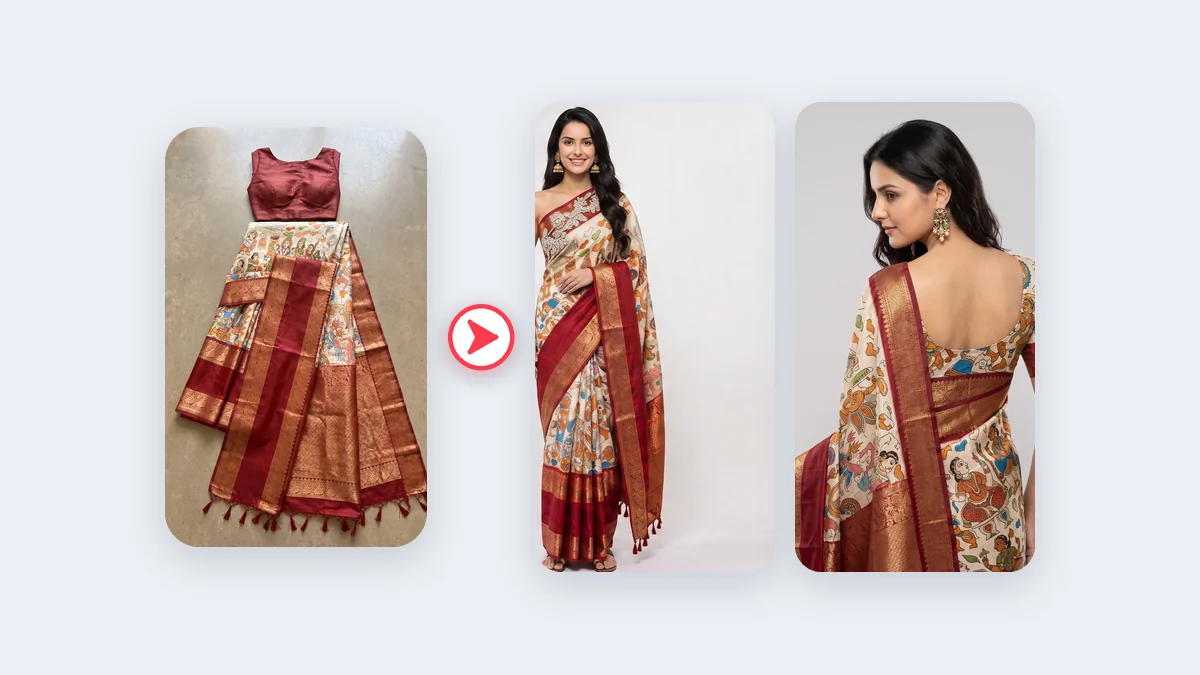
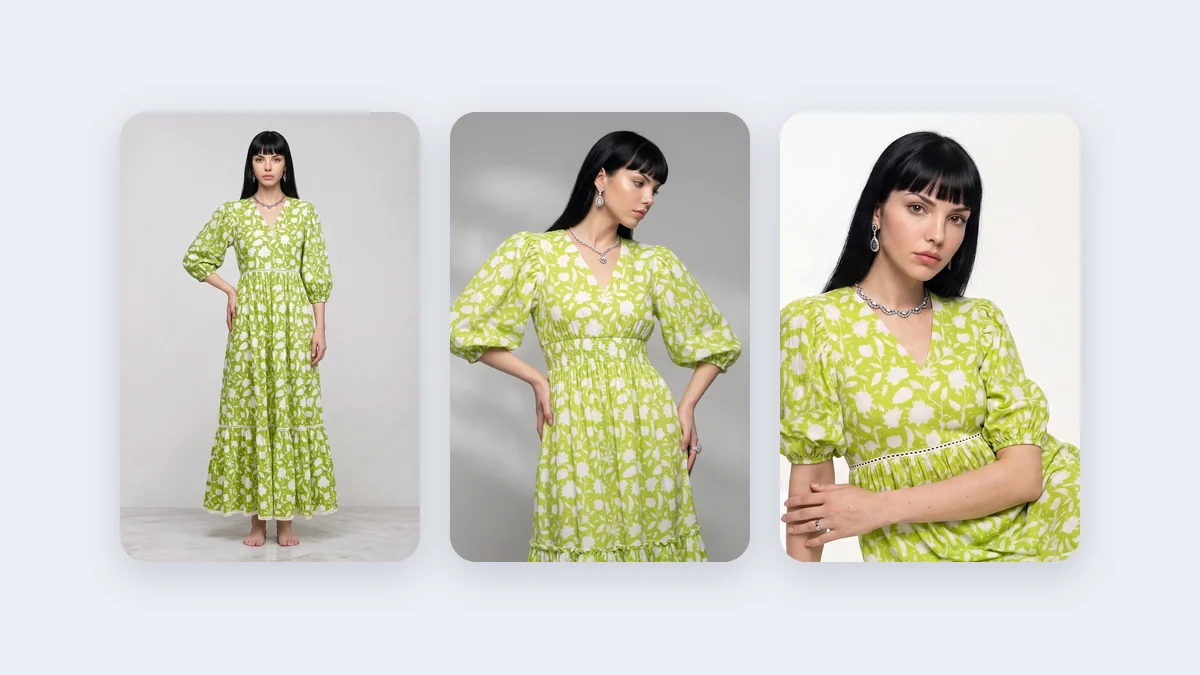
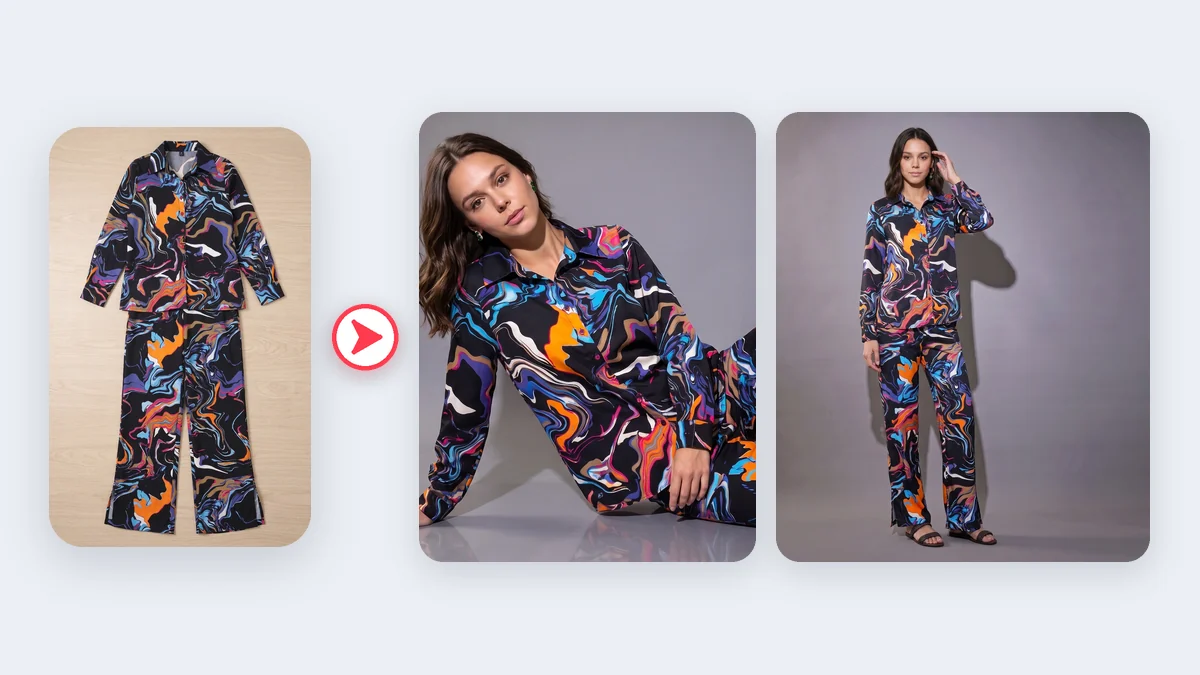
Small brands are caught in a specific trap. Good imagery drives conversion, but a studio shoot costs more than the margin on the drop it is meant to sell. So you shoot less, publish fewer angles and convert worse, which leaves even less budget for the next shoot. AI photoshoots for small fashion brands are one practical way out of that loop: you upload photos of your own garments and get on-model pictures without hiring a studio, booking models or paying a photographer for every launch.
What is the real cost of shooting less?
The visible cost is the shoot you did not do. The hidden cost is everything downstream: products listed with a single flat photo, no lifestyle imagery for paid social, no seasonal refresh, and marketplace listings that lose to competitors with fuller galleries. Each of those is a conversion gap, and they add up faster than the shoot would have cost.
There is also a timing cost. When stock arrives and the pictures take weeks, the best selling days of a season can pass before a product is properly shown. For a small brand with one or two big drops a year, that delay can matter more than the cost of the shoot itself.
What changes when a small brand uses AI photoshoots?
- You can shoot the long tail. Every product gets on-model imagery, not just the hero pieces.
- Colourways stop being a budget decision: a variant is another garment photo and another set of shots, not another booking.
- You can test. Two scenes, two models, see which converts, keep the winner.
- Seasonal refresh becomes realistic: the same catalogue shot again for a new campaign without re-booking anyone.
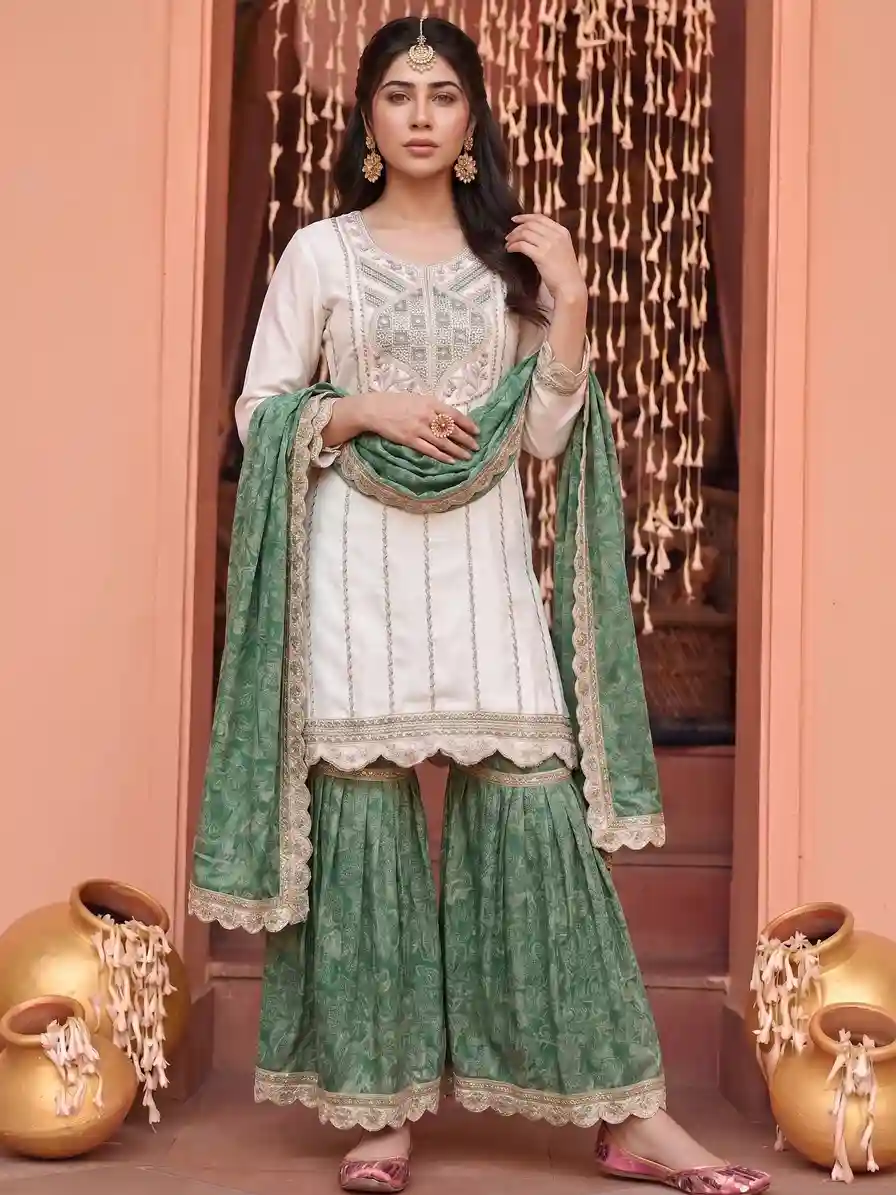
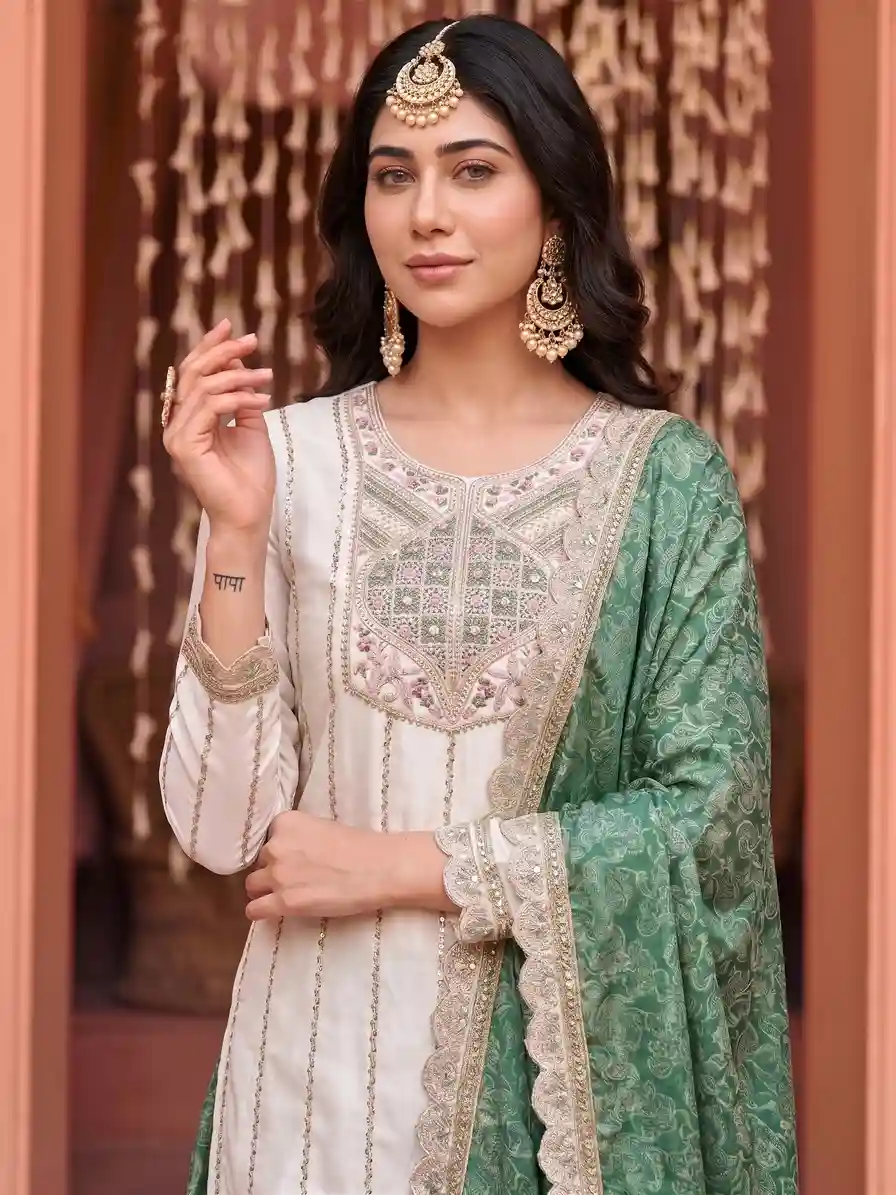
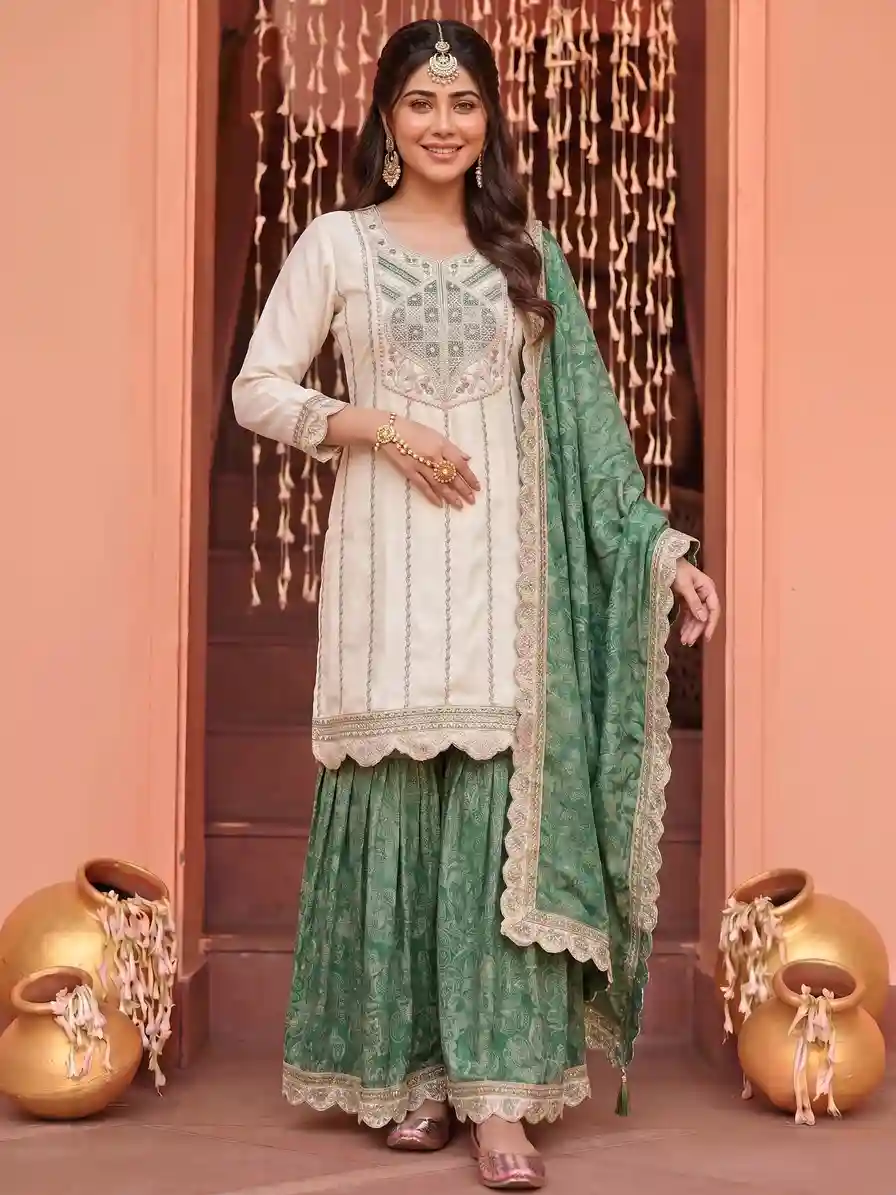
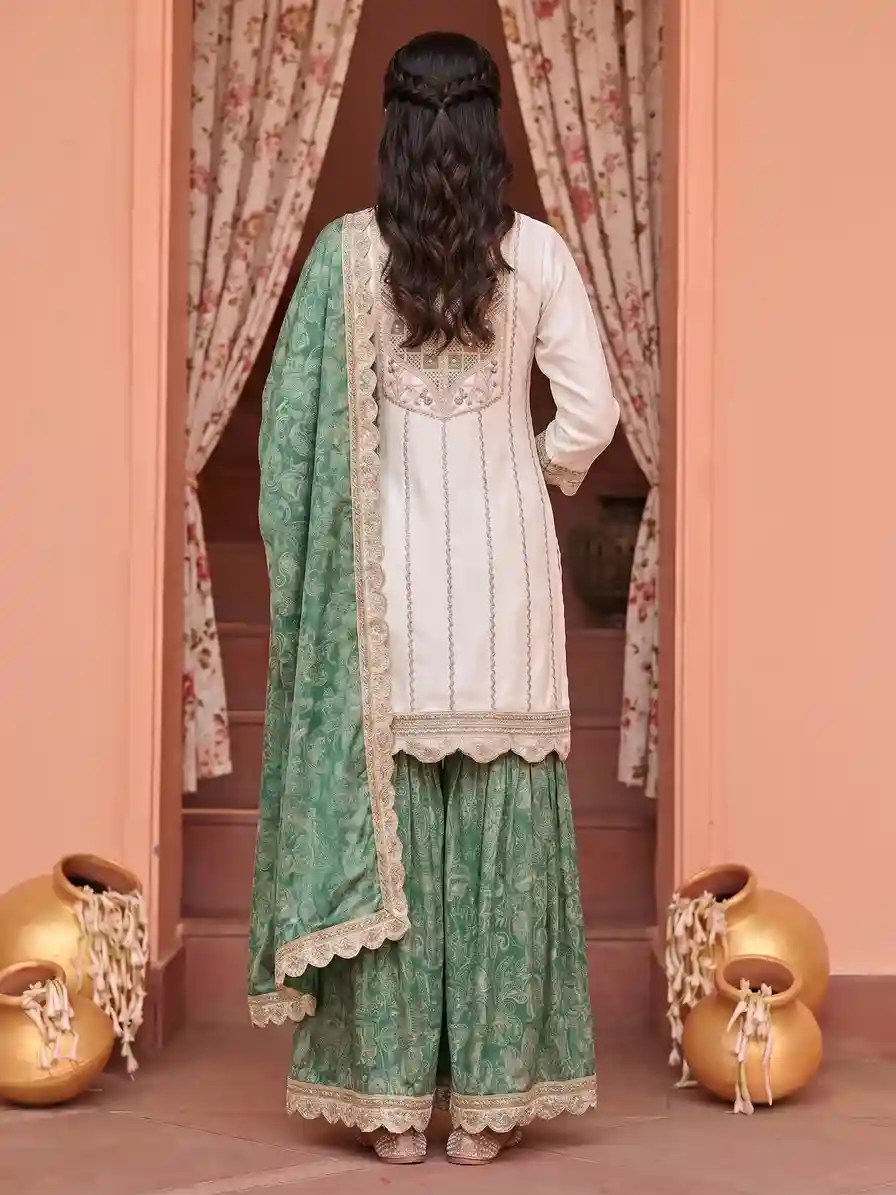
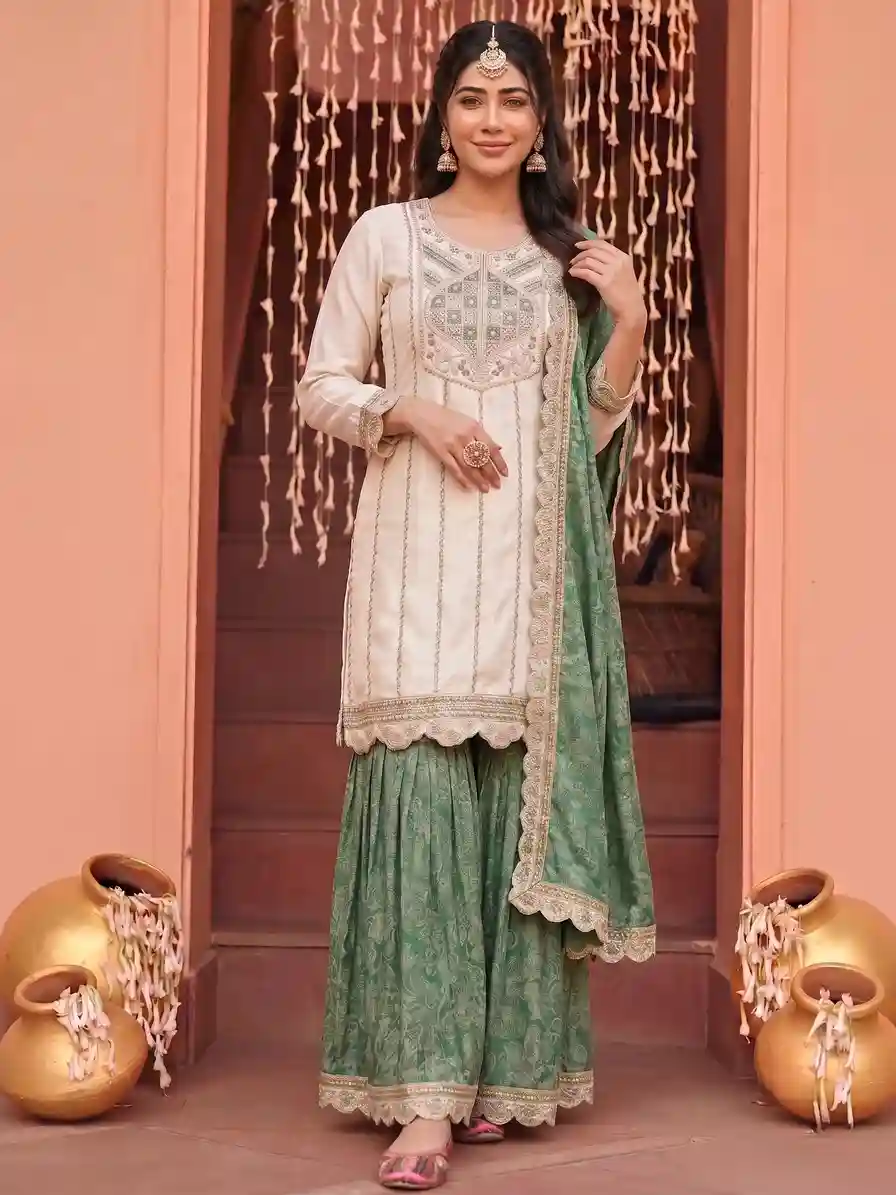
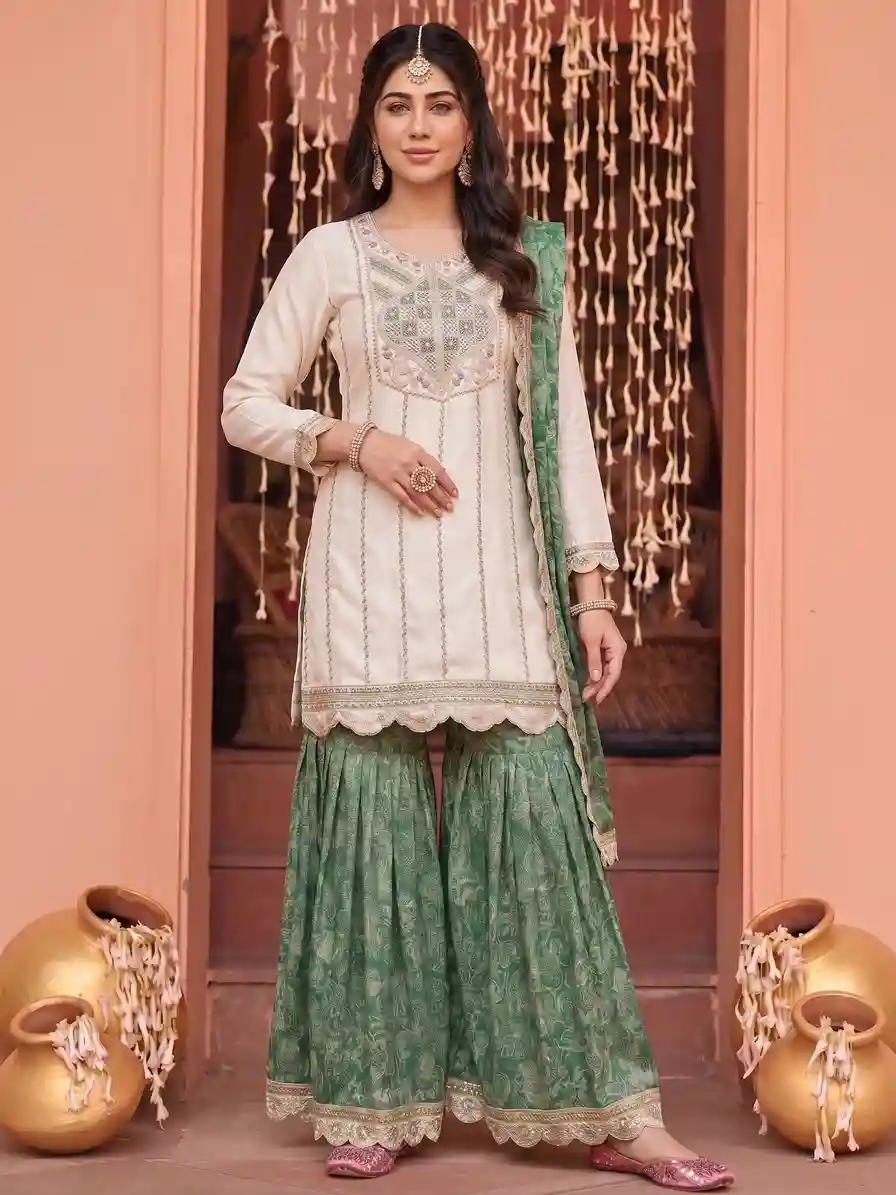
This is what a product page with six images looks like for a single SKU. For most small brands that set exists only for bestsellers, and everything else ships with one hanger photo — the gap is where the money quietly goes.
Which Vastralook studio should a small brand use?
It depends on what you sell. Vastralook has two studios, and picking the right one saves credits.
| You sell | Use | How it works |
|---|---|---|
| Sarees and lehengas | Drape Studio | Upload one flat photo of the full saree, or the lehenga parts. Choose a model and a background from StyleMuse, pick poses in the Styles tab, then order. |
| Kurtis, dresses, co-ords, kurta sets, western wear and other garments | Catalogue Studio | Upload garment photos (up to 4 sides each), pick models and styles or a package, check the Summary tab, then order. |
How do you plan a first batch without wasting credits?
In Catalogue Studio the number of shots is garments x models x styles, and the Summary tab shows the total before anything is charged. Every extra garment, model or style multiplies the rest, so a small test is cheap and a careless big batch is not.
| Plan | Shots | Budget at 1K | Budget at 2K | Instant at 2K |
|---|---|---|---|---|
| 1 garment x 1 model x 4 styles | 4 | 28 credits | 40 credits | 60 credits |
| 10 bestsellers x 1 model x 6 styles | 60 | 420 credits | 600 credits | 900 credits |
The first row is a sensible first test. Four shots of one garment at Budget 1K is 4 x 7 = 28 credits, which fits inside the 30 welcome credits a new account gets. At the time of writing, free credits can be used on Budget orders, so check the order button to confirm what your free credits cover.
What does an AI photoshoot replace, and what does it not?
For a small brand, the honest comparison is not AI against a perfect campaign shoot. It is AI against the picture you would otherwise publish, which is often a single hanger photo or a phone picture on a bed. Against that, a set of on-model images in a consistent look is a clear step up.
It does not replace a real brand campaign with a named model and a location, it does not make video, and it does not remove the need to check each image. Keep real photographs where they matter most, such as a close-up of handwork, and use generated shots to fill the gaps around them. That mix is cheaper than shooting everything and more convincing than shooting nothing.
A realistic starting point for a small brand
- 1. Pick your ten best sellers
Start with the products that already sell, plus your newest arrivals. They have the most to gain from a fuller gallery.
- 2. Take one good garment photo each
Lay the garment flat, fill the frame and shoot square-on in even light. Everything else (floor, hanger, table) can end up in the result, and a tilted photo is repeated in every shot.
- 3. Choose one model and one package
A package is a ready-made set of styles that work together, so a full set is one tap. One model and one package keeps the batch small and the look consistent.
- 4. Test one garment first
Run a single garment at Budget 1K and check every shot for colour, drape and detail against the real piece before you scale up.
- 5. Publish and compare
Put the new images on some listings and leave others unchanged. That gives you a real number for your own catalogue rather than a projection, and it takes an afternoon.
What should a small brand watch out for?
AI photoshoots are not magic, and small brands feel mistakes more because there is less budget to waste. Output varies: pose, drape and fine detail can differ from your reference, so check every shot before it goes on a listing.
- Colour: compare each image with the real garment, in daylight, before publishing. If a colour is off, fix your input photo first.
- Fine detail: embroidery, prints and trims are where differences show up most. Add a back or detail photo as another side of the garment when it matters.
- Consistency: use the same model and the same package for a whole collection so your shop looks planned.
- Honesty: the picture should show the product the customer will receive. Mention fabric and fit in the listing text.
How should you grow from the first test?
Once the first ten products are live, you can look at what your own numbers say. If the new galleries help, extend the same package to the next batch of products. If one style or model clearly works better, drop the other and re-run only that combination, which is cheaper than a full re-shoot.
Use free credits and invite rewards sensibly. A new account gets welcome credits, and an invite link gives credits to both people once the friend verifies a mobile number. For larger batches, buy credits in a pack or take a plan, and see the pricing page for current options.
Start every shoot with a free AI garment analysis
In Drape Studio, the moment you upload a saree photo Vastralook reads it for you: category, occasion, fabric, colours, design and work. It costs no credits. A saree added through Catalogue Studio opens the same drape window, so it gets the same reading.
- Upload the saree photo; the AI garment analysis fills in beside it.
- Open Model & Background: five AI recommended packages appear, each a model, a background and jewellery with a match score.
- Click one package to use all three, or choose each yourself from StyleMuse.
- Check the combinations, then order. Studio-quality shots that start from choices made for your garment.
Photos are also checked in your browser before they are taken: a garment photo should show the garment, an own model photo one person, an own background nobody. If a photo is not right, the reason is shown right under the upload box.
Can a small brand really get a full catalogue without a studio?
Yes, for on-model still images. You upload photos of your garments and choose models and styles, and Vastralook makes the pictures. Check every shot against the real garment, because output varies.
Where should a small brand start?
With your bestsellers and new arrivals. Test one garment at 1K first, then scale to a small batch of about ten products.
How many credits does a first test cost?
One garment, one model and four styles is 4 shots. At Budget 1K that is 28 credits, and at Instant 1K it is 40 credits.
Does Vastralook make video?
No. Vastralook makes on-model still images only.
What if I sell sarees?
Use Drape Studio. Upload one flat photo of the full saree, choose a model and a background from StyleMuse, pick your poses and order.