
Abaya photography has always been a challenge. The garment is long, often dark, and the modest-wear market expects a dignified, polished presentation — yet traditional model shoots are expensive, slow, and hard to repeat consistently across a large collection.
With AI photoshoot tools like Vastralook, abaya brands can now produce a complete, consistent catalogue from a single phone photo of each garment. This guide shows you exactly how it works, what results to expect, and how to get it right the first time.
What you get: real abaya results from Vastralook
These images are from Vastralook's own abaya reference library — the same output quality you can expect when you run your own collection through Catalogue Studio.
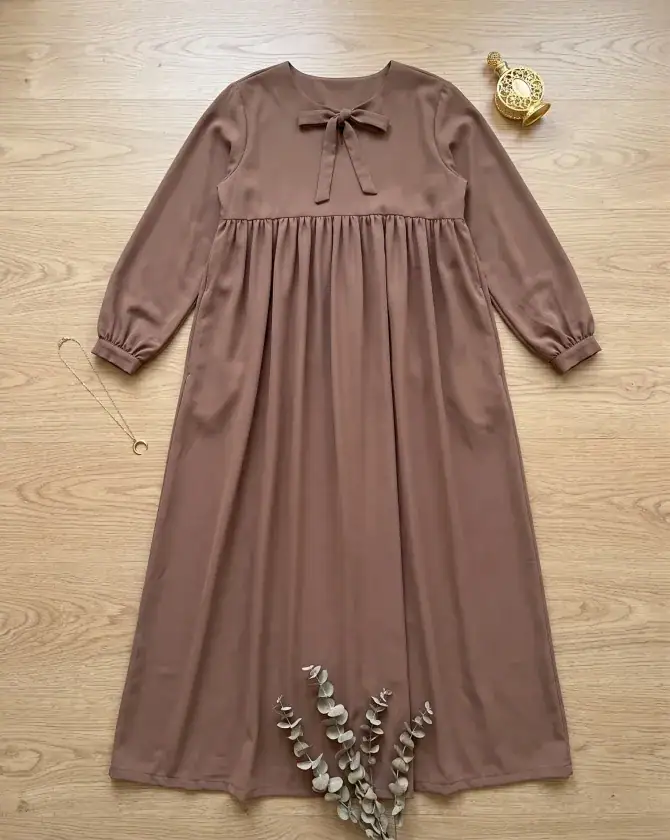
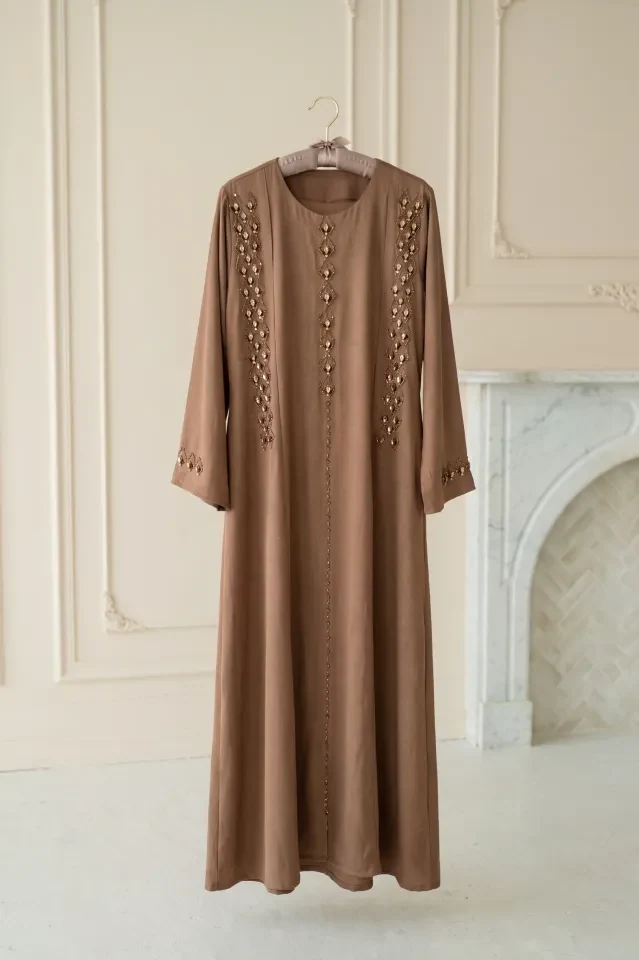
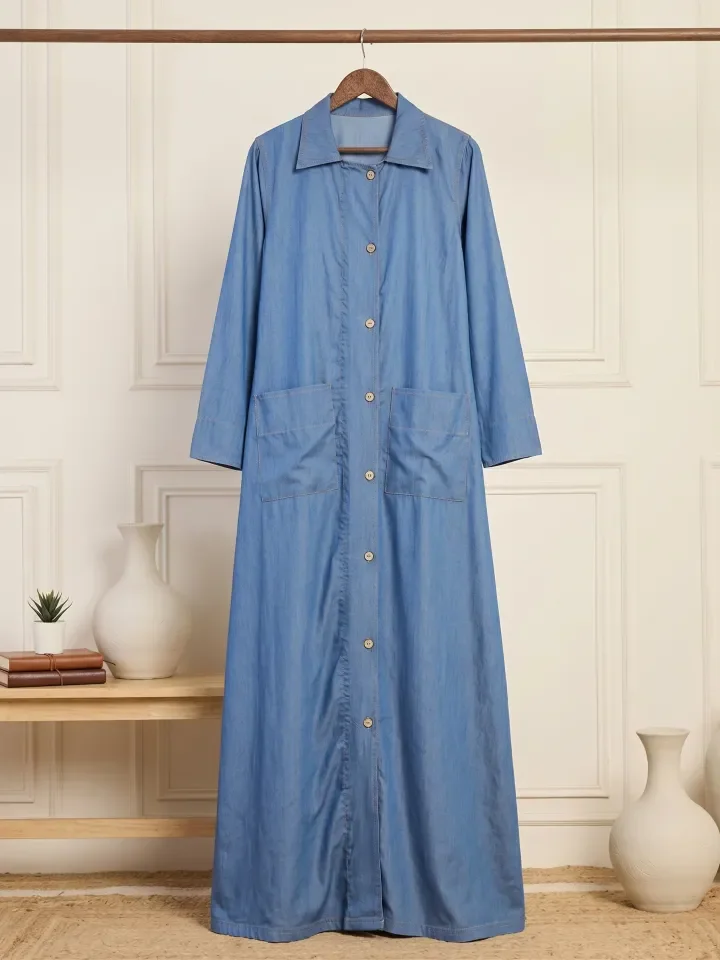
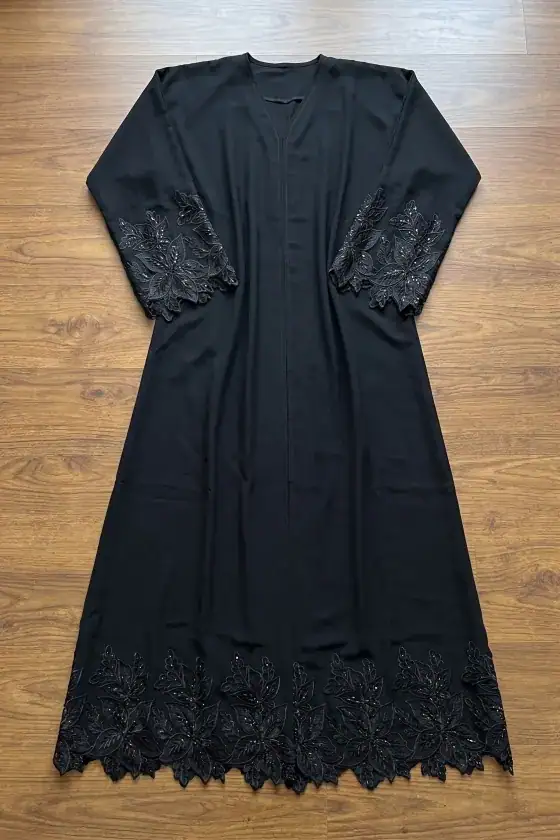
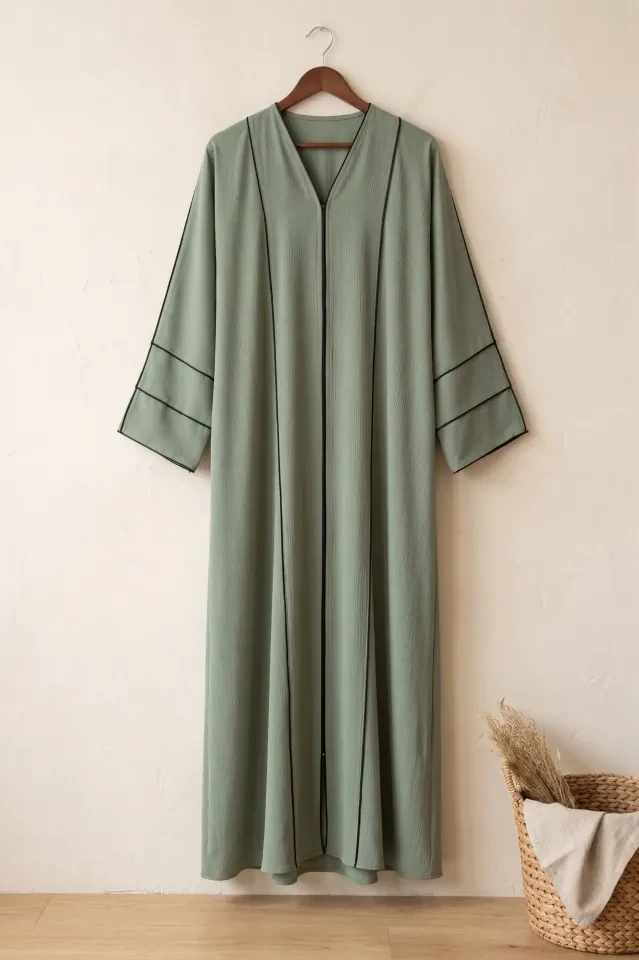
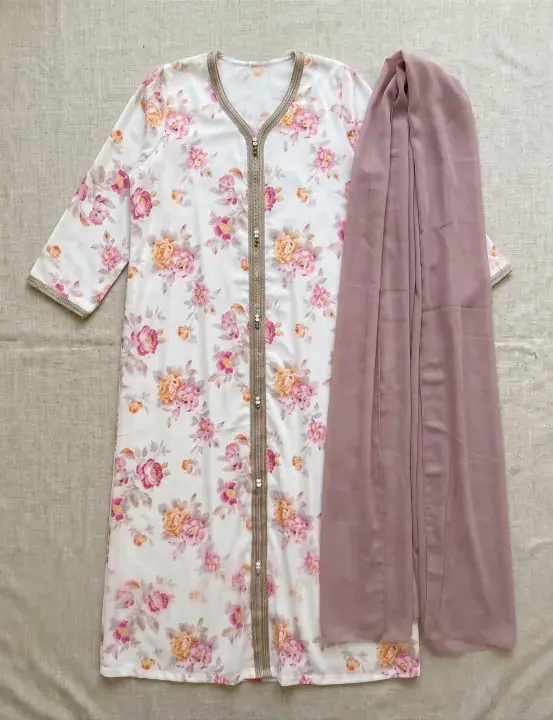
From simple flat-lays and hanger shots to elaborate embroidery, Catalogue Studio transforms any clean abaya photo into professional on-model catalog imagery.
Pre-built Abaya packages: shoot multiple angles in one click
Instead of choosing individual models and camera angles one by one, Catalogue Studio gives you ready-made packages created specifically for abayas. A package pairs a professional model with matched camera angles — front view, three-quarter, and pose variations — so you get a matched set for the product page.
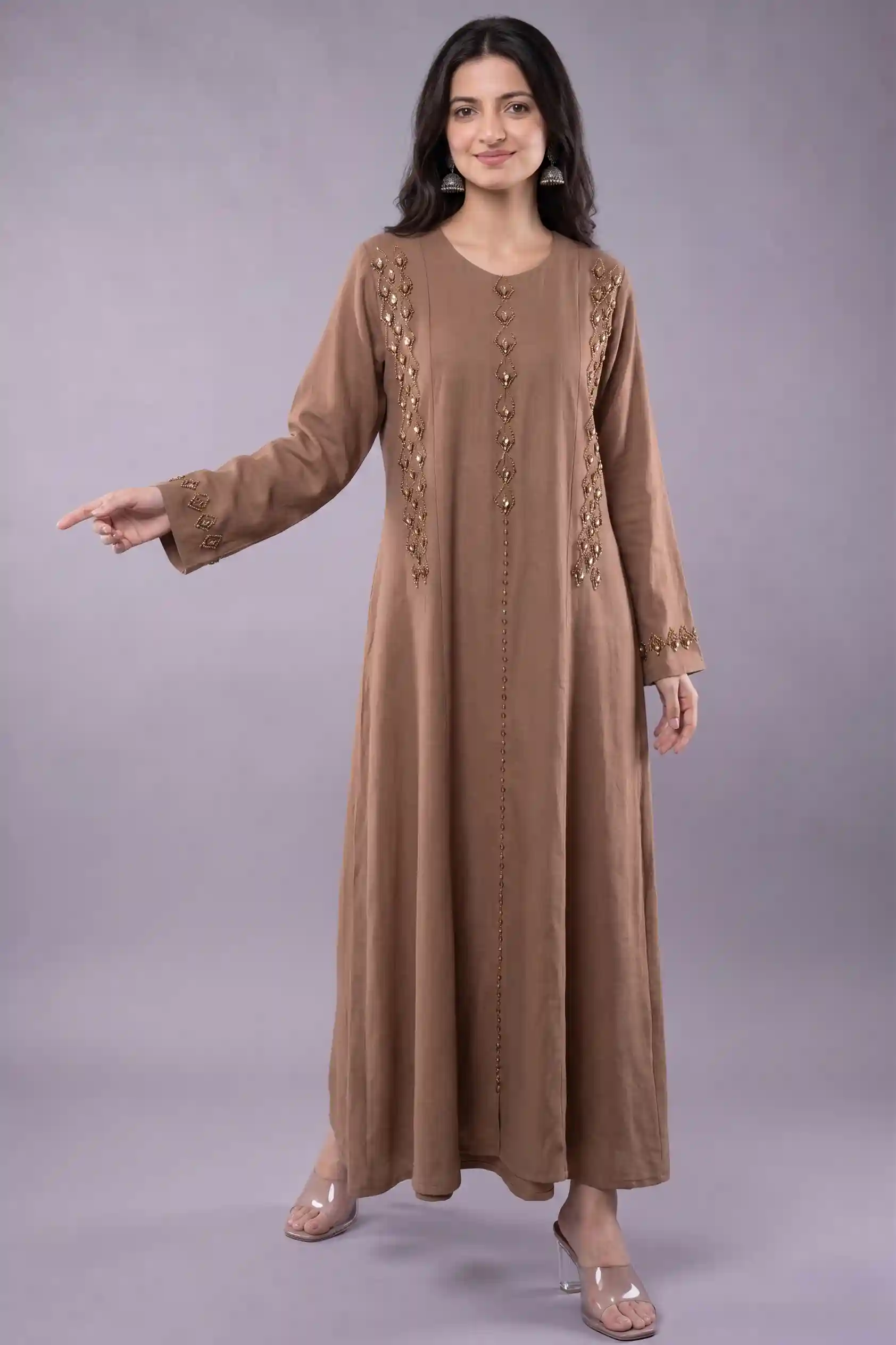
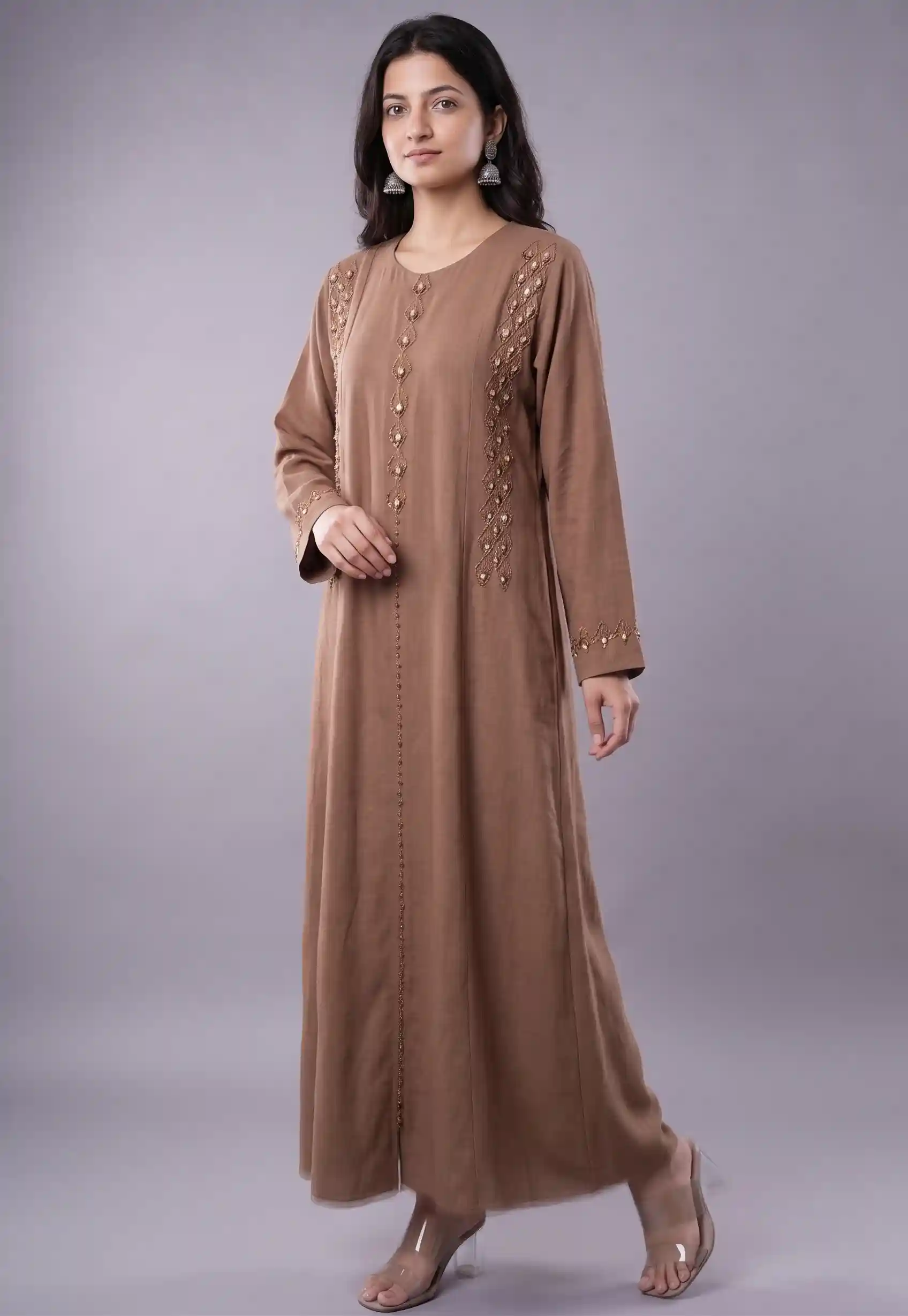
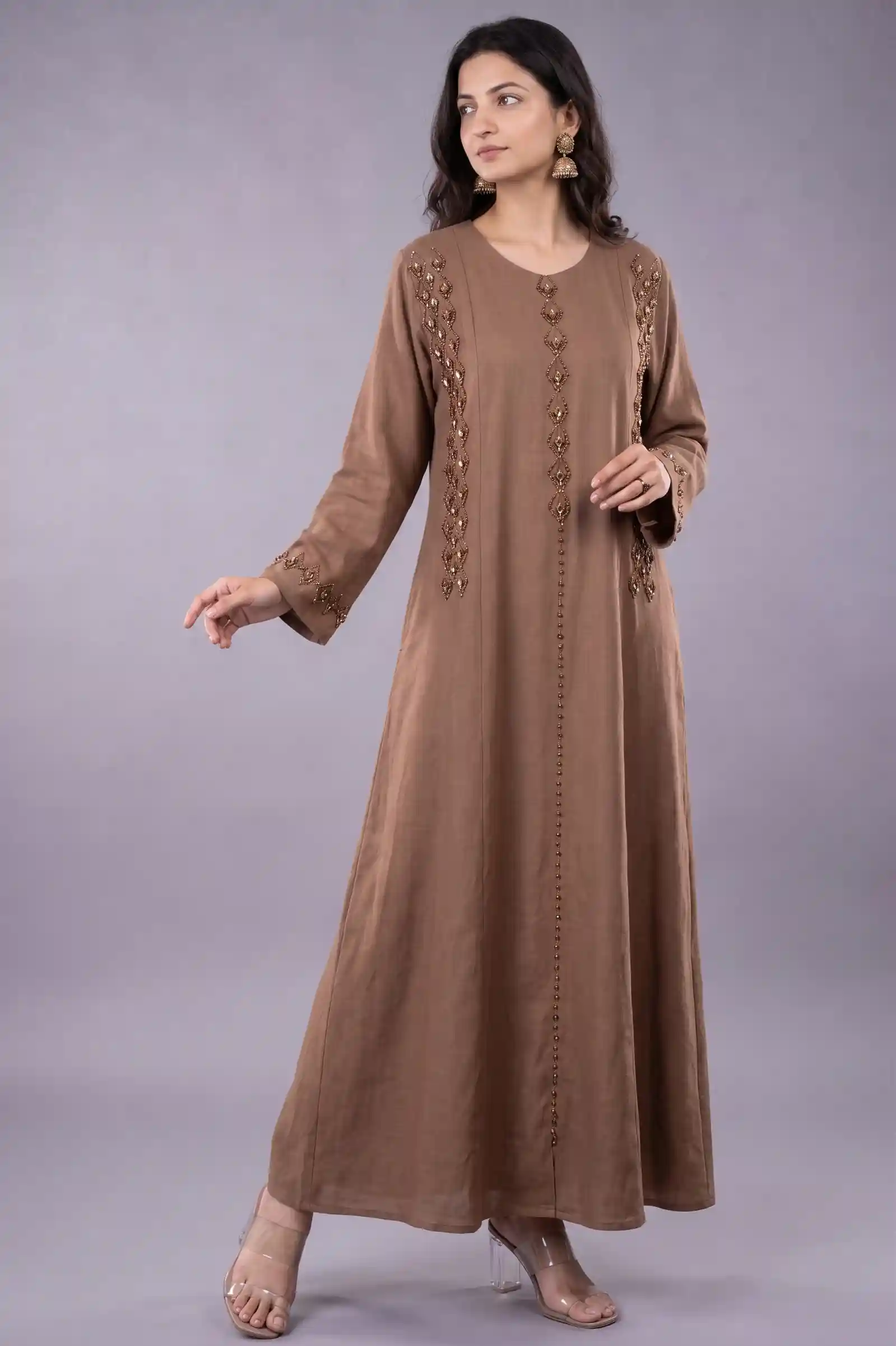
Frames from Package #880 in our library — Black rayon abaya style suit on model Vaishnavi across 3 complementary poses. Selecting this package in Catalogue Studio shoots your uploaded abaya across all three angles in one batch.
Looking for light or pastel fabrics? Here is another ready-made package from our database showing an off-white embroidered abaya across front, three-quarter, and over-the-shoulder poses with perfect drape preservation:
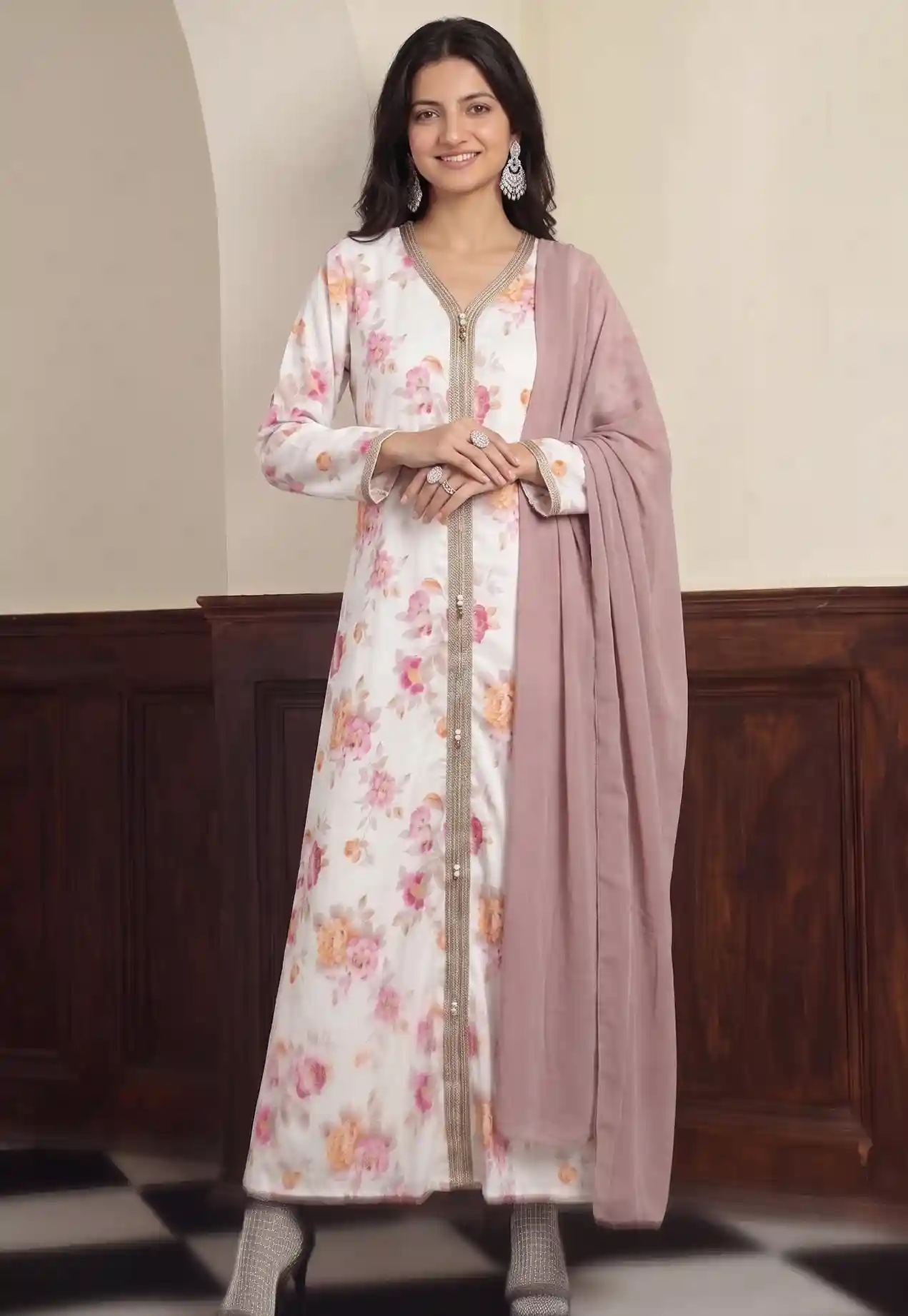
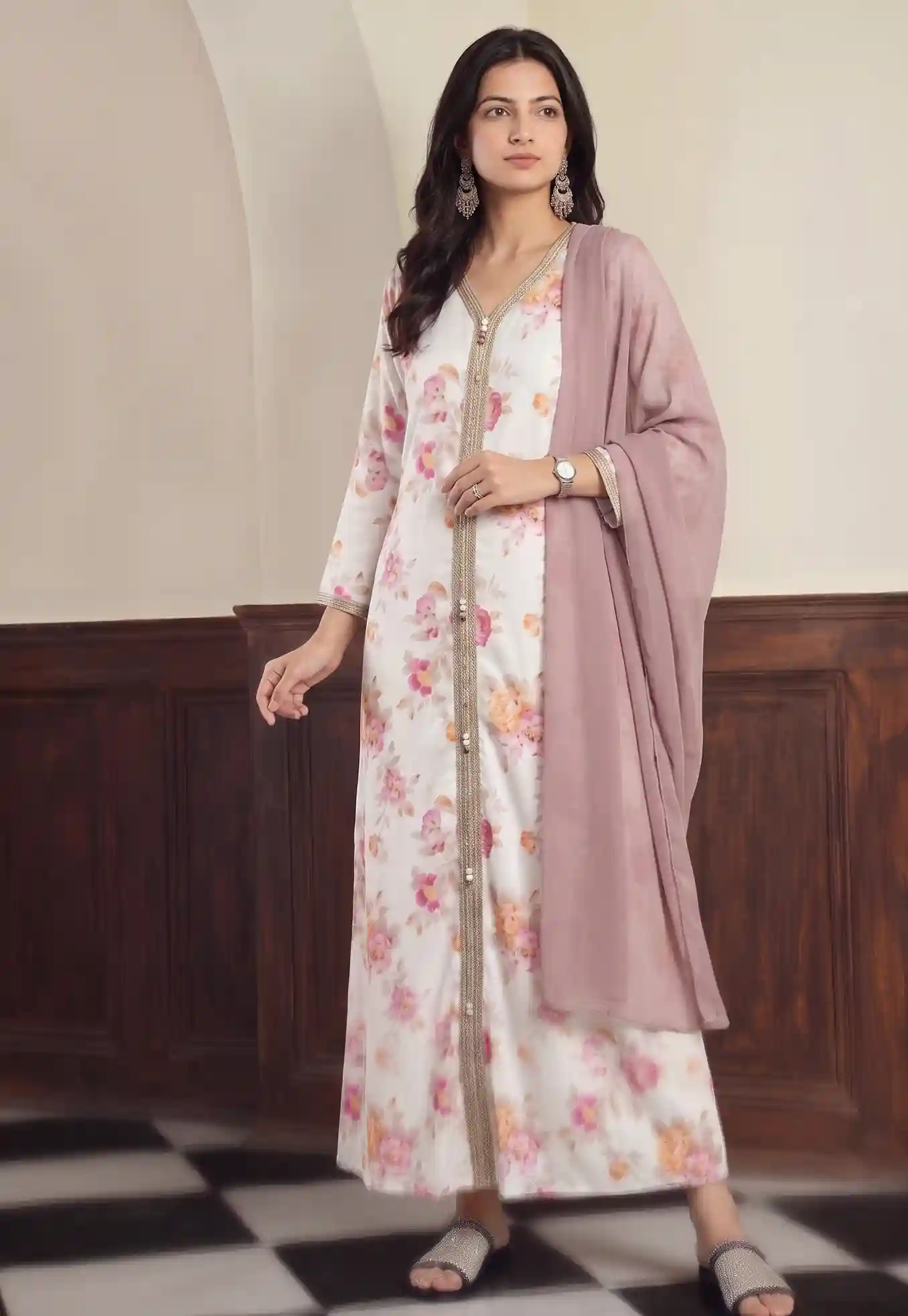
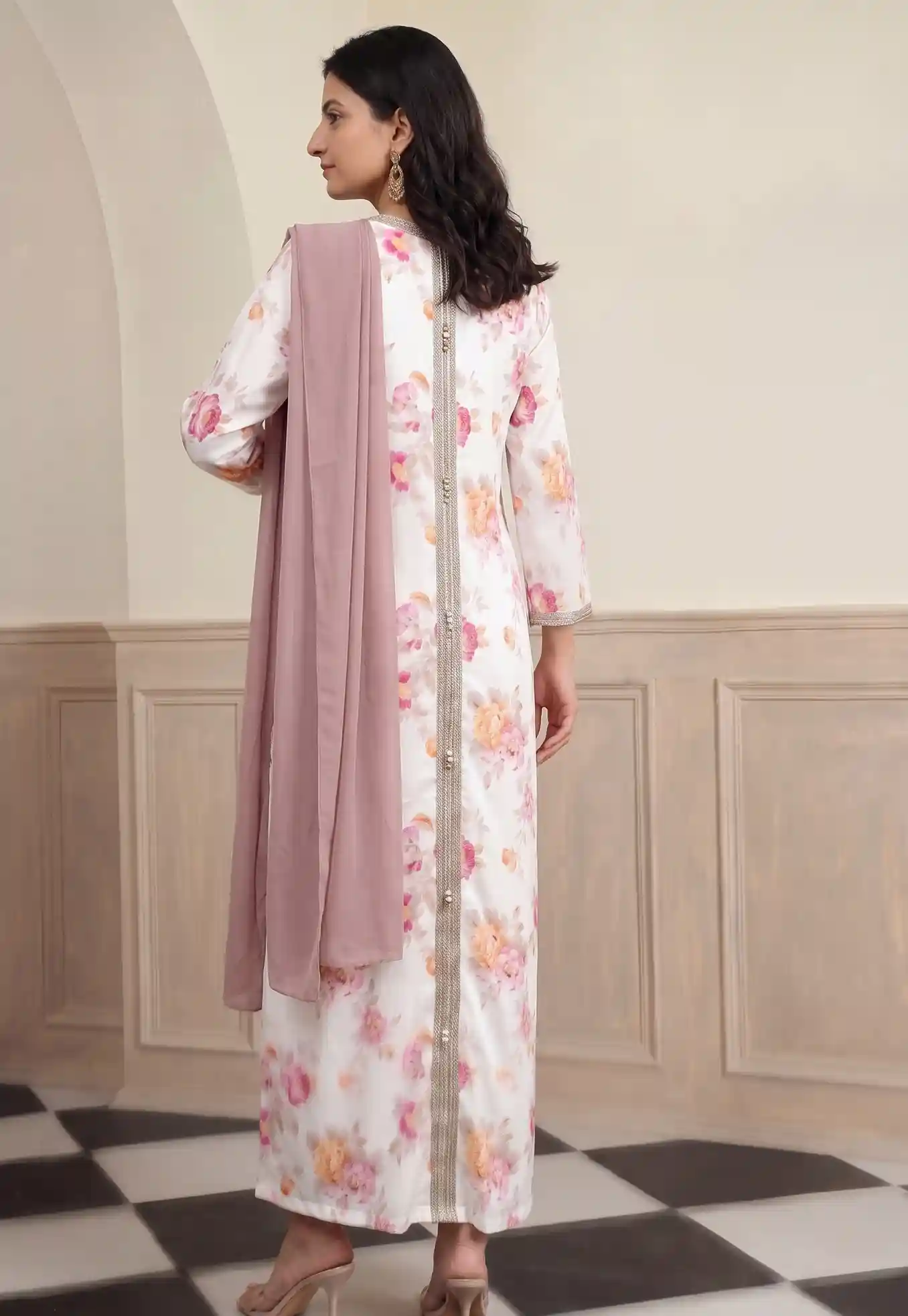
Frames from Package #882 in our library — off-white modal silk abaya with intricate embroidery on model Vaishnavi. Notice how sleeve details, fabric texture, and silhouette remain consistent across every angle.
Why traditional abaya shoots are a bottleneck
| Problem | What it costs you |
|---|---|
| Finding a model for modest wear | Months of searching; limited availability in many cities |
| Booking a studio | Hire charged per half-day, before the photographer fee |
| Shooting a 20-piece collection | Several shoot days, plus time for edits |
| Keeping images consistent across seasons | Nearly impossible — model availability changes, lighting differs |
| Adding new colours or sizes later | Requires another shoot; often skipped, hurting conversions |
The result is that most abaya brands either delay their launches waiting for photos, or publish with low-quality flat-lays that do not convert. AI photoshoots fix both problems.
How AI abaya photoshoots work on Vastralook
- Photograph your abaya
Lay the abaya flat on a clean, contrasting surface or hang it against a plain wall. Shoot straight on in good daylight. Fill the frame — the AI needs to see the full garment, including sleeves, hem and any embroidery or embellishments.
- Open Catalogue Studio
Go to Catalogue Studio on Vastralook. Select Abaya as the garment category so the system uses the right model posing and draping logic for long, modest-wear garments.
- Upload your garment photo
Upload your flat-lay or hanger shot. The system processes the garment — fabric texture, colour, length and any embroidery — to ensure accurate reproduction on the model.
- Choose your model, style, or pre-built package
Pick an individual model and pose, or simply click on an Abaya package like Package #880 or #882 in the Styles tab to load a pre-configured multi-angle set in one click. Each package keeps lighting and framing matched.
- Check the batch summary and generate
Review the job before you spend credits. The batch summary shows how many images you will get, at what resolution, and the credit cost. Approve, and your images are ready in minutes.
- Review at full size and download
Zoom in on the hem, sleeves, neckline and any embroidery. Check that the fabric colour is accurate and the model looks natural. Download and use directly on your product pages.
What makes a good source photo for an abaya
The AI can only reproduce what your photo shows it. Here is what matters most for abayas specifically:
- Iron or steam the abaya fully — creases reproduce on the model.
- Lay flat or hang against a plain, contrasting surface (light background for dark abayas, dark for white/ivory ones).
- Shoot from directly in front, not at an angle — angles distort the silhouette.
- Show the full length from collar to hem. Do not cut off the bottom.
- If the abaya has embroidery, beading or embellishments, include a close-up shot so the AI captures the detail.
- Photograph the sleeve detail separately if it is a key design feature.
- Use soft, diffused daylight or a softbox — no harsh shadows across the fabric.
Catalogue consistency: the Vastralook advantage
One of the biggest challenges for abaya brands with large collections is visual consistency. When images are shot on different days, with different models or lighting, the product grid looks scattered and untrustworthy.
- Same model, pose and background across every SKU
- New additions match the existing catalogue
- Generate colour variants without a re-shoot
- Available any time — no scheduling
- Fraction of the cost per image
- Needs a clean source photo for best results
- Does not capture fabric movement or real drape dynamics
- Review each image carefully for embroidery and embellishment accuracy
Background options: which one works for your abaya brand
| Background style | Best for | Tone |
|---|---|---|
| Plain white or off-white studio | Marketplace listings (Meesho, Amazon, Flipkart, Nykaa) | Clean, professional |
| Soft gradient or light grey | Your own website product pages | Premium, minimal |
| Warm interior (marble, curtains) | Social media, Instagram, brand page | Aspirational, lifestyle |
| Outdoor soft blur | Editorial, lookbook, ads | Elevated, fashion-forward |
Real results: what consistent AI abaya photography does for your store
Brands using Vastralook for abaya catalogues report being able to launch new collections the same week samples arrive — instead of waiting weeks for a shoot to be scheduled, shot and edited.
Frequently asked questions
Can Vastralook handle embroidered and embellished abayas?
Yes. The AI reproduces embroidery, beading and embellishments from your source photo. For best results, include a close-up shot of the detailed area alongside the full-garment photo.
What model options are available for abaya shoots?
You can choose model skin tone, build and general age range to match your target customer. For modest wear brands, you can select poses and styling that maintain a dignified, appropriate presentation.
Will the images work for Meesho, Amazon and Nykaa listings?
Yes. Generate on a plain white or off-white background at the required resolution (1:1 or 4:5 ratio), and the images meet standard marketplace image requirements. Always check the current image guidelines for each platform.
How many credits does an abaya shoot cost?
Credit cost depends on the resolution and number of images. Check the batch summary in Catalogue Studio before confirming — it shows the exact credit cost per image for your chosen settings.
What is an Abaya package in Catalogue Studio?
A package is a curated bundle of poses and camera angles on a specific model (for example, Package #880 featuring model Vaishnavi in 3 complementary studio poses). Choosing a package lets you generate an entire multi-shot catalogue for your abaya with a single click, keeping lighting, model, and background consistent.
Can I show the same abaya in different colours?
Yes. Upload each colour variant separately and generate on the same model and background. This gives you a perfectly consistent colour grid without a separate shoot for each variant.
What if the output does not look right?
Review the image and identify what is off — usually it is the source photo (angle, crumpling, shadow). Fix the input photo and regenerate. Small improvements to the source photo make a large difference to the output.
Start your abaya catalogue today
You do not need a photography studio, a model, a stylist or weeks of waiting. All you need is a clean photo of your abaya and a Vastralook account. From there, a consistent, professional catalogue is a few minutes away.


