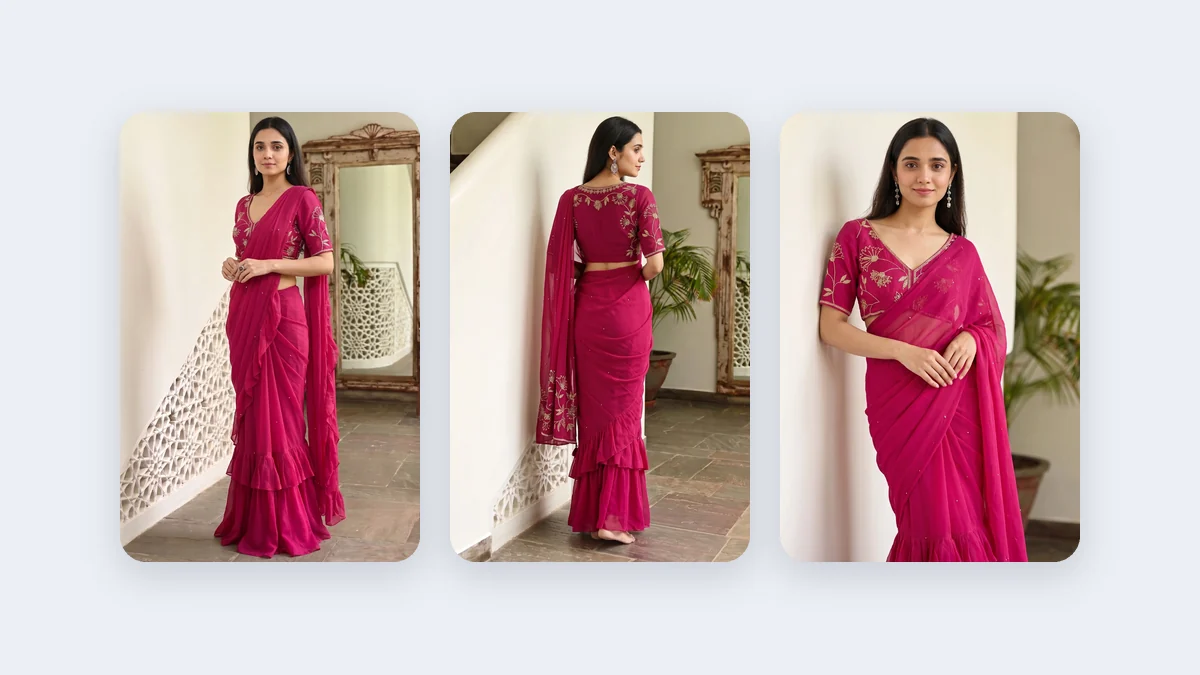
A reseller in Ahmedabad gets forty new designs from a supplier on Monday. The supplier's photos are flat, dark or watermarked with someone else's name. By Tuesday she has to send something to her customers and her reseller groups. Most people in this position forward the supplier's pictures and hope. Customers then compare them with the next seller's pictures and choose whichever shows the garment worn, in clean light, with a name they recognise. This post is for resellers and small sellers who want WhatsApp catalogue photos of their own: square, on-model, and quick to make.
What a WhatsApp picture has to do
A WhatsApp picture is seen small, on a phone, usually in a chat or a grid of tiles, often after it has been forwarded and recompressed. It has to say three things quickly: what the garment is, what colour it really is, and who is selling it. A busy photo with a small garment fails the first test. A dark photo fails the second. A picture with no name on it fails the third.
That is why the shape matters. A square 1:1 picture sits well in the chat and in the catalogue grid, so the garment fills the tile instead of floating in a narrow strip. The platform guide in the repo lists 1080 × 1080 pixels for a WhatsApp catalogue or chat image. Sources disagree on the exact catalogue numbers, so check WhatsApp's own help page for what your app accepts. The ratio and the quality below are the part Vastralook owns.
The recipe: studio, ratio, quality
| Your stock | Studio | Ratio | Quality | Why |
|---|---|---|---|---|
| Sarees | Drape Studio | 1:1 | 1K, or 2K for heavy borders | Drapes your actual cloth; a square crop of the draped saree for a catalogue tile |
| Kurtis, suits, lehengas, dresses, co-ords | Catalogue Studio | 1:1 | 1K to 2K | One model and one set can carry all of them |
| A matching set or a bundle in one picture | Group Studio | 1:1 where a pose has it | 1K to 2K | Poses are built for a number of people; the photos you add must match |
| A cover tile for the whole catalogue | Any | 1:1 | 2K | The first tile is the one people see; give it the most detail |
 Your garment photo
 On a model
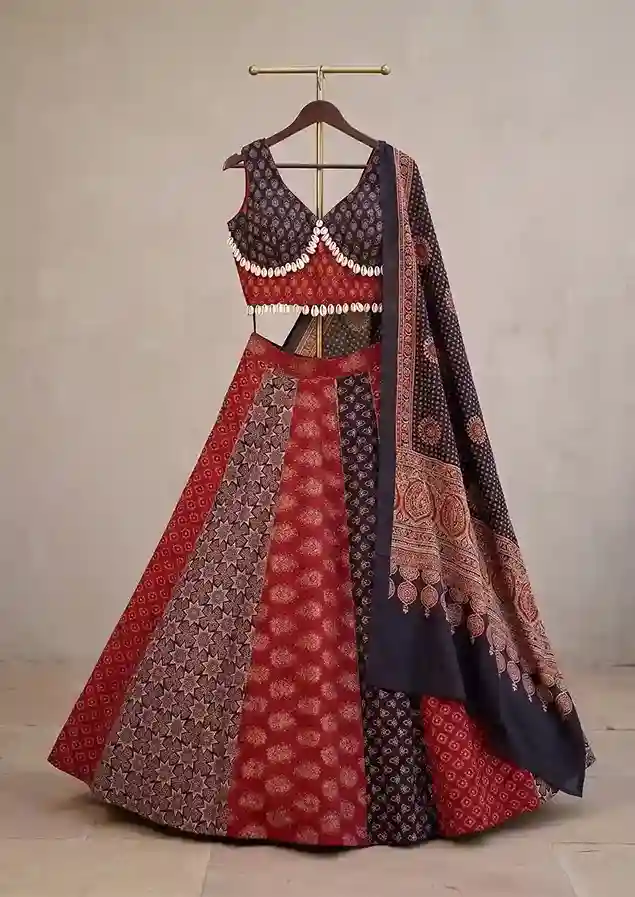
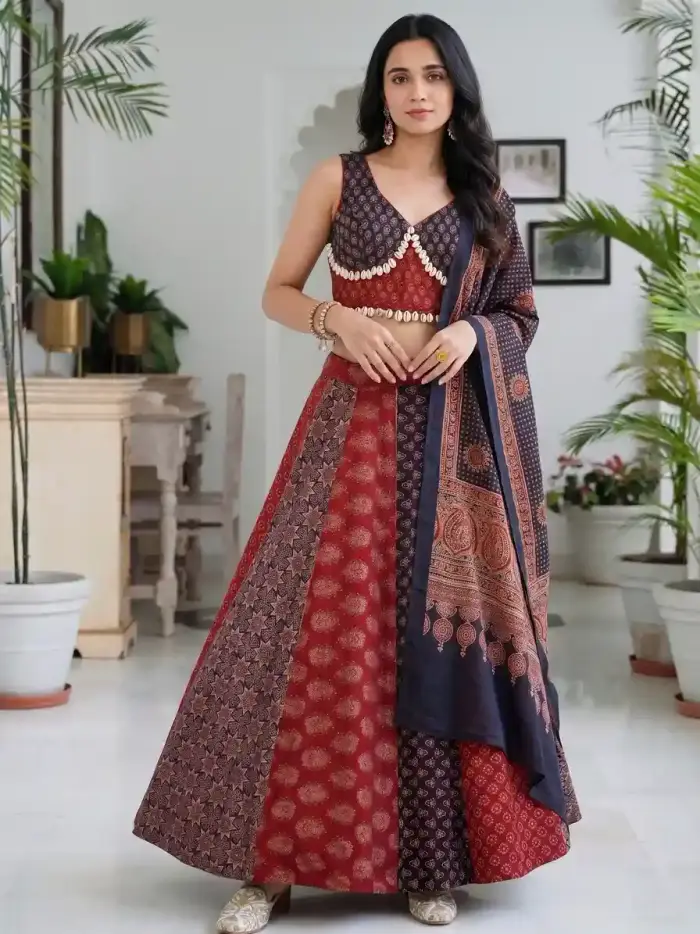
The left photo is a lehenga set on a hanger, the kind a supplier sends. The right is the same set on a model. A reseller can send the second without the supplier's watermark. Compare the skirt panels and the dupatta with your own stock.
A reseller's routine: forty designs without forty photoshoots
- Group the stock by garment type
Sarees in one pile, kurtis in another, lehengas in a third. Each type goes to one studio, so the batch stays simple.
- Pick one model and one style for the whole batch
In Catalogue Studio, one model and one set carry every design, so the catalogue reads as one brand. Same Model, Same Set keeps them from product to product.
- Set the ratio to 1:1 and the quality to 1K
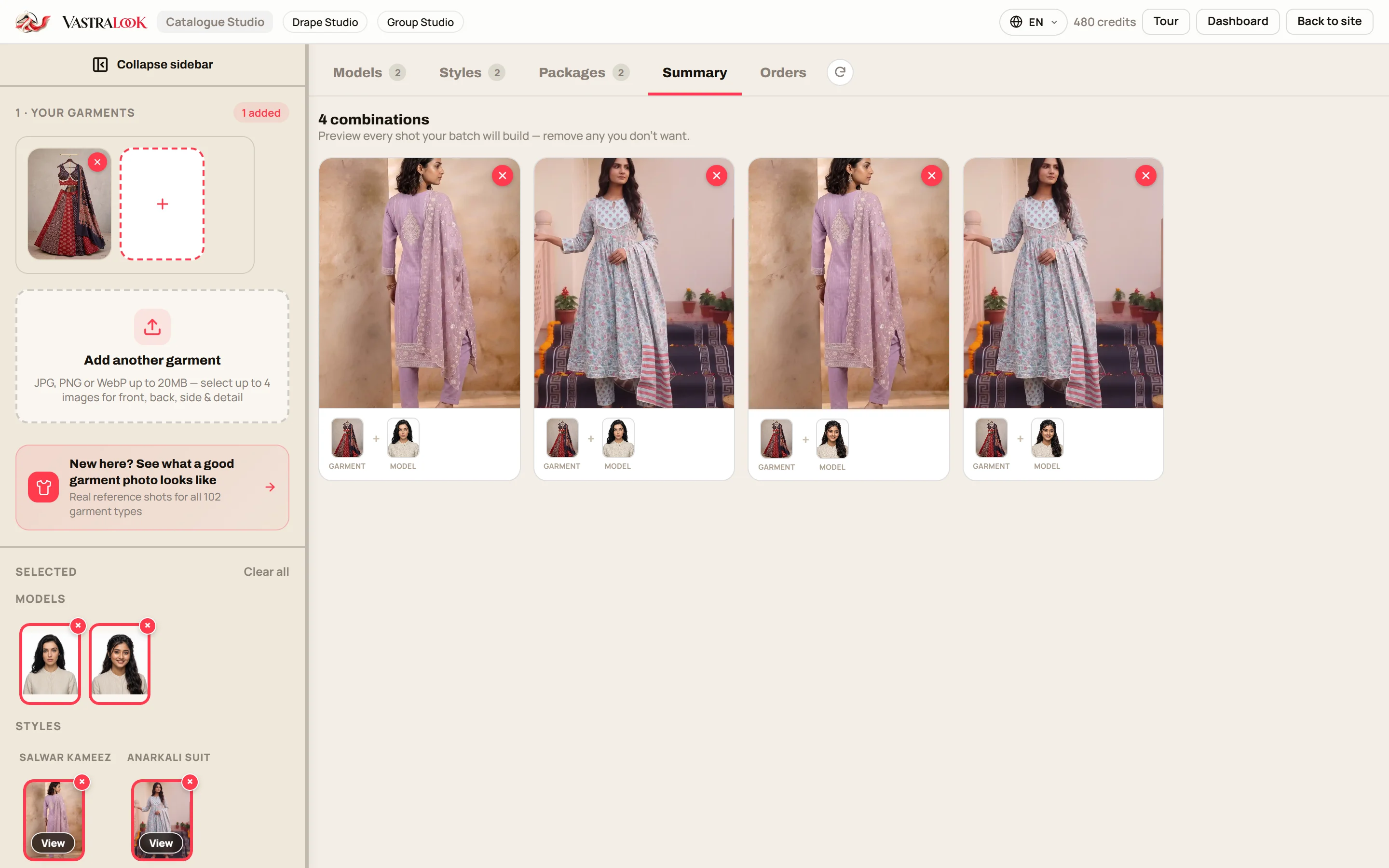
Check the batch summary. Each combination is shown as a picture before you pay, and you can remove the ones you do not want.
- Make a draft batch first
Order a few. Compare each with the garment. If the colour or the print is off, Recreate it before you send anything.
- Add your logo, then download
Set the corner, size and opacity once. Download with the logo already on it.
- Send in a fixed rhythm
New stock on a day your customers expect it. A reseller group likes to know that Monday and Thursday mean new designs.
Put your name on every picture
Pictures sent to a reseller group get forwarded to other groups. The picture travels but your name does not, unless it is on the picture. Vastralook lets you upload a logo once and set its corner, size and opacity with a live preview, and every download can carry it. A small logo in a corner is usually enough. Keep it away from the garment's most important part, and away from the model's face.
Saree resellers: Drape Studio and square tiles
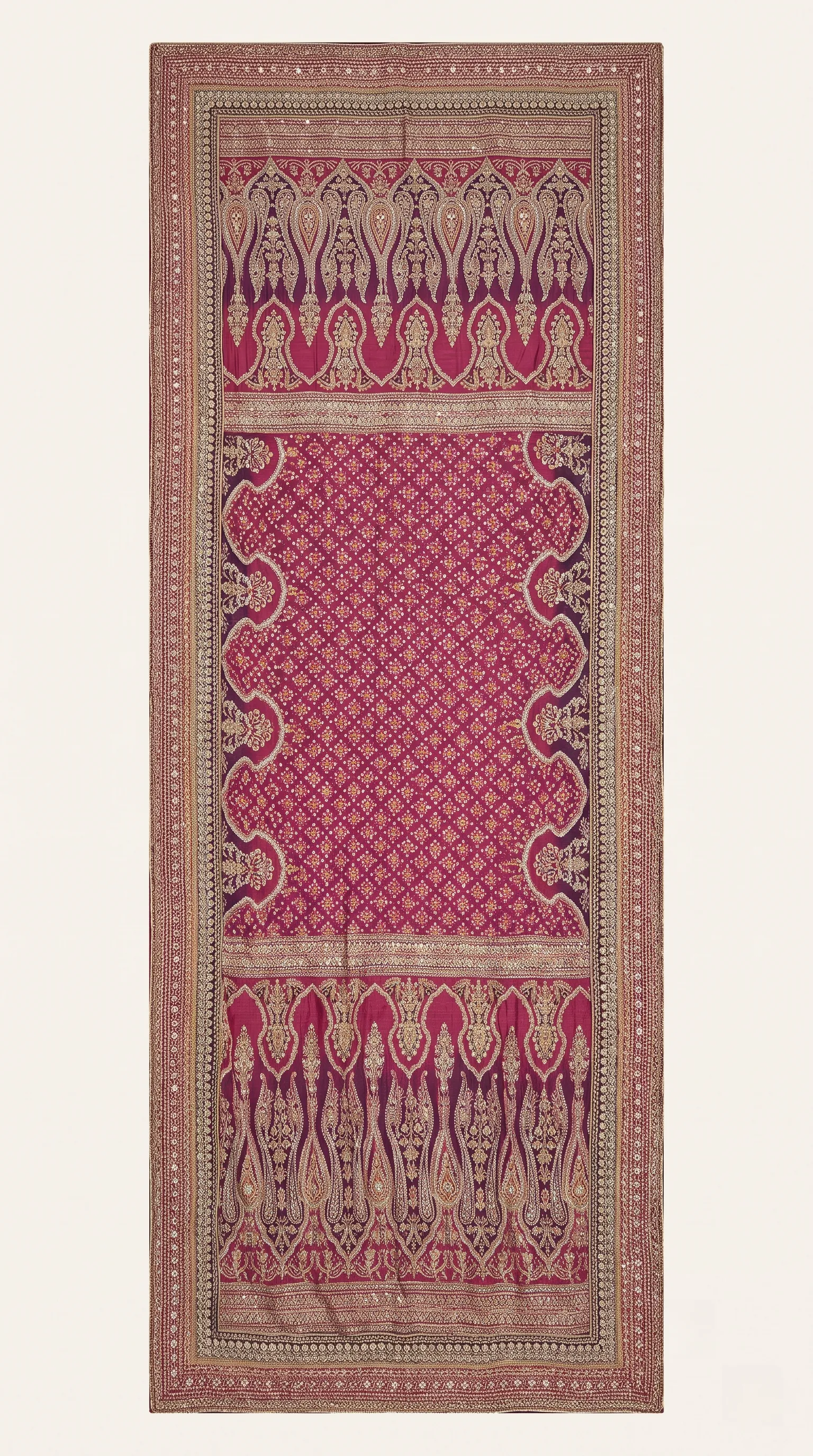
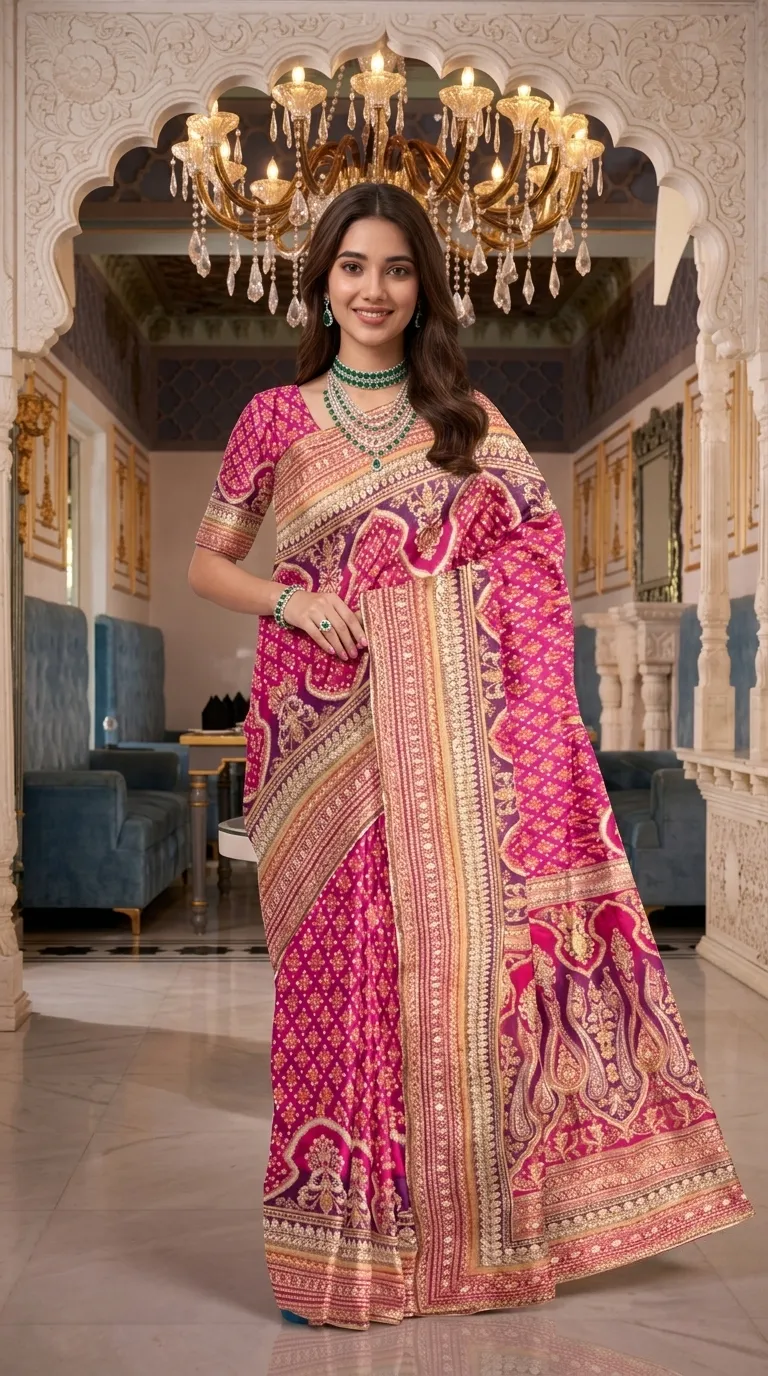
Saree resellers have the hardest job, because a flat saree on a bed says very little about how the cloth falls. Drape Studio drapes your actual fabric on a model, including the pallu and the border, so the picture shows the look. A 1:1 output keeps the model and the drape inside a tile. For a catalogue, make the first tile the full drape and the second a closer shot of the border or the weave, so the buyer can see both.
 Flat cloth
 Draped
Same saree, flat and draped. For a WhatsApp tile, check that the border and pallu stay visible after you view it small on your own phone.
A set in one picture: Group Studio
Resellers often sell a set: three matching suits, four sarees as a bundle, a family combo. One picture that shows all of them is easier to forward than four. Group Studio builds one group picture from one finished photo of each person. The rule is simple and it matters: the pose is built for a number of people and a framing, so the number of photos you add must match, and the framing you choose (full body or half body) must match the pose. Orders take poses for the same number of people and the same framing, so decide how many people and what framing you need before you pick.
Catalogue, chat, or Status?
- Catalogue and chat: 1:1, which is this post.
- WhatsApp Status: 9:16, composed full-height. See the Status, Story and Reels recipe.
- A broadcast or channel post: 4:5 is the shape the guide lists for channel posts.
- A full wholesale line sheet: see the WhatsApp clothing catalogs guide.
What to check before you send
- The colour matches your garment on a normal phone screen, in daylight.
- The print, border or embroidery looks like the one you photographed.
- The garment fills most of the square; it does not float small in the middle.
- Your logo is visible but not on the garment's key detail or the model's face.
- You are sending the picture of the garment you actually have in stock.
- Price, size and code are in the message or the catalogue item, not baked into the picture.
Cost and time
A Create order shot costs from ₹7 at 1K and from ₹10 at 2K, depending on the credit pack, and a Budget order usually takes 4–5 minutes. As a worked example, ten shots at 1K come to from ₹67. The batch summary shows every combination and the price before you order. The batch credit maths post works through full batches. New accounts get up to 3 free 2K images.
Common mistakes
- Sending a 3:4 or 4:5 picture to a catalogue grid and having it cropped.
- Forwarding a supplier's picture with someone else's watermark on it.
- Using a different model and scene for every design.
- Skipping the logo, so forwarded pictures carry no name.
- Printing the price on the picture and then changing the price.
What size should WhatsApp catalogue photos be?
Make the picture 1:1. The platform guide lists 1080 × 1080 pixels for a catalogue or chat image, and sources disagree on exact numbers, so check WhatsApp's help page. In Vastralook, set the ratio to 1:1 and generate at 1K to 2K.
Can a reseller make model photos without a model?
Yes. Upload a photo of the garment, choose a model and a style, set 1:1, and order. Everything you generate is yours to use commercially.
Should I use 1K or 2K for WhatsApp?
1K is enough for most chat and catalogue pictures. Use 2K for the cover tile or when a buyer will zoom in on detail.
How do I make saree photos for a WhatsApp catalogue?
Use Drape Studio. Upload the saree, pick a model, choose 1:1, and order. It drapes your actual fabric.
How do I keep my catalogue looking like one brand?
Use one model and one set across the batch. Same Model, Same Set keeps them while the garment changes.
Can I put my logo on every picture?
Yes. Set the corner, size and opacity once and download with the logo on. Pictures forwarded through groups then carry your name.
Can I show a set in one picture?
Yes, with Group Studio. Add one photo for each person and pick a pose for that number of people and that framing.
Will the picture match my stock?
Your garment photo is the reference, and Vastralook is built to keep it and matches as closely as it can. AI output is not exact, so check each picture before you send it.
What does it cost?
A Create order shot costs from ₹7 at 1K and from ₹10 at 2K, depending on the pack.
What if a shot misses?
Recreate it, or ask for half the credits back on a paid shot that missed. The team reviews each request.