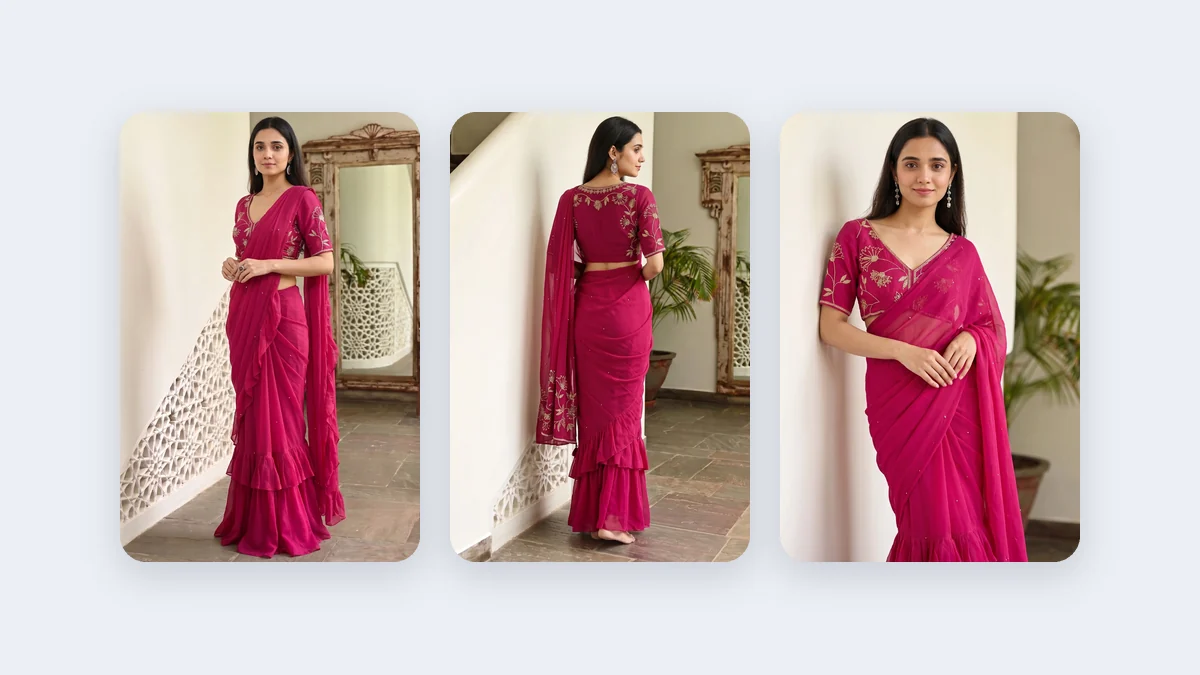
A saree seller in Rajkot posts a Status every morning. Most of them are the same: a 3:4 listing picture with grey bars above and below, or a photo from a supplier zoomed in so the model's head touches the top of the screen. If you want better WhatsApp Status photos for clothing, or a Story that does not look like a leftover, the fix is not a new filter. It is to make the picture for the screen it will be seen on. This post is about 9:16 pictures: why they beat a crop, how to make them, and how to keep faces and text clear of the buttons.
Why composing for 9:16 beats cropping a portrait
A 3:4 portrait is a tall photo. A 9:16 frame is taller and narrower still, the shape of a phone screen. Crop a 3:4 picture to 9:16 and you cut the sides of the garment, or you keep the sides and lose the head and the hem. Stretch it to fill the screen and the model looks wrong. Pad it with bars and the picture shrinks.
The platform guide in the repo says to generate at the ratio you will post in. In Vastralook the picture follows the ratio you choose, so a 9:16 request is composed for a reel, not cut from a portrait. The model, the garment and the space around her are placed for a tall frame from the start. For a saree, that can mean the drape from the shoulder to the border in one frame, which a cropped portrait rarely manages.
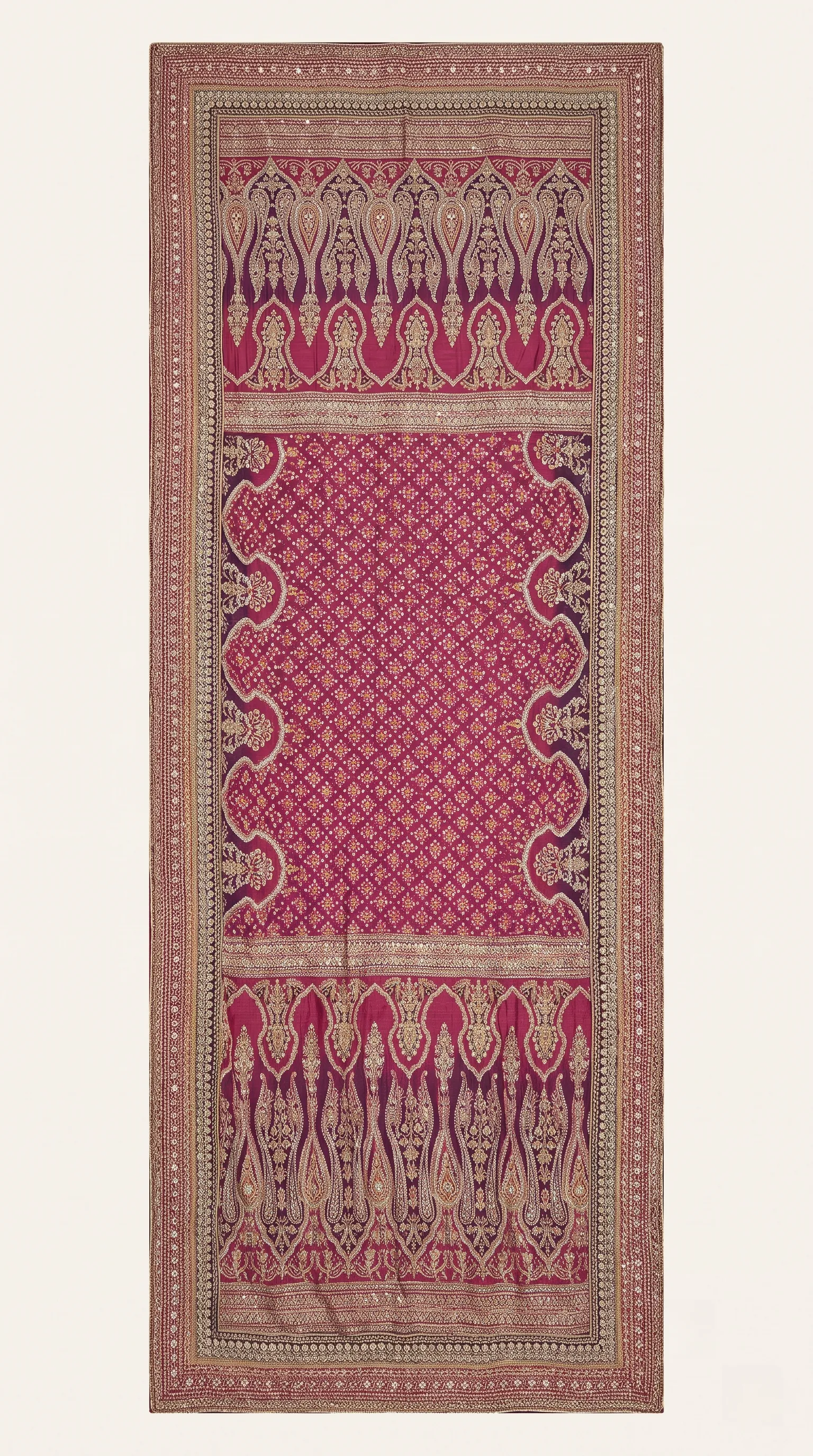 Your saree photo
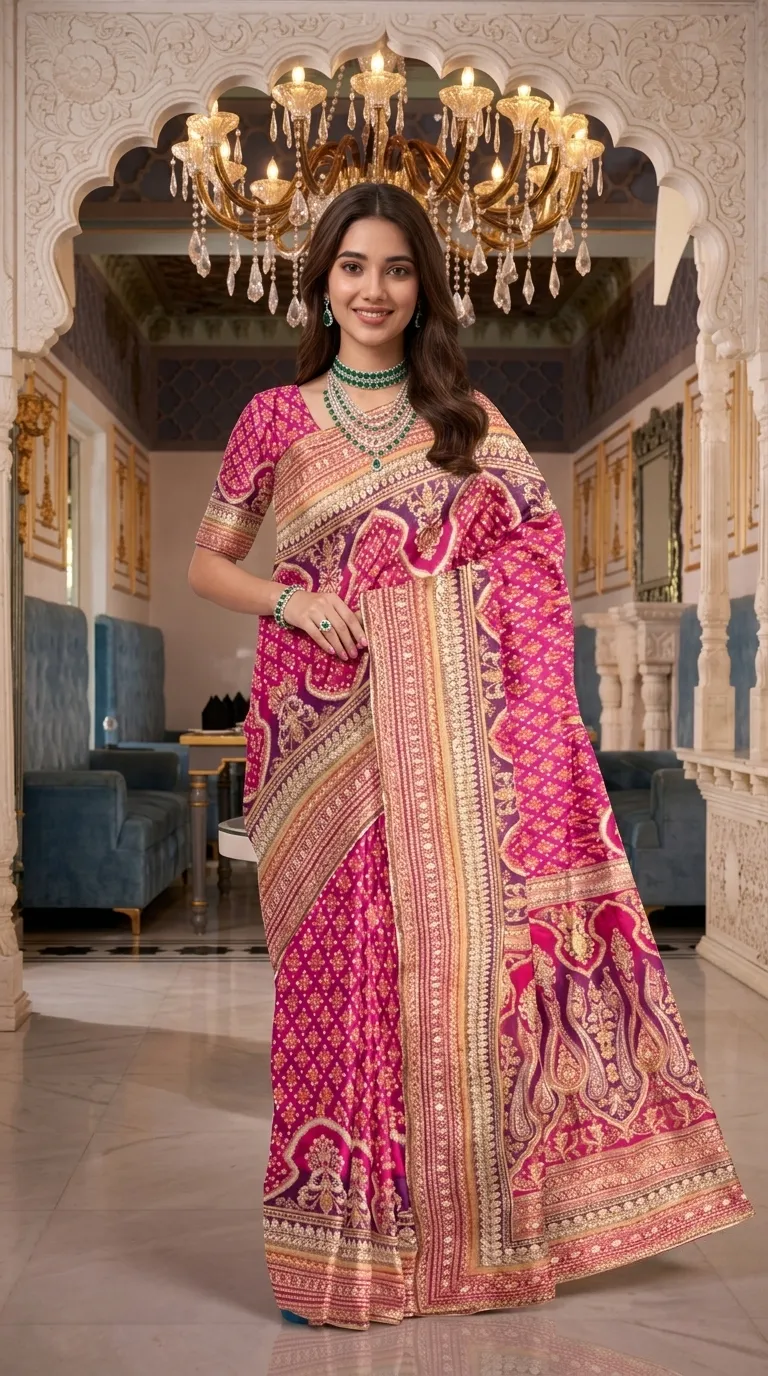 On a model
The left photo is the cloth as a seller photographs it. The right is the saree on a model. Imagine the top and bottom covered by buttons: where would the face and the border sit?
The recipe: studio, ratio, quality
| Placement | Studio | Ratio | Quality | Notes |
|---|---|---|---|---|
| WhatsApp Status | Drape Studio or Catalogue Studio | 9:16 | 2K | Full-height; the guide lists 1080 × 1920 pixels |
| Instagram Story | Drape Studio or Catalogue Studio | 9:16 | 2K | The same file works for a Story |
| Reel cover or a still-picture Reel | Drape Studio or Catalogue Studio | 9:16 | 2K | The feed also shows a 4:5 slice and the grid a 3:4 slice |
| A set in one tall picture | Group Studio | 9:16 if the pose has it | 2K | Poses are built for a number of people and a framing |
Where the apps draw on top of your picture
Every app puts something over a full-screen picture: your name and a progress bar at the top, a reply bar and buttons at the bottom, and on Reels a column of buttons on the right. If your model's face or your offer sits there, it disappears. The numbers below come from the repo's safe-zone research on a 1080 × 1920 frame. They are tool-vendor figures that trace to the platforms' templates, they disagree between sources, and they change.
| Where | Top | Bottom | Right | How sure |
|---|---|---|---|---|
| Instagram Reels and Stories | about 270 px | about 672 px | about 65 px, plus a button column lower down | Medium; sources disagree on Stories |
| WhatsApp Status | about 250 px | about 400 px | not given | Low; no official figure |
| One safe box for all of them | start at about 288 px | stop at about 1248 px | about 120 to 880 px across | Our default; the largest cover on each side |
- Keep the model's face, the garment's key detail and any text inside the middle of the frame, away from the top and the bottom.
- Let the background, the floor and the hem of a saree run out to the edges. Those can be covered without harm.
- Keep your logo near the top corner inside the box, not at the bottom.
- Put the price, size and your number in the caption or a sticker, not on the picture.
The profile grid and the feed show crops as well. An Instagram feed shows a 4:5 slice of a 9:16 picture, and the profile grid a 3:4 slice, so the middle is the part that always shows. If you want the picture to work everywhere, keep the face and the hero in the middle and let the rest breathe.
A simple daily routine for Status and Stories
People look at Status and Stories quickly, one after another. One picture a day with a plain caption beats a pile nobody finishes. Here is a routine a small seller can keep, with no numbers promised:
| Moment | What you post | Caption or sticker idea |
|---|---|---|
| Morning | One new arrival on a model | Naya stock. DM for price and sizes. |
| Midday | A close shot of the print or border | Border ka close-up. Colour in daylight. |
| Evening | The same garment in a second colour | Do colours available. Kaunsa pasand hai? |
| Weekend | A set picture, or a poll sticker | Which drape would you wear to a wedding? |
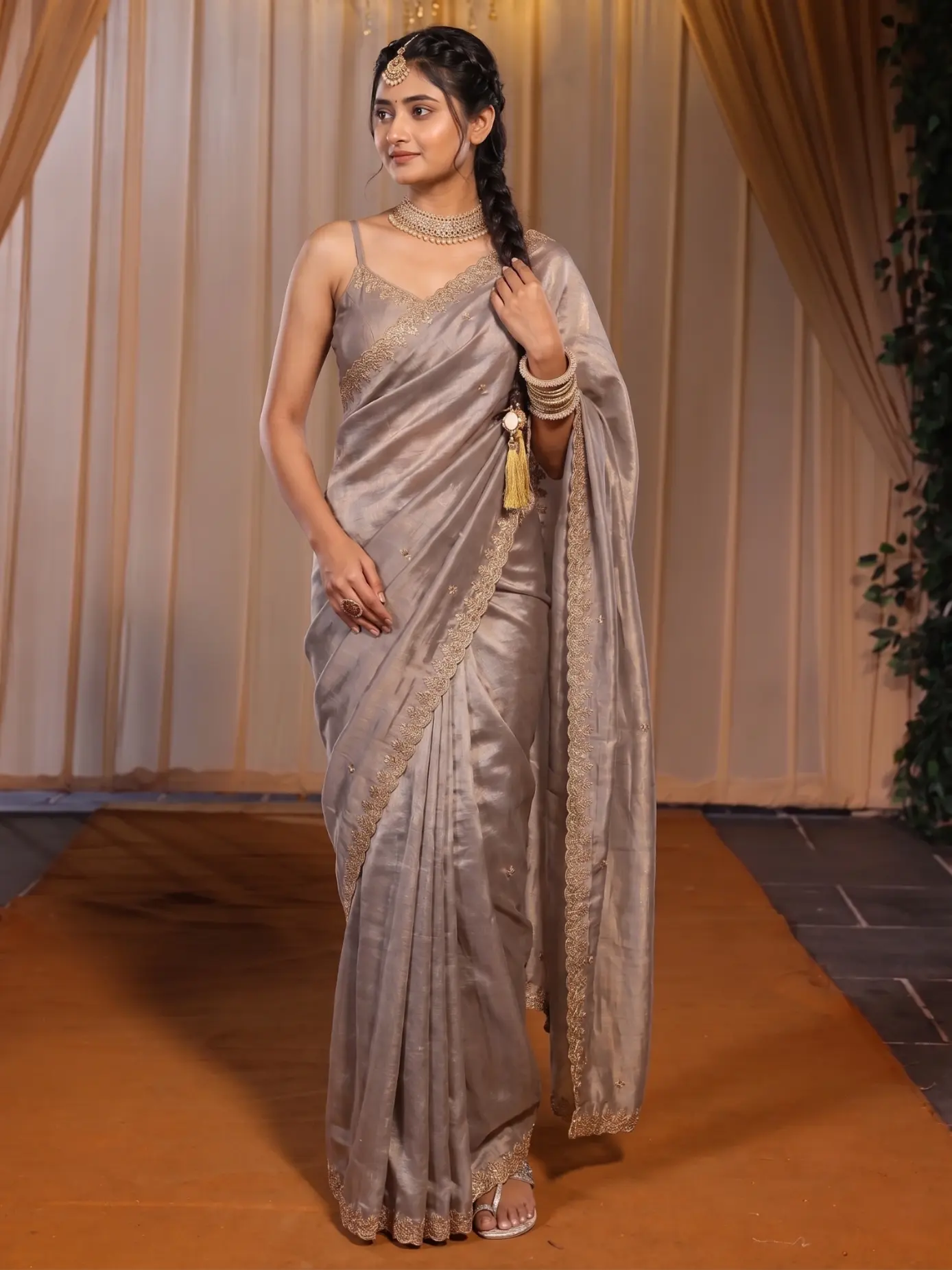 Day one
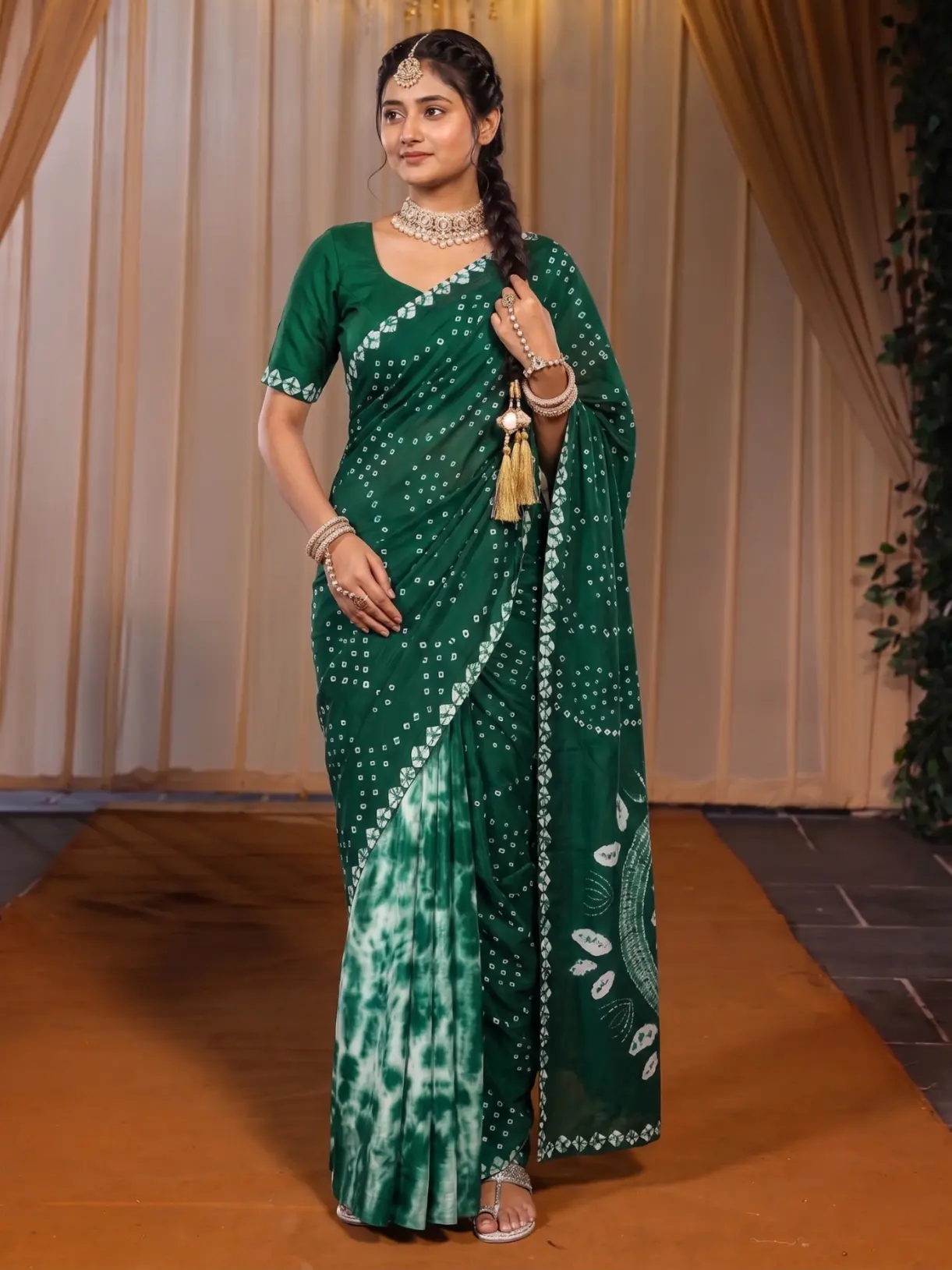 Day two
Same Model, Same Set keeps the model and the scene and changes the garment. A daily Status then reads as one page, not a collage.
Words on a Status: keep them off the picture
A Status or Story is read in two seconds, so the picture carries the garment and the caption carries the facts. Put the price, the sizes and your number in the caption, in a sticker, or in a plain text slide made in your own design tool. Words baked into the model picture sit exactly where the buttons are, cannot be edited when the price changes, and tend to land on the face or the garment. If you do add a short line to a picture, place it in the calm area of the background, inside the safe box, and never across the model.
Hindi, Gujarati and Hinglish captions work the same way. Write them the way your buyers write to you. A plain line such as "Naya stock aaya hai" or its Gujarati or Hindi equivalent is enough. Keep each Status to one idea: one garment, one colour story, one reason to message you.
Stills, then moving: how Reels fit in
A Reel is a video, and these studios make pictures. A still-picture Reel is a run of 9:16 pictures put together in the app's editor with a sound, and the cover is a 9:16 picture. Making the pictures at the right shape means each one fills the screen with no bars. For ideas on what to put in the pictures, read the saree Instagram Reels ideas post. For a real video of a person moving, a real shoot is the better choice.
Studio by garment
- Sarees: Drape Studio, 9:16, 2K. The drape from shoulder to border fits a tall frame.
- Kurtis, suits, lehengas, dresses and co-ords: Catalogue Studio, 9:16, 2K. Pick the garment, model and style, change the Ratio to 9:16, and check the summary.
- A set or a collection: Group Studio. Orders take poses for the same number of people and framing as the photos you add, so choose the pose for that number of people first.
What to check before you post
- Look at the app's own Status or Story preview: is the face clear of the top and the bottom?
- No text, price or logo sits on the face.
- The garment's colour matches the real cloth on your phone.
- The key detail of the garment is not under the reply bar.
- The picture still reads when it is small, in a quick scroll with the sound off.
- Your logo sits inside the safe box, not at the bottom.
Cost and time
A Create order shot costs from ₹10 at 2K, depending on the credit pack, and a Budget order usually takes 4–5 minutes. The batch summary shows every shot and the price before you order. New accounts get up to 3 free 2K images.
Common mistakes
- Posting a 3:4 listing picture and letting the app add bars.
- Putting the offer line in the bottom third, where the reply bar sits.
- Putting a logo over the face because it is the biggest empty space.
- Zooming a supplier's photo in until the head touches the top edge.
- Using 1K for a full-screen picture where detail matters.
What size should a WhatsApp Status photo be?
Make it 9:16. The platform guide lists 1080 × 1920 pixels for a Status. Sizes can change, so check the app. In Vastralook, set the ratio to 9:16 and the quality to 2K.
Is the Instagram Story size the same as WhatsApp Status?
Both are full-height 9:16 in the platform guide, so one picture can serve both. The buttons differ, so keep the face and text in the middle.
Why not crop a portrait photo to 9:16?
A crop cuts the head, the hem or the sides. A picture generated at 9:16 is composed for the tall frame from the start.
How do I keep text away from the app's buttons?
Keep faces, the garment's key detail and text inside the middle of the frame. As a starting point, the repo's research keeps content between about 288 and 1248 px from the top of a 1080 × 1920 frame. Check the app's own preview, since the numbers change.
Can I make Reel pictures with this?
You make the 9:16 pictures and put them together in the app's editor. A moving video of a person is a different job.
How do I make a saree Status?
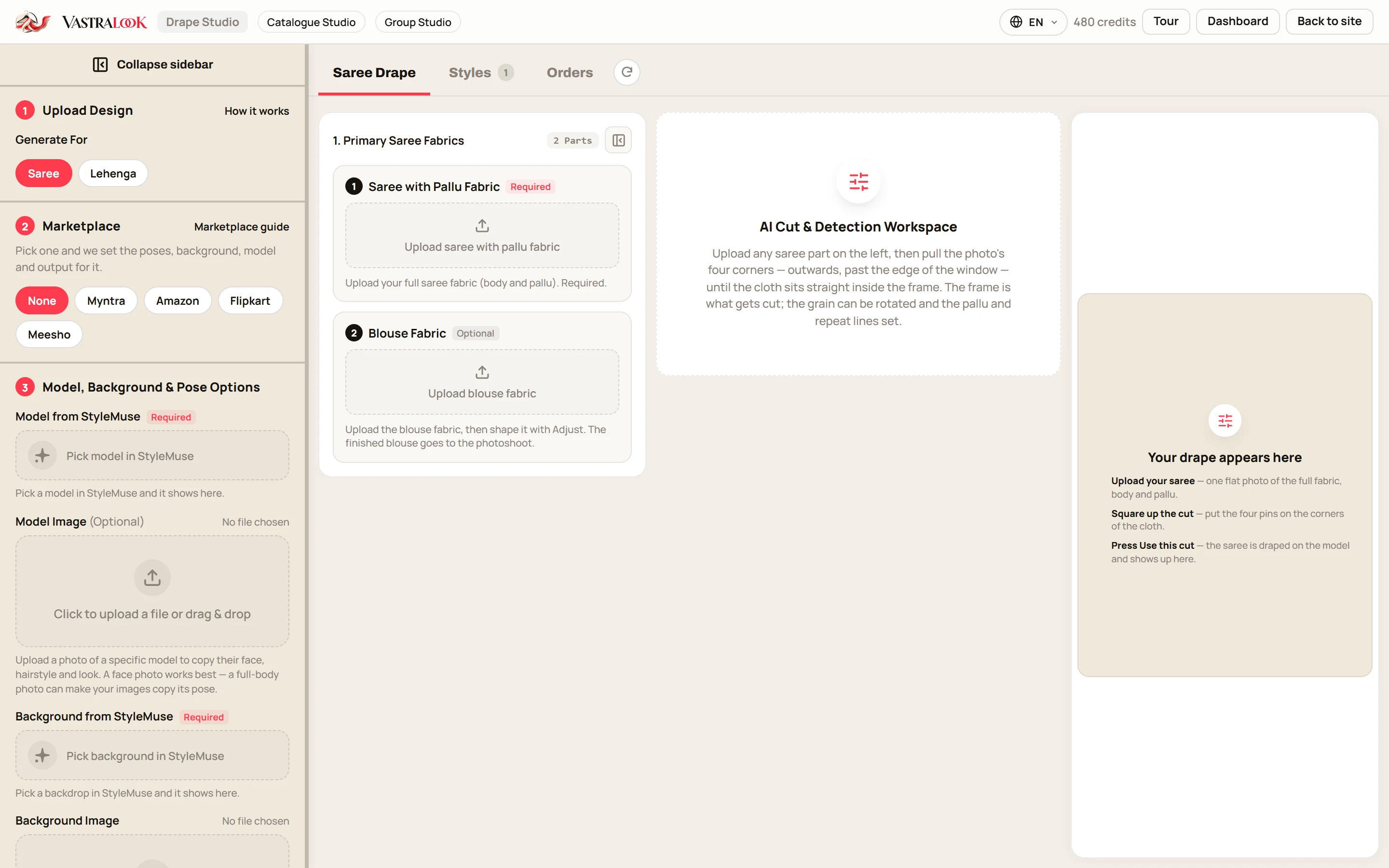
Use Drape Studio. Upload the saree, pick a model and background, choose 9:16 and 2K, and order.
What about kurtis and other garments?
Use Catalogue Studio. Upload the garment, choose model and style, set the ratio to 9:16, and order.
Will the picture match my garment?
Your photo is the reference, and Vastralook is built to keep it and matches as closely as it can. AI output is not exact, so check each shot.
What does it cost?
A Create order shot costs from ₹10 at 2K, depending on the pack, and a Budget order usually takes 4–5 minutes.
What if a shot misses?
Recreate it, or ask for half the credits back on a paid shot that missed.