
If you sell clothes on Flipkart, you probably want AI model photos for the same reason you want any model photo: a shopper scrolling a results page decides in a second, and a garment on a person answers more questions than a garment on a floor. This guide is about making those photos with Vastralook, for Flipkart listings, without a model, a studio or a booking.
It is not a guide to Flipkart's rules. Image sizes, backgrounds and counts are set by Flipkart and can change, so check the marketplace's own seller guide for the current rules. For what we could find and where sources disagree, read our page on Flipkart image guidelines for fashion sellers. This page starts after that: you know what the listing needs, and you want the photos.
Who sells clothing on Flipkart, and where the photos get stuck
Clothing on Flipkart runs from value kurtis and everyday tops to branded dresses, sets and western wear. A lot of the sellers are small teams or one person, and many list a design in several colours. That changes what the photo problem looks like. It is rarely one beautiful shoot. It is thirty ordinary designs, each in three colours, and a week to list them.
- The flat photo is easy, but it does not show the fit. Buyers who cannot see the garment on a body ask in messages or leave.
- A real shoot per design is slow and does not scale to a weekly drop. Booking a model for every colour is where the budget goes.
- Different models, rooms and lights across listings make a shop look like a pile of unrelated photos.
- Each new design restarts the work: pick a model, a background, a pose, a size.
The recipe: Flipkart preset, 3:4, 2K
Vastralook's studios have a Marketplace step. Tap Flipkart and the studio fills in the choices for you: 3 poses (Front Standing, Left Profile, Back View), a light grey studio, an Indian model, 3:4 portrait, 2K and JPEG. A tall 3:4 picture fills a listing, and 2K gives you room to zoom. The preset is a starting point, not a lock. Anything you change afterwards is your own choice, and it wins.
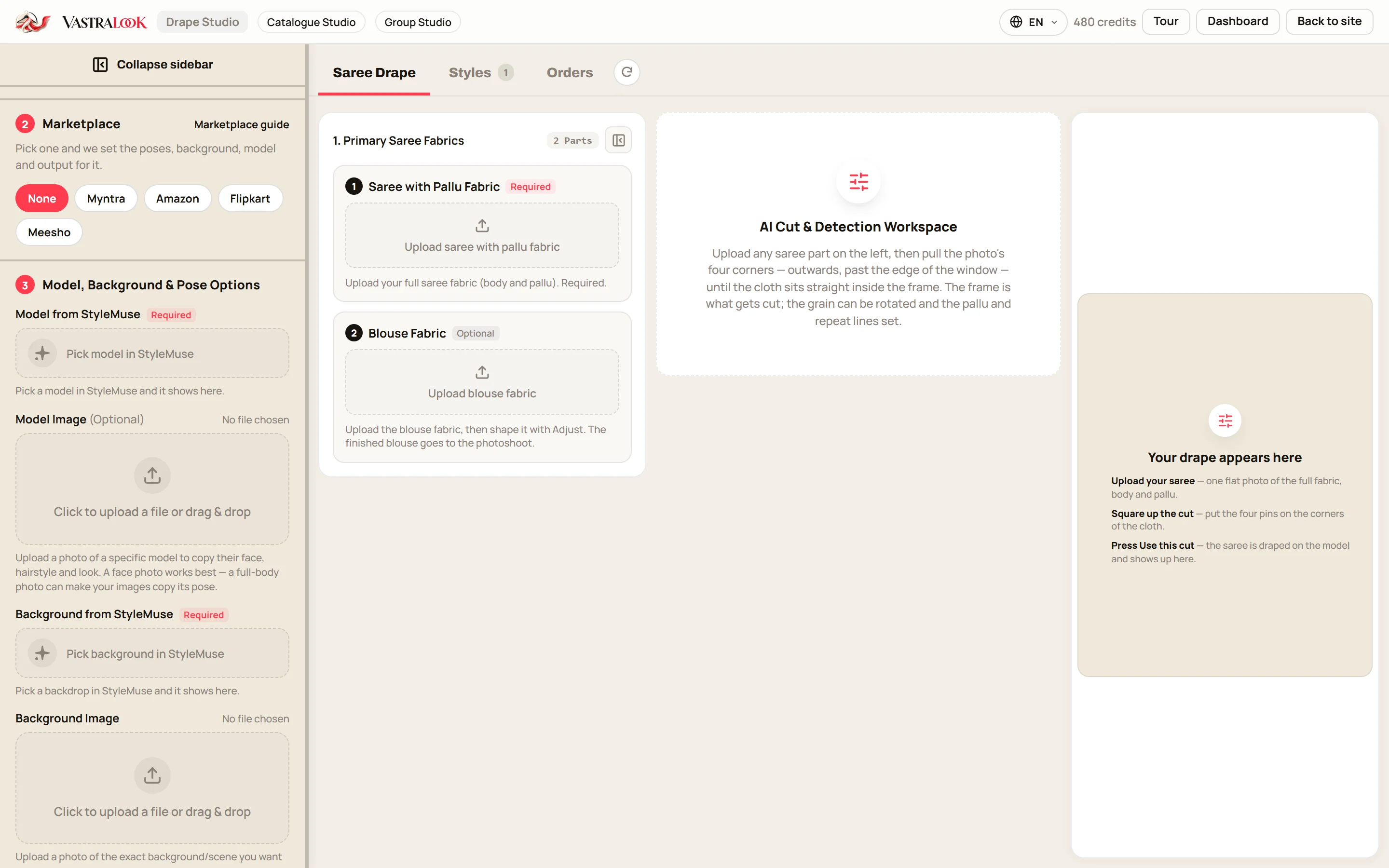
- Pick the studio for the garment
Catalogue Studio for kurtis, kurta sets, co-ord sets, dresses, tops and bottoms. Drape Studio for sarees, where the pallu and the pattern repeat matter.
- Upload your garment photo
Use your own product photo: a flat-lay, a hanger or a mannequin shot, front first. Add the back and a detail shot if you have them.
- Tap Flipkart in the Marketplace step
The preset sets the poses, background, model, 3:4 and 2K.
- Choose your model and set once
Pick one model and one background for the whole catalogue. This is the step that keeps listings looking alike.
- Read the summary before you order
Catalogue Studio shows every garment and style combination before you spend anything. Remove what you do not need.
- Order, check, download
A Budget order usually takes 4–5 minutes. Compare each shot with your garment, then download it, with your logo if you set one.
Which studio for which Flipkart garment
| Garment | Studio | What to upload | What to look at in the result |
|---|---|---|---|
| Kurti, kurta set, palazzo set | Catalogue Studio | Flat-lay or hanger photo, front and back | Print scale, neckline, sleeve length, hem |
| Co-ord set, top and trousers | Catalogue Studio | Both pieces in one photo or two | Waist line, length of the top, colour of both pieces |
| Dress, gown | Catalogue Studio | Front photo, back if it has a design | Waist, flare, strap or sleeve shape |
| Saree | Drape Studio | One flat photo, body and pallu | Border, pallu side, pattern size |
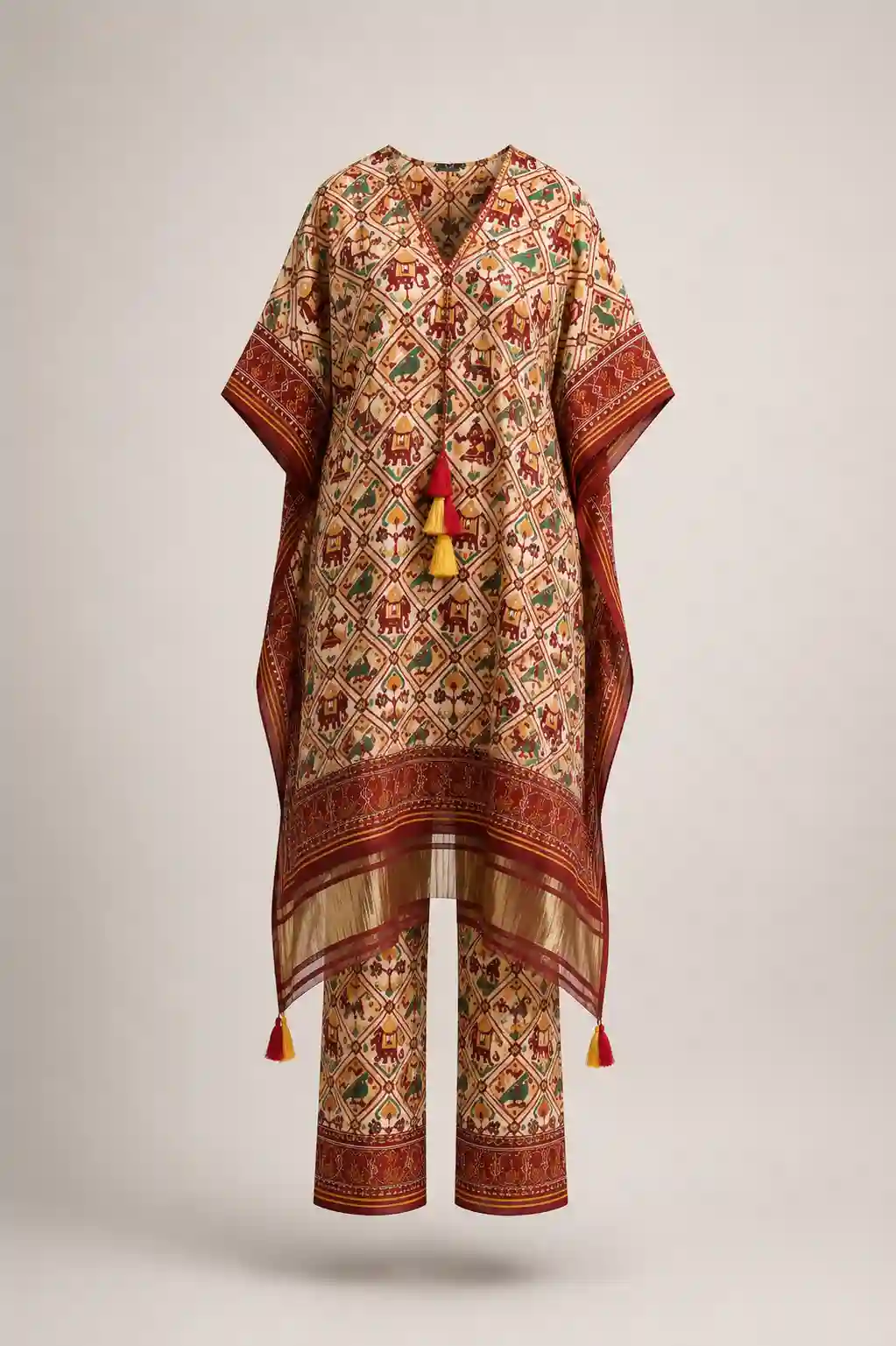 Garment photo you upload
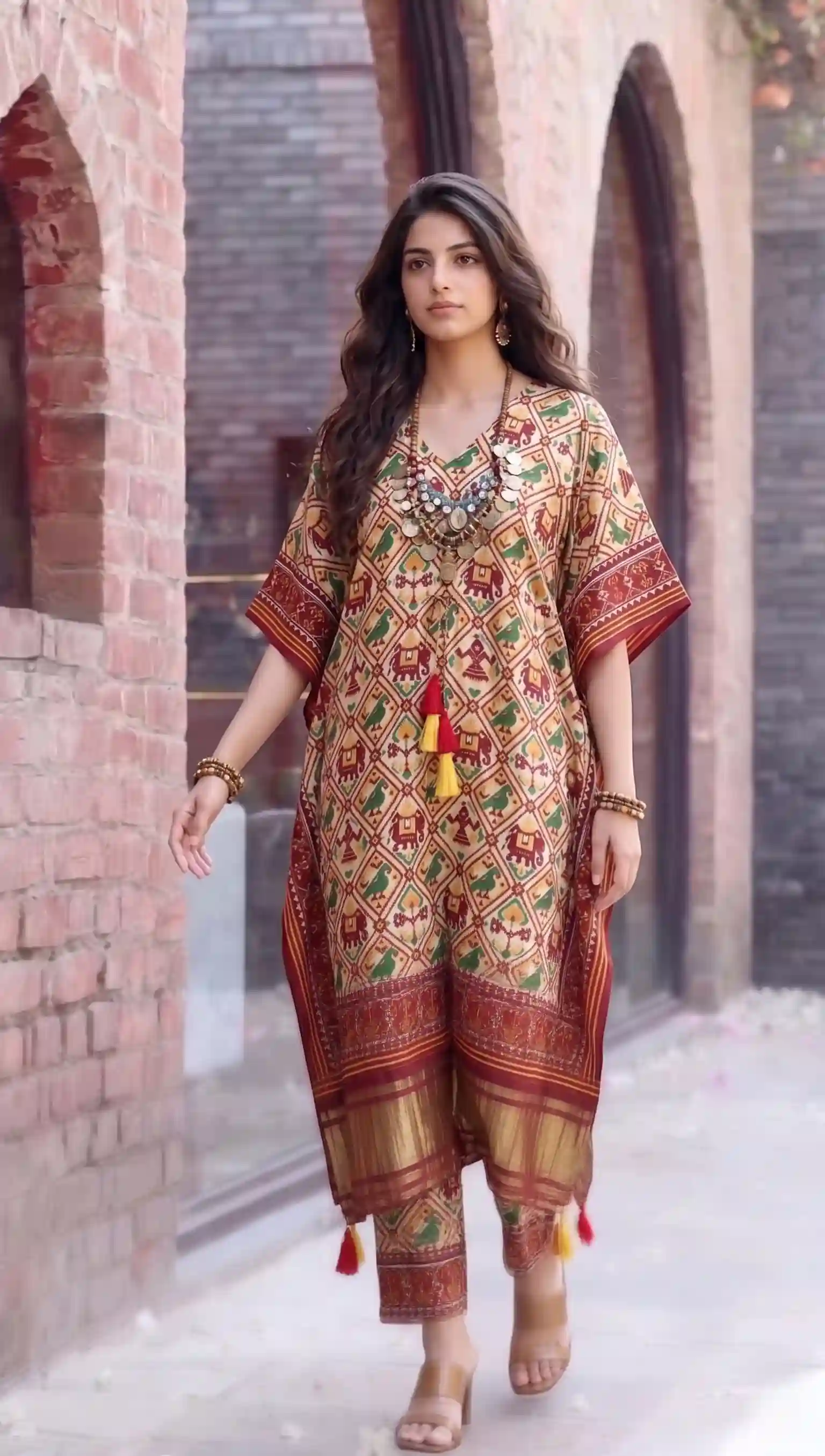 On a model
Left: the kaftan set as a plain garment photo. Right: the same set on a model. Compare the print, the tassels, the border colour and the trouser hem with the flat photo before you list anything like it.
How many Flipkart shots per listing
The Flipkart preset picks 3 poses: Front Standing, Left Profile, Back View. That is a sensible starting set, a front, a side and a back, and you can add a close-up of the fabric or a detail. How many images a listing should carry is a separate question, and the answer comes from the marketplace, so we do not put a number here. Our page on how many product photos per listing goes through the counts we could source and how to plan a shot list.
For one design with the preset's 3 poses at 2K, that is 3 shots, 30 credits, from ₹29. A Budget order usually takes 4–5 minutes.
One model, one set, every listing
Open a Flipkart search for any garment and you will see listings that look like they came from ten different shoots. A seller whose listings share a model, a background and a way of posing looks like a shop, and a buyer who has liked one of your listings recognises the next. Vastralook is built to keep your model, background and pose choices across a batch, so a new colour of the same kurti goes in the same set.
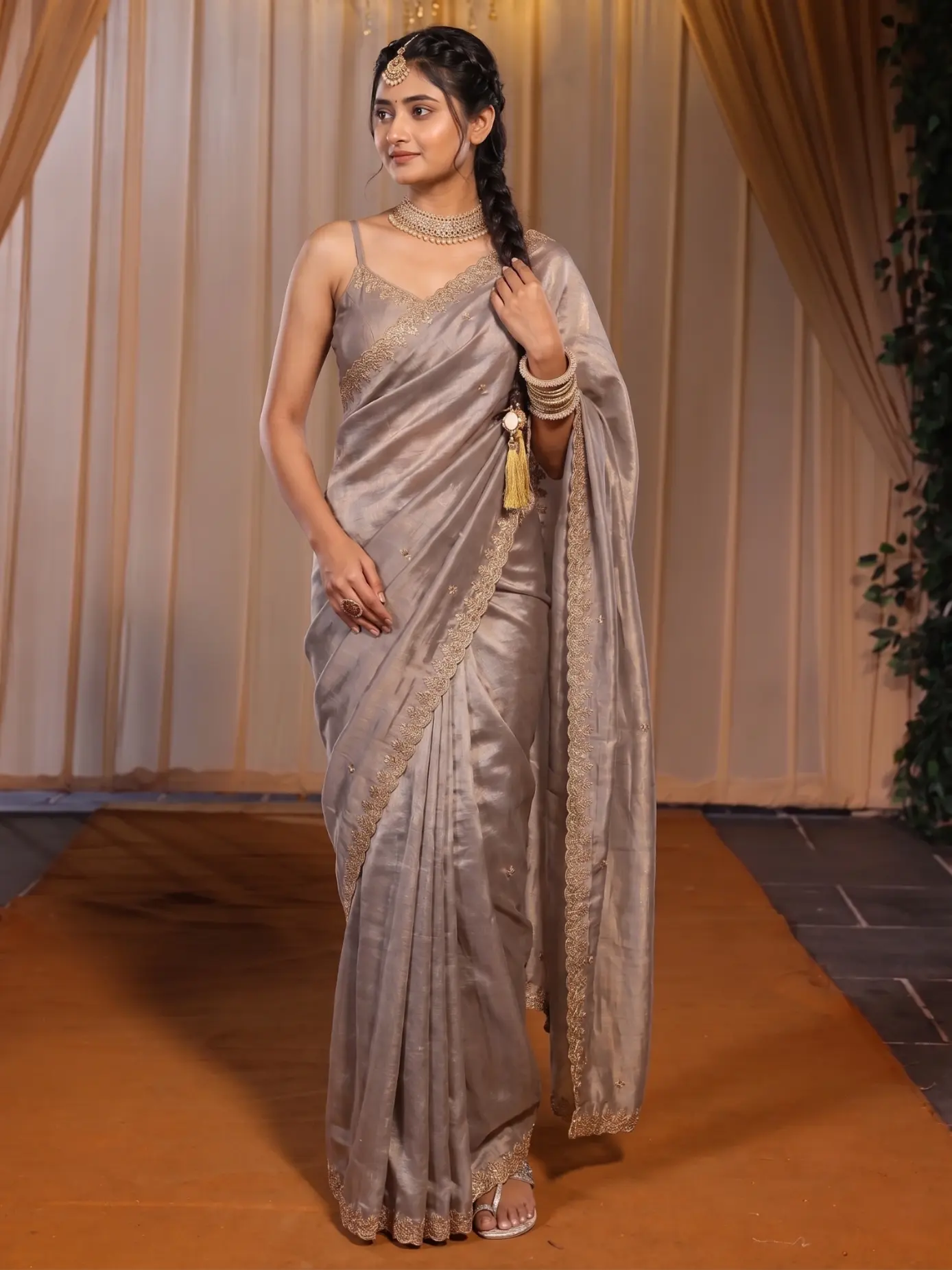 Design one
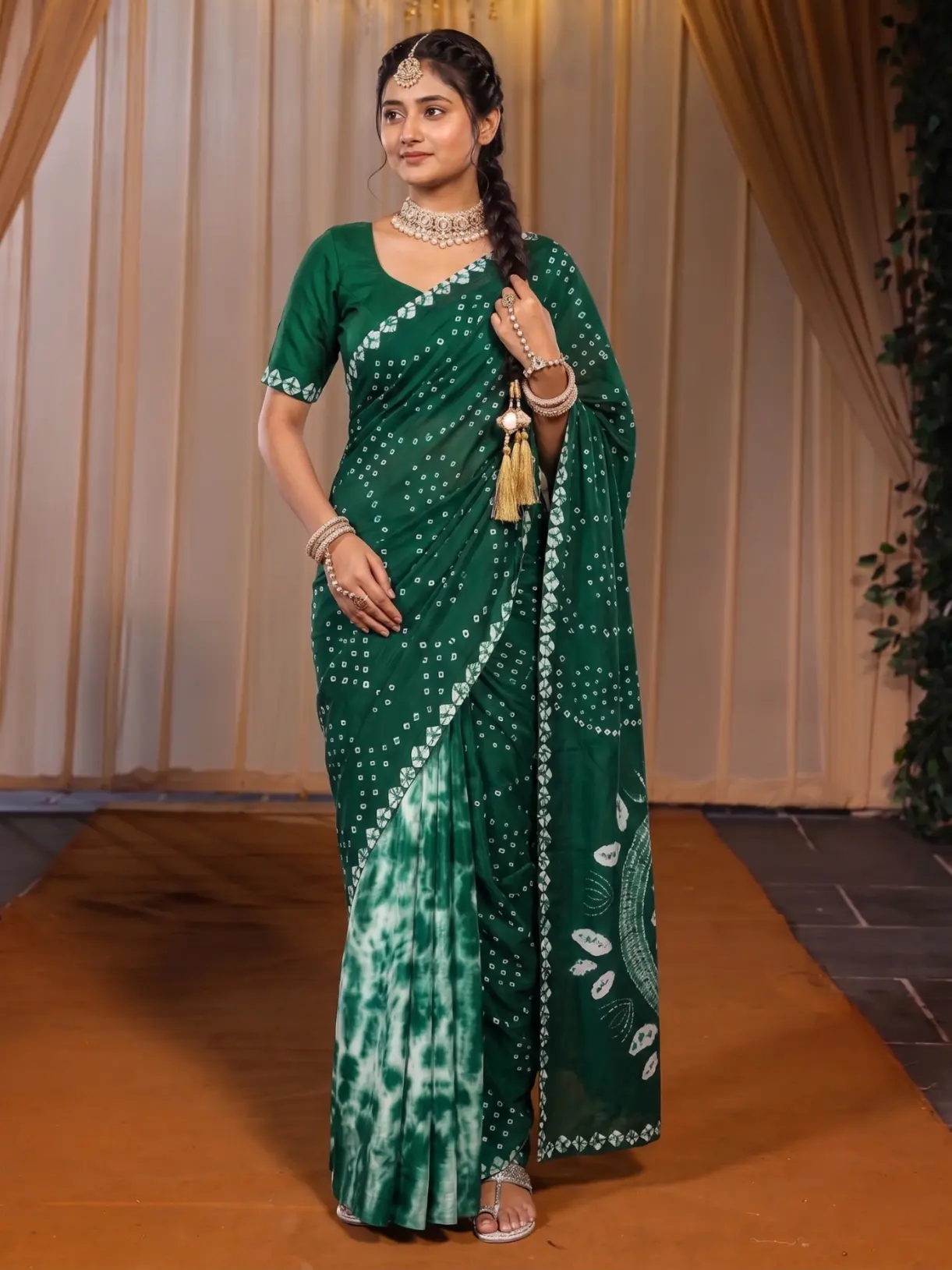 Design two
The model, the curtains, the runway floor and the framing carry across both pictures, and only the saree changes. This is the pattern to follow for a new colour or design in your catalogue.
The guide to consistent catalogue photos shows how to set this up once and reuse it, and the Catalogue Studio batch maths page works out what a batch costs.
What to check before you upload to Flipkart
- The design matches: put the shot next to your garment photo and compare the print, the neckline, the sleeves and the hem.
- The colour is right in daylight. Dark, bright and pastel shades are where a slight shift is most likely.
- Nothing is cut off: head, hands, feet and the full hem are in the frame.
- Hands, face and feet look natural. If one is off, Recreate the shot instead of editing around it.
- The picture is the size and format you need. Check Flipkart's own seller guide for the current rules, and our Flipkart image guidelines page for what sources say.
- No text, offers or watermarks you did not mean to add. Your logo, if you use one, sits where you set it.
What it costs and how long it takes
A Create order shot costs from ₹7 at 1K and from ₹10 at 2K, depending on the credit pack, and a Budget order usually takes 4–5 minutes. Use 1K for drafts and 2K for the listing. If you add 3 poses to each of 30 designs at 2K, that is 90 shots, 900 credits, from ₹865. Plans and packs, always current, are on the pricing page.
The images are yours to use commercially on marketplaces, your own site, ads and social media. If you are registered for GST, add your GSTIN at checkout for a business invoice.
When a real shoot is still the right choice
If you are launching a brand and need campaign pictures with a real person and a real place, or a video, book a shoot. If a garment depends on a very fine print or heavy hand work that you must show exactly, shoot that one for real or add several detail photos. For the weekly work of many designs in one look, the studios are built for it. Many sellers use both.
Common mistakes
- Uploading a photo that is dark, cropped or taken from a steep angle. The model photo can only be as clear as the garment photo.
- Switching model and background for every design, then wondering why the catalogue looks scattered.
- Skipping the check because the first shot looked good. Look at all of them.
- Using the preset and never opening the other choices. It is a start. Change the pose or the background if the garment needs it.
- Treating this page as the rules. It is not. Read Flipkart's own seller guide, and our page on how to sell clothes on Flipkart for the photo-first view of onboarding.
Can I get model photos for Flipkart without hiring a model?
Yes. Upload your garment photo to Catalogue Studio (or your saree to Drape Studio), tap the Flipkart preset, and order. You do not need a model, a studio or a booking.
What does the Flipkart preset set in Vastralook?
3 poses (Front Standing, Left Profile, Back View), a light grey studio, an Indian model, 3:4 portrait, 2K and JPEG. You can change any of it after you tap it.
Does Vastralook tell me Flipkart's current image rules?
No. Flipkart sets and changes its own rules, so check the marketplace's own seller guide. Our page on Flipkart image guidelines collects what sources say and shows where they disagree.
Which ratio and quality should I use for Flipkart?
3:4 portrait at 2K is the starting point the Flipkart preset uses. Use 1K for quick drafts. Check Flipkart's seller guide for the size you need.
Which studio is right for kurtis?
Catalogue Studio. It handles kurtis, kurta sets, co-ord sets, dresses and other garments. Drape Studio is for sarees.
How do I make a new colour look like the same shoot?
Pick the same model and the same background for the order. Vastralook is built to keep your choices across a batch. Check each shot, because AI output is not exact.
What if a shot comes out wrong?
Recreate that shot, or ask for half the credits back on a paid shot that missed. The team reviews each request.
How long does an order take?
A Budget order usually takes 4–5 minutes.
How much does a Flipkart photo cost?
A Create order shot costs from ₹7 at 1K and from ₹10 at 2K, depending on the pack you buy from. New accounts get up to 3 free 2K images.
Does Flipkart allow AI-made model photos?
We cannot tell you the current policy. Check the marketplace's own seller guide and terms before you upload, and keep your garment photo as the reference.


