
A boutique owner in Surat has forty new pieces and one phone. Her Instagram feed is a mix: hanger photos, a few pictures a model sent, a screenshot from a supplier. Every post is a different size, so the page looks uneven and the garments look smaller than they are. If you have searched for the right Instagram post size for a clothing brand, you have probably found the numbers. The harder part is making pictures that fill those numbers well. This post is about that part: how to make on-model Instagram product photos at the shape the feed likes, with a plan you can run for a week.
Why the feed wants a 4:5 picture, not a cropped listing photo
A Meesho or Flipkart listing is tall and narrow, usually 3:4. Post that same file to Instagram and the feed shows it in a different frame, so something is cut or padded. A 4:5 picture is a little wider and a little shorter than 3:4. In the feed, it takes up the most space a single post can take without being cropped, so your garment is the biggest thing on the screen while someone scrolls.
That is the whole reason to choose the ratio before you generate. Vastralook's studios compose the shot for the ratio you pick, so a 4:5 request puts the model, the garment and some air around her inside a 4:5 frame. Nothing needs to be cut afterwards. The profile grid also shows a tighter slice of each post, so keep the face and the garment's most important part in the middle. The platform guide in the repo puts the feed picture at 1080 × 1350 pixels, and says the grid and other crops can differ. Platforms change their sizes and their on-screen buttons from time to time, so treat these numbers as a starting point and check the app's own preview before you post.
The recipe: studio, ratio, quality
| What you are posting | Studio | Ratio | Quality | Notes |
|---|---|---|---|---|
| A saree, single hero post | Drape Studio | 4:5 | 2K | Drape your own cloth on a model; no marketplace preset needed for Instagram |
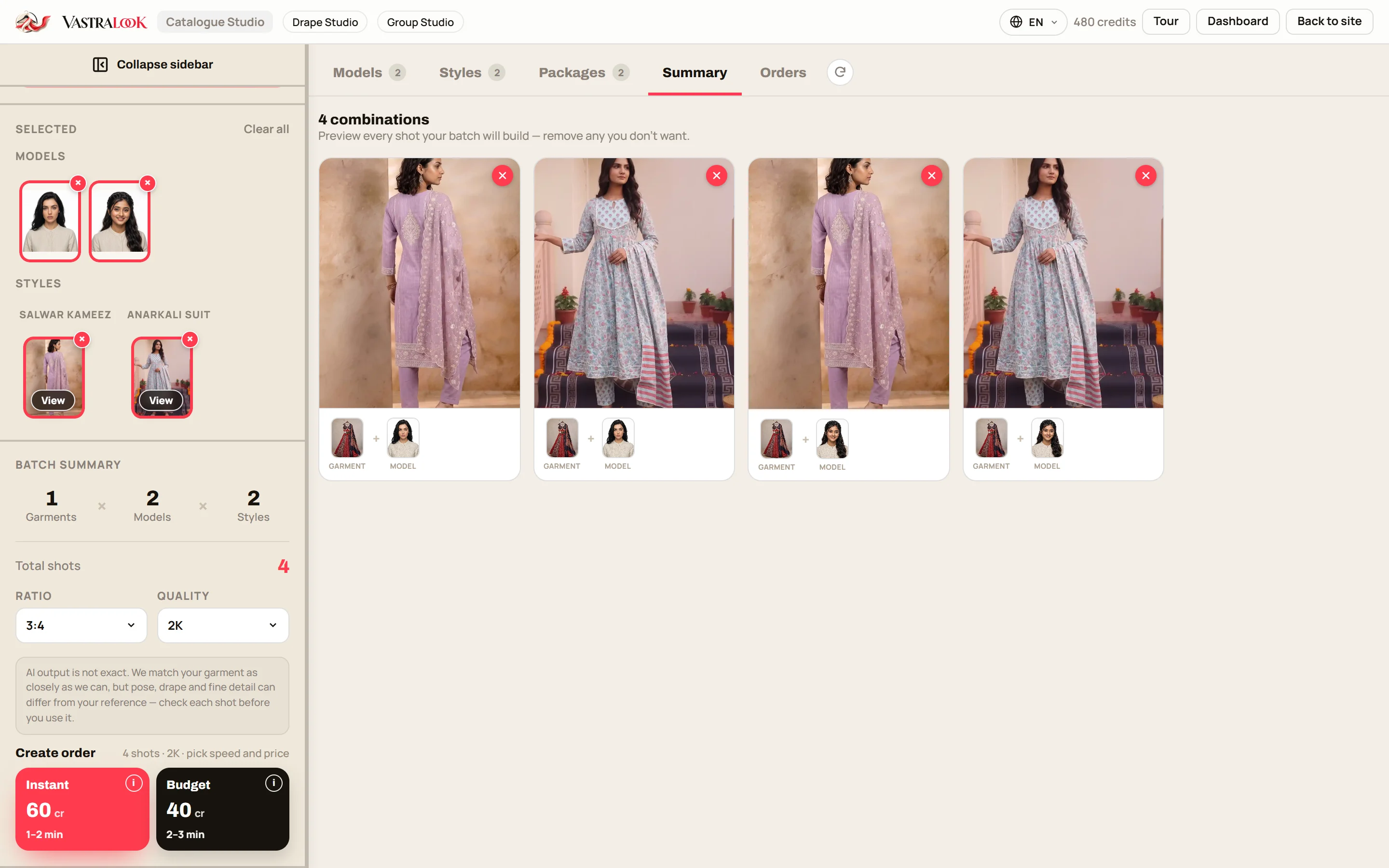
| A kurti, suit, lehenga, dress or co-ord | Catalogue Studio | 4:5 | 2K | Pick the garment, the model and the style, then check the summary |
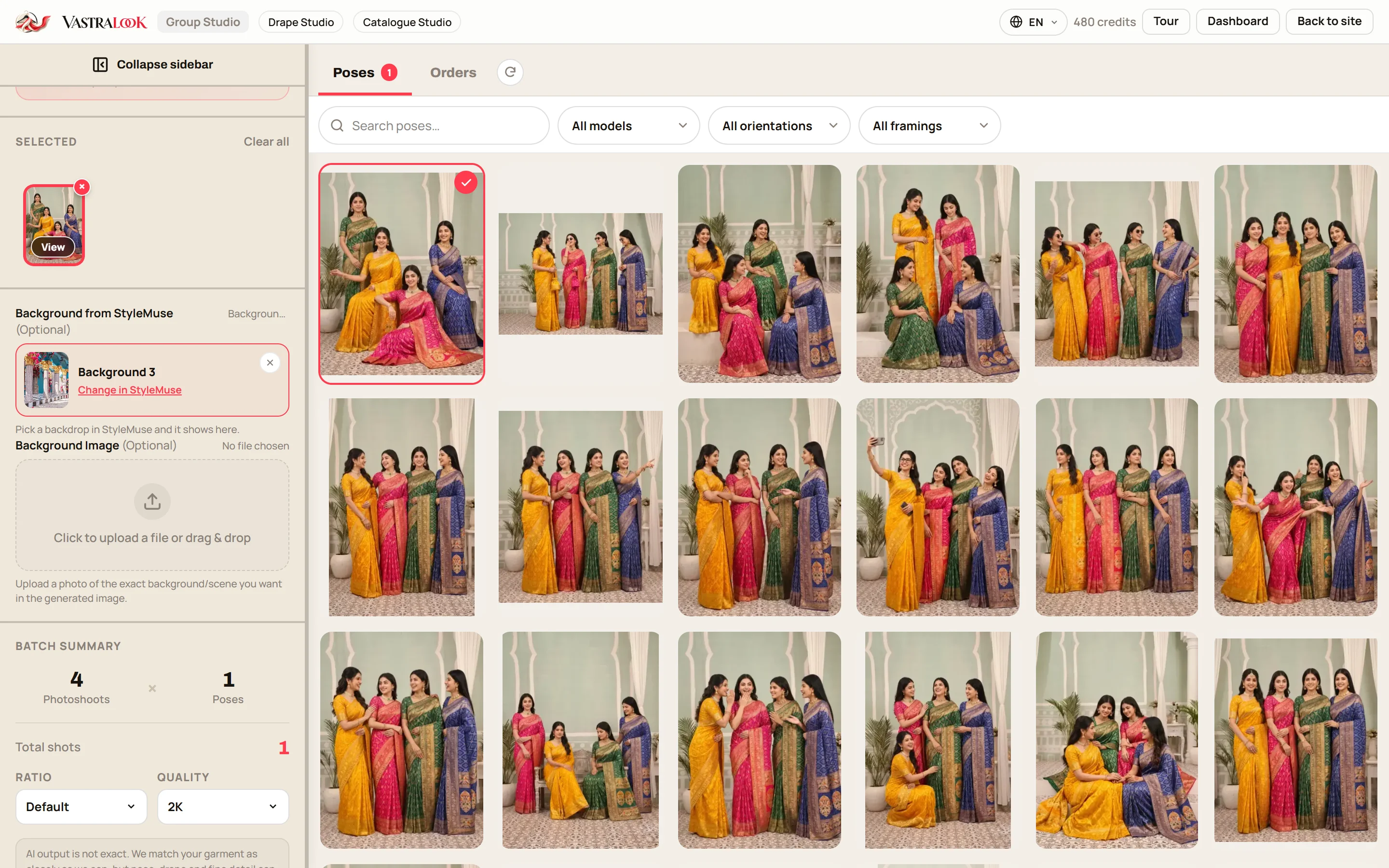
| A matching set (bridal party, sisters, a saree bundle) | Group Studio | 4:5 or the pose's own shape | 2K | Each pose needs the same number of people as photos you add |
| A quick draft before the real post | Any of the three | 4:5 | 1K | Cheaper to look at; make the final at 2K |
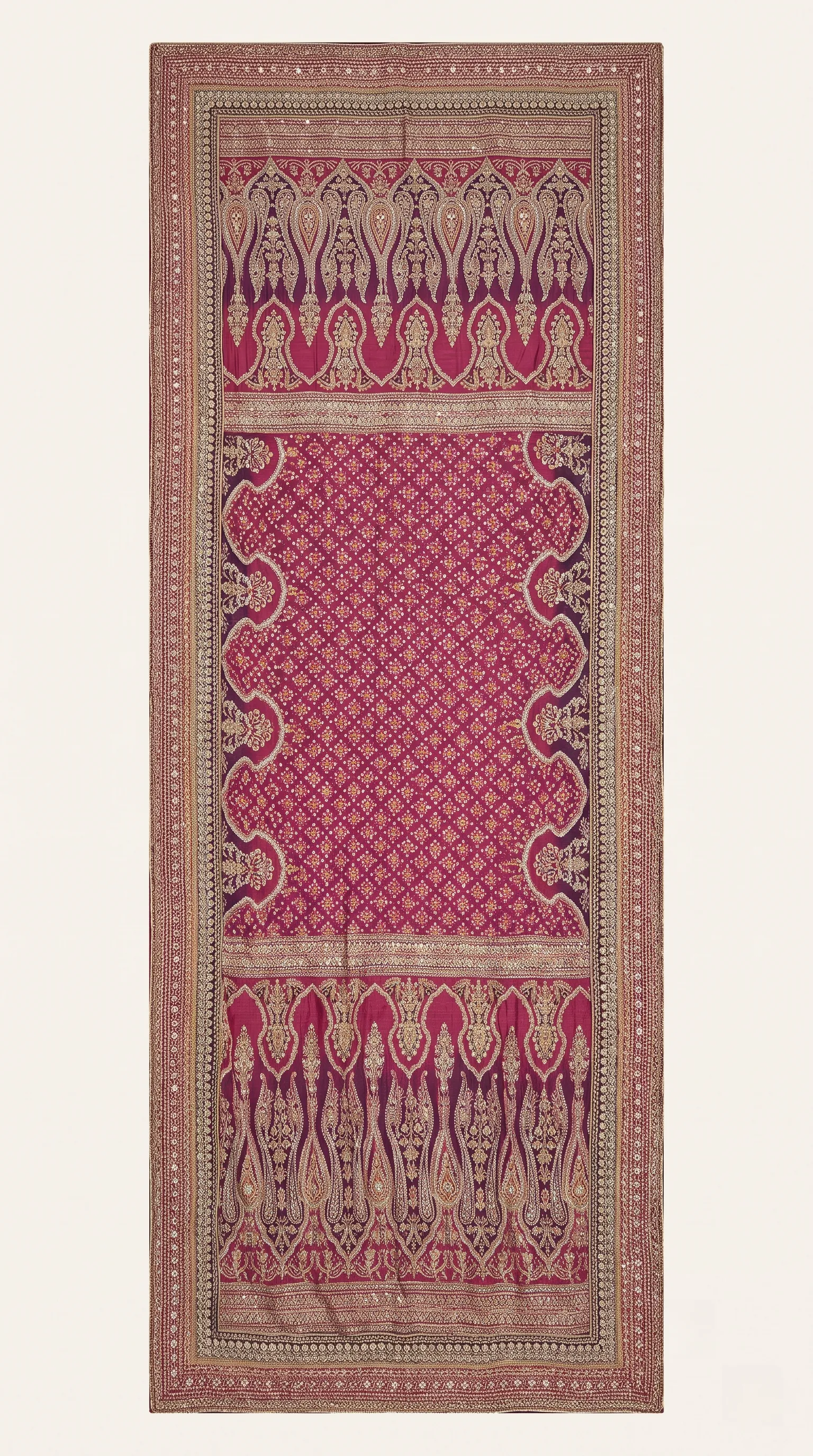 Your saree photo
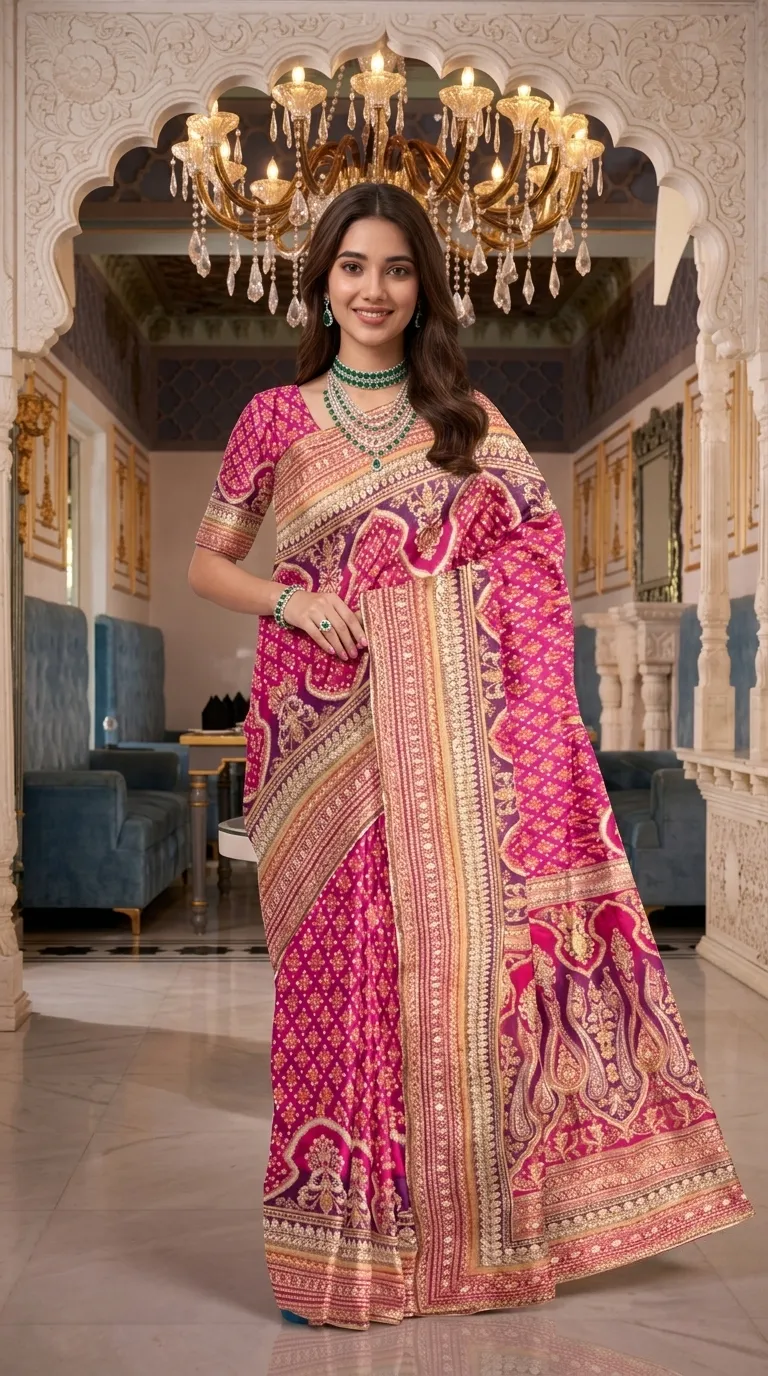 On a model
The left photo is the cloth as the seller photographed it, flat. The right is the same saree on a model. Look at the pallu and the border, and ask whether they match your cloth.
Which studio for which post
- Sarees go to Drape Studio. It drapes your actual fabric, including the pallu and the border, rather than guessing how it falls.
- Everything else goes to Catalogue Studio: kurtas, salwar suits, lehengas, gowns, dresses, co-ord sets and more. Your garment photo is the reference.
- A group picture goes to Group Studio. You add one finished photo of each person, pick a pose for that many people, and set the ratio and quality like the others.
A carousel is one garment told in five slides
A carousel is a good place to show a garment more than once, because a buyer swipes for more. Keep every slide at 4:5 so the frame does not jump. Instagram can crop later slides to match the first one, so decide the shape once, at the start.
- Slide 1: the full look
The model in the garment, face high in the frame, with room above and below. This is the slide the feed and grid show first.
- Slide 2: a second angle
Back or side. Pose changing keeps the model and the outfit and turns her, so the garment's back is not a surprise.
- Slide 3: the detail
A closer shot of embroidery, a border or a print. Generate it at 2K so the detail has pixels to hold it.
- Slide 4: another colour
Same model and same set with the next colourway. A buyer sees the range without reading a list.
- Slide 5: the line to act on
A plain slide you make in your own design tool with the order line or your WhatsApp. Leave the text out of the model picture.
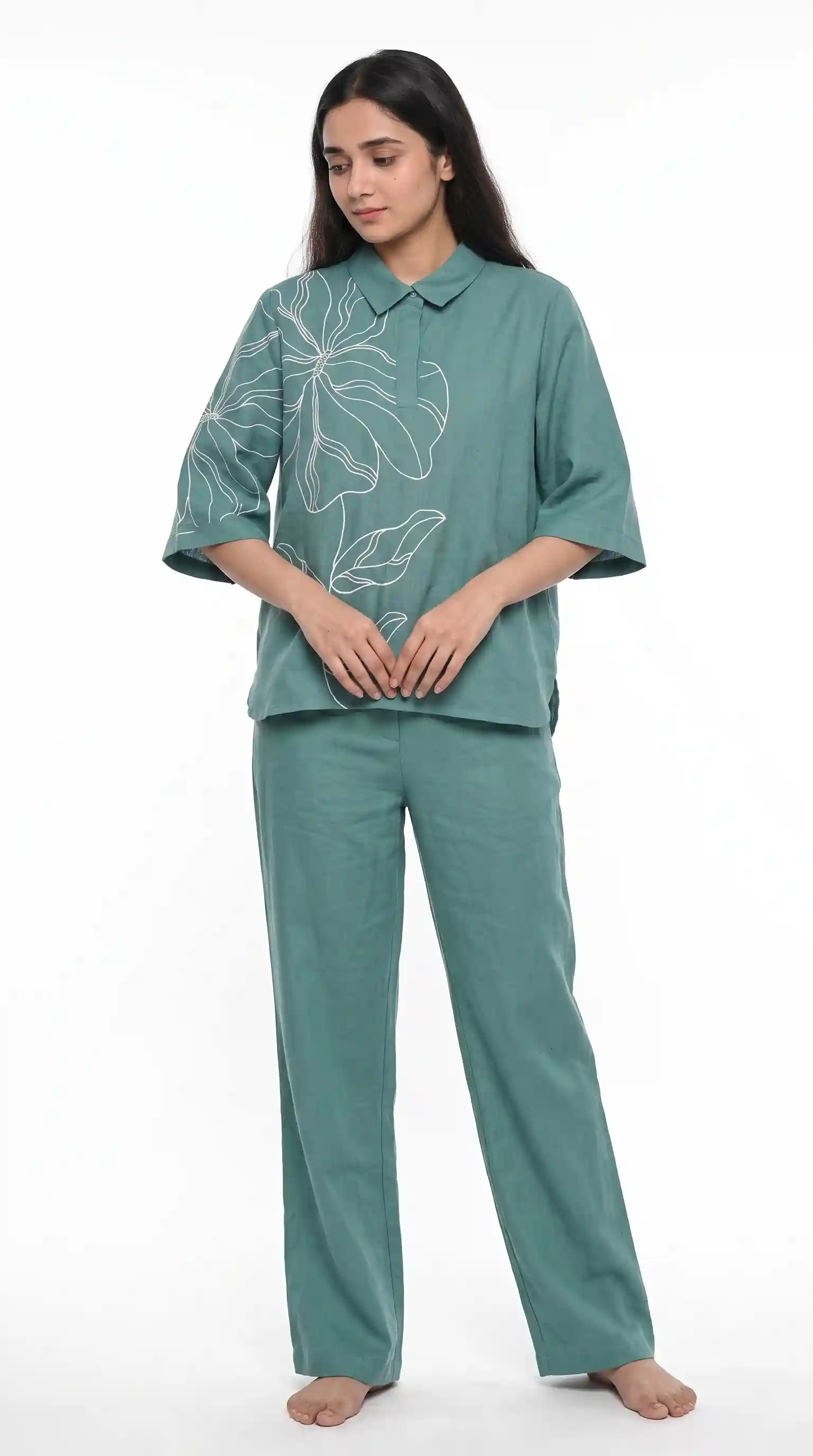 Slide 1
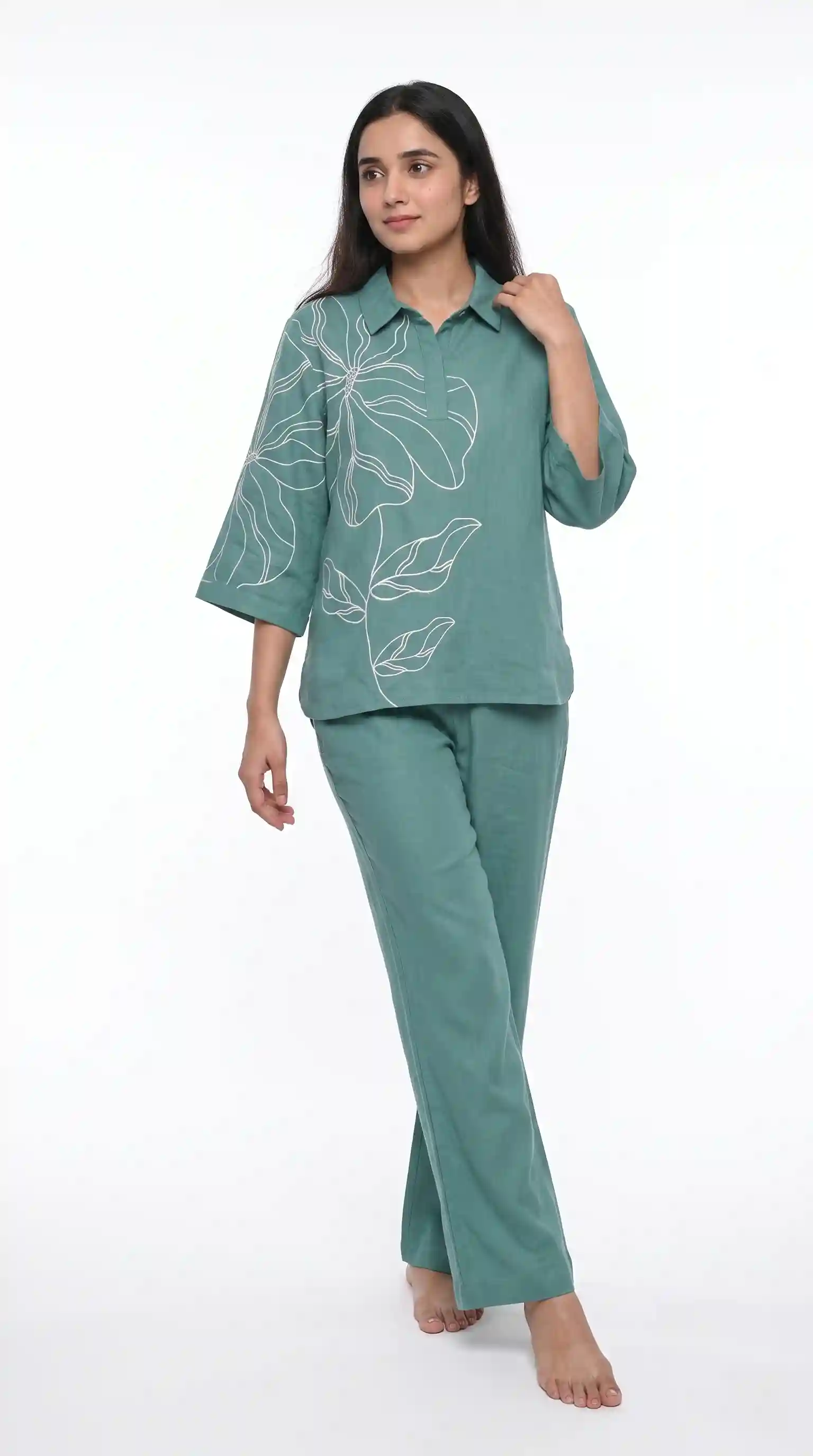 Slide 2
A carousel's second slide: the same model and the same outfit, turned to the side. Check that the garment's details carry over.
A week of posts, without a shoot
One way to plan a week from a small stock is to make a handful of 4:5 pictures and rotate them. The shot count is yours to choose. As a worked example, seven shots at 2K come to from ₹67 on a Create order, depending on the credit pack, and a Budget order usually takes 4–5 minutes. Your own mix will differ.
| Day | Post | Picture | Caption idea (plain, kept short) |
|---|---|---|---|
| Monday | New arrival | Full look, 4:5 | New this week. Soft cotton, block print. DM to order. |
| Tuesday | Carousel | Look, back, detail, second colour | Swipe for the back and the border. Two colours in stock. |
| Wednesday | Styling idea | Same model, a different set | Same kurta, two ways to wear it. Which one? |
| Thursday | Detail post | Close shot of the print | The print up close. Fabric details in the caption. |
| Friday | Restock or festive | A set picture from Group Studio | The matching set, all together. Message us for sizes. |
| Saturday | Poll | Two looks side by side | Which drape do you prefer? Tell us in the comments. |
| Sunday | Behind the scenes | A real photo of the actual cloth | The real cloth, folded, so you can see the colour. |
Captions can be in English, Hindi or Hinglish, whichever your buyers use in the comments. A line like "Naya stock aaya hai, DM karein" works as well as an English one if that is how your page speaks. Put the price and the sizes in the caption or the comment, not on the picture, so you can change them without remaking the image.
A set or collection picture with Group Studio
Brands that sell sets need a picture that shows the set. Group Studio builds one group picture from finished photos of each person. The rule that matters: a pose is built for a certain number of people and a certain framing, so you add one photo for each person in the pose, and the pose, the number of people and the framing have to agree. It is the right tool for a bridal party in matching colours, sisters in the same suit, or a bundle of sarees shown together as one catalogue.
What to check before you post
- The colour of the cloth in the picture matches your garment, on your own phone screen, not a bright laptop.
- The print, border or embroidery looks like the one you photographed.
- The face is not too close to the top or the bottom edge, so the feed and the grid do not cut it.
- No text sits on the model's face. Add your offer in the caption or in a separate slide.
- Every slide of a carousel is 4:5.
- Your logo, if you use one, sits in a corner that the grid will not hide.
Cost and time
A Create order shot costs from ₹7 at 1K and from ₹10 at 2K, depending on the credit pack you buy from, and a Budget order usually takes 4–5 minutes. The studio shows the batch summary and the price before you order, so you pay for the shots you chose. New accounts get up to 3 free 2K images.
Common mistakes
- Posting a 3:4 marketplace picture and letting Instagram crop it.
- Putting the price or a long offer over the picture instead of in the caption.
- Changing the model and the scene every post, so the page never looks like one brand. The consistent catalogue guide shows how to keep them.
- Making a carousel with slides in different shapes.
- Using 1K for the final post. Use 1K for a draft and 2K for what goes live.
- Skipping the check against the real garment because the picture looks good.
What size should an Instagram post for a clothing brand be?
Make the picture at 4:5. The platform guide lists 1080 × 1350 pixels for a feed post or carousel. Sizes can change, so check the app's own preview before you post. In Vastralook, generate at 4:5 and 2K so you do not have to crop.
Can I use AI model photos on my Instagram page?
Yes. You do. Everything you generate is yours to use commercially: on your store, marketplaces, WhatsApp, Instagram, ads and in a catalogue.
Which ratio should a carousel use?
Keep every slide the same ratio, and 4:5 is the portrait shape that takes the most room in the feed. Decide the shape on the first slide, because the others follow it.
Should I post the same photo I list on Meesho?
Not as it is. A listing picture is usually 3:4 with a plain background. Make a 4:5 version for the feed, so nothing is cut or padded.
How do I make a saree post for Instagram?
Use Drape Studio. Upload your saree, pick a model and a background, choose 4:5 and 2K, and order. It drapes your actual fabric.
How do I make posts for kurtis, suits or lehengas?
Use Catalogue Studio. Upload the garment, choose the model and style, set the ratio to 4:5 and the quality to 2K, check the summary, and order.
Can I show a whole set in one post?
Yes, with Group Studio. Add one photo for each person, pick a pose for that number of people, and set the ratio. The pose and the number of photos have to agree.
Will the garment in the picture match mine?
Your photo is the reference, and Vastralook is built to keep your print, border and colours and matches as closely as it can. AI output is not exact, so compare each shot with your garment.
What does it cost and how long does it take?
A Create order shot costs from ₹7 at 1K and from ₹10 at 2K, depending on the pack, and a Budget order usually takes 4–5 minutes.
What if a shot misses?
Recreate it, or ask for half the credits back on a paid shot that missed. The team reviews each request.


