
If you want AI model photos for your Myntra listings, you are probably a brand, a label or a boutique that already cares how the garment looks. Myntra shoppers expect fashion that is styled: a real fall, a clear fit and a pose that shows the back and the side. This guide shows how to make those photos with Vastralook, so a listing looks like it belongs in a fashion feed without a shoot for each design.
What it does not do is tell you Myntra's rules. Sizes, backgrounds, angles and counts belong to Myntra and change, so check the marketplace's own seller guide for the current rules, and read our page on Myntra image guidelines for fashion sellers for what we could find and where sources disagree. This page is the other half: how to make the pictures.
Who sells on Myntra, and what they struggle with
Myntra's catalogue leans to fashion and ethnic wear: kurtas and kurta sets, sarees, lehengas, dresses, co-ords, western wear and accessories. The sellers range from labels with a design team to boutiques moving into online. Their photo problem is not just volume. It is that the picture has to feel like fashion, and fashion shoots are slow and costly to repeat.
- Ethnic wear shows its value in the fall and the detail: a pallu, a dupatta, an embroidered border. A flat photo hides all of it.
- A drop of fifteen pieces needs one look. Five different shoots look like five different labels.
- Small labels cannot book a studio for every season, so launches wait on photos.
- The back and side of a garment matter to a fashion shopper, and they are the views a quick flat photo skips.
The recipe: Myntra preset, five poses, 3:4, 2K
Tap Myntra in the Marketplace step and the studio sets 5 poses (Front Standing, Left Profile, Back View, Seated, Candid Stroll), a light grey studio, an Indian model, 3:4 portrait, 2K and JPEG. The five poses give a shopper the front, the side, the back, a seated look and a moving look, which is the kind of range a fashion listing leans on. A tall 3:4 picture suits a fashion grid, and 2K leaves room to zoom into a border or a print.
Treat the preset as a first draft. Change the model, the background or any pose if the garment calls for it. Whatever you change after tapping Myntra is your decision and it stays.
- Choose the studio
Drape Studio for sarees and draped garments. Catalogue Studio for kurtas, sets, lehengas, dresses, co-ords and western wear.
- Upload your garment
Your own photo as the reference: front, plus back and a detail shot if you have them. For a saree, one flat photo of the body and pallu.
- Mark what matters (sarees)
Fix the cut, set the pallu line and the pattern repeat, and look at the live drape preview before you order. It shows what the studio works from.
- Tap Myntra
The preset sets the poses, the background, an Indian model, 3:4 and 2K.
- Pick your model and styling once
Choose the model, jewellery and hairstyle that suit the label, and keep them for the whole drop.
- Check the summary, order and review
Catalogue Studio lists every combination before you pay. A Budget order usually takes 4–5 minutes. Review each shot against your garment.
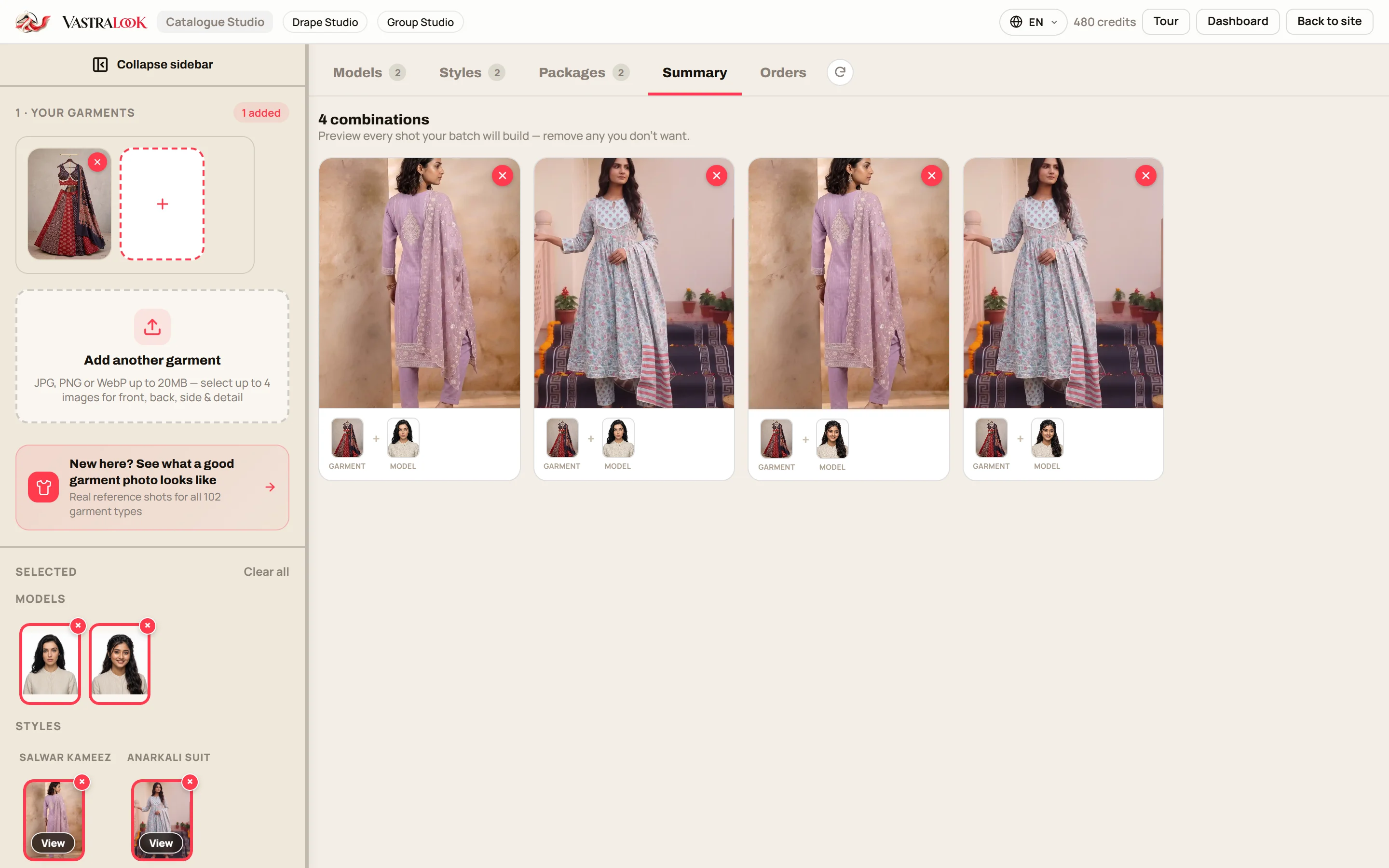
What each of the five poses is for
| Pose in the preset | What a shopper learns | What to check |
|---|---|---|
| Front Standing | The full look, the neckline, the print as a whole | Print scale, colour, nothing cut off |
| Left Profile | How the garment falls from the side, sleeve and hem line | Sleeve length, flare, side slits |
| Back View | The back design, the dupatta or pallu fall | Back neck, tie-ups, embroidery |
| Seated | How the fabric folds and whether it is comfortable | Pleats, wrinkles, the lehenga or skirt spread |
| Candid Stroll | Movement: how the garment moves | Hem, dupatta, hands and feet look natural |
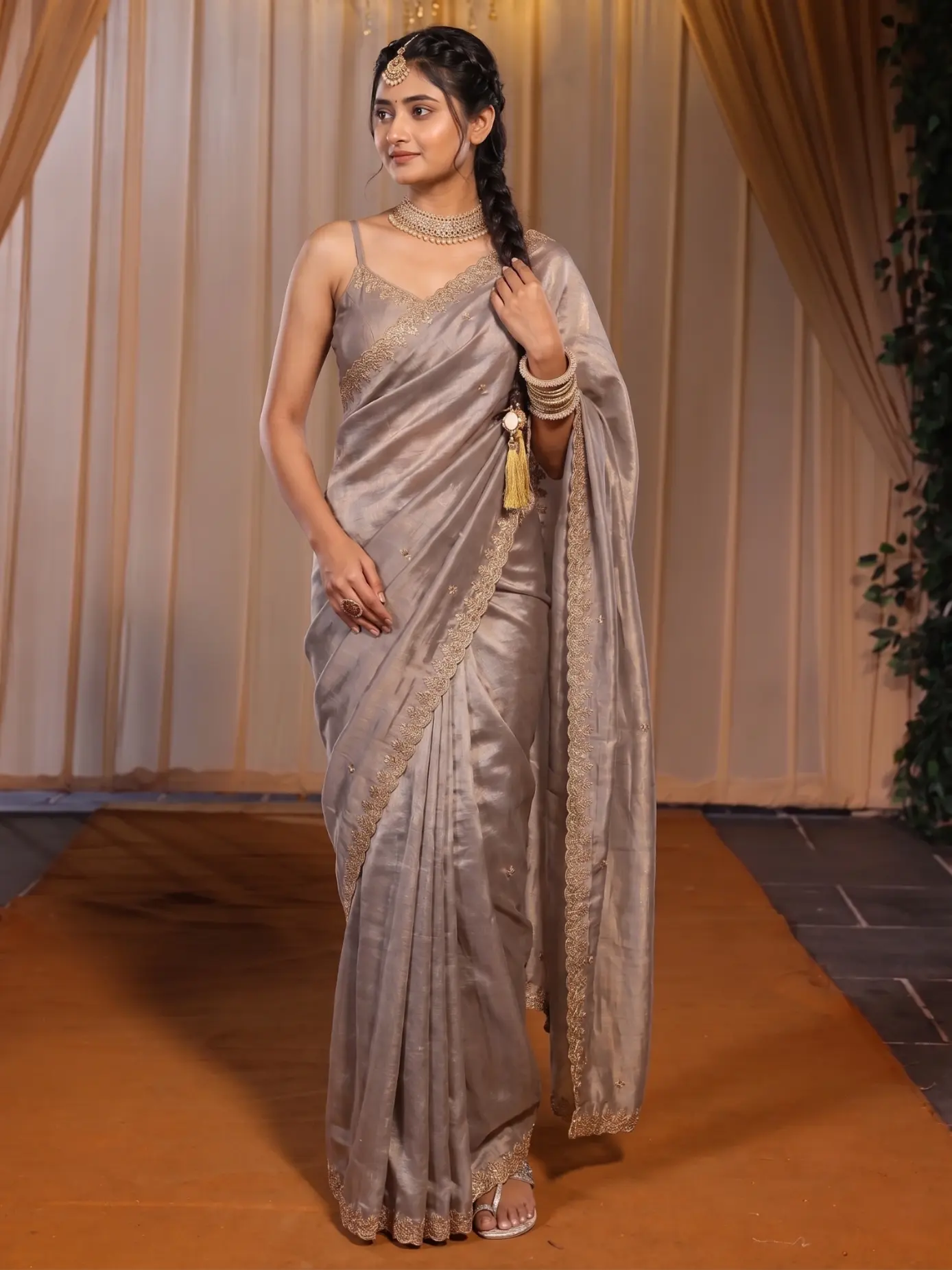 Piece one
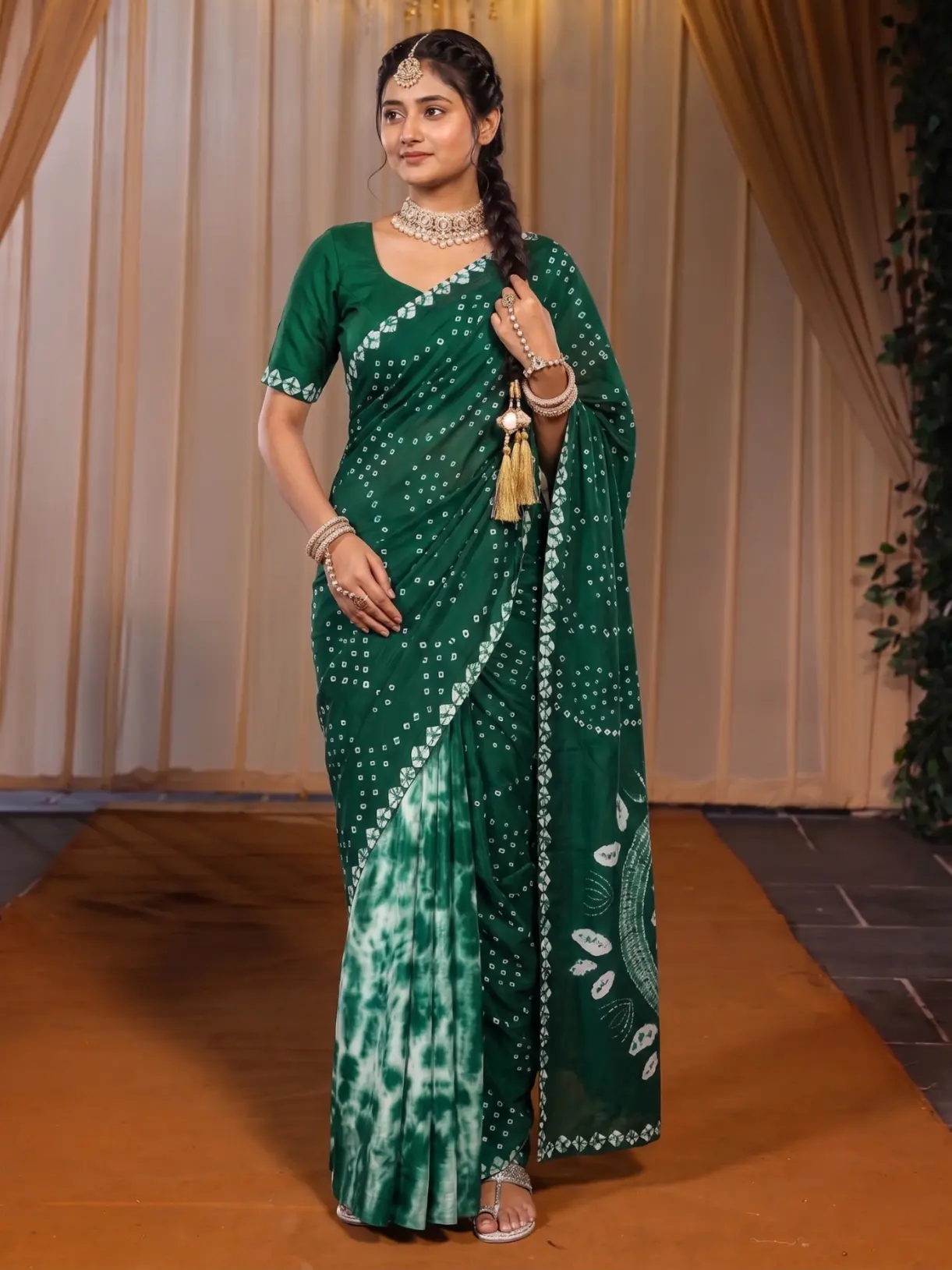 Piece two
The same model, curtains and runway carry across two different sarees. For a Myntra drop, set the model and the background once and change only the garment. Compare each saree's border and print with your own photo.
Ethnic wear: the details that need care
Ethnic wear is the area where a quick shot is easiest to get wrong, because the value sits in the detail. A few habits help.
- Sarees: use Drape Studio, set the pallu line and the repeat, and add close-ups of zari and borders. The studio works from them.
- Lehengas and sets: upload the dupatta too, and check that its border and print match your own photo.
- Kurtas and kurta sets: check the neckline, the placket and the sleeve ends, where embroidery tends to sit.
- Heavy work: add a detail photo and look at that part of the result first.
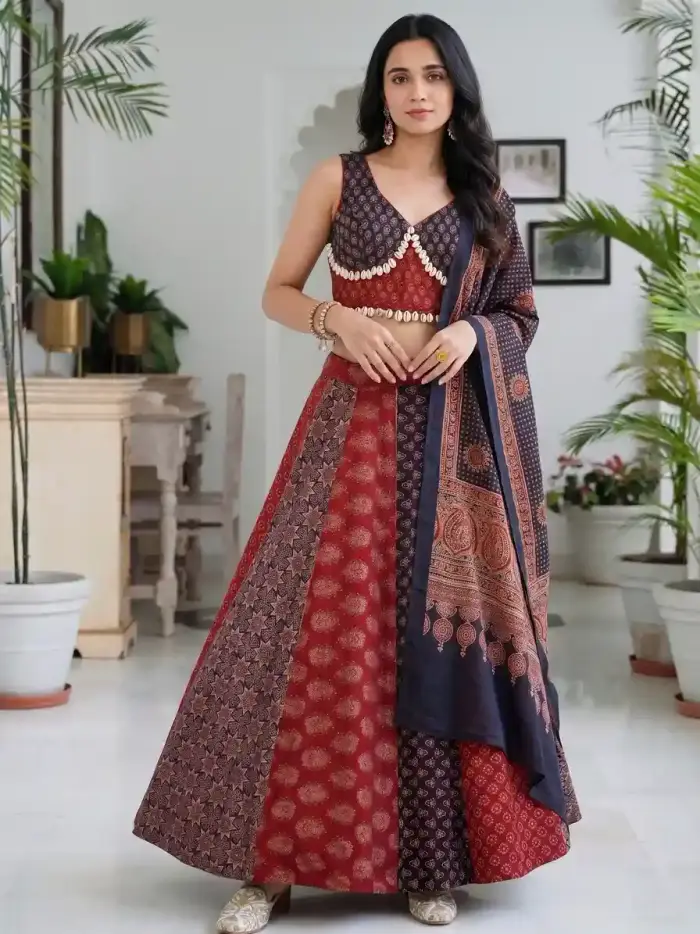
Why one look across the drop matters on Myntra
Myntra shows your garments next to a lot of other labels. A drop with a shared model, background and way of posing reads as one label. That is the idea behind Same Model, Same Set: lock the model, the pose and the scene, and change only the garment. Vastralook is built to keep these choices, and our page on consistent catalogue photos shows how to set it up.
Built to keep is the honest wording. It is designed for consistency and it matches your garment as closely as it can, and it is still AI. Fine details and the fall of the cloth can differ between shots, so each one has to be checked.
What to check before you upload to Myntra
- Garment design: border, print, neckline and sleeves match your photo.
- Colour: check in daylight on a phone and on a laptop. Dark and bright shades shift most.
- Framing: nothing is cut off at the head, hands or hem, in any of the poses.
- Dupatta, pallu and jewellery: they are the ones you meant to show.
- Hands, face and feet look natural. Recreate any shot where they do not.
- Size and format match what Myntra currently asks for. Check Myntra's own seller guide, and our Myntra image guidelines page for what sources say.
What it costs and how long it takes
A Create order shot costs from ₹7 at 1K and from ₹10 at 2K, and a Budget order usually takes 4–5 minutes. One piece with the preset's 5 poses at 2K is 5 shots, 50 credits, from ₹48. A drop of 12 pieces with all 5 poses is 60 shots, 600 credits, from ₹577. You see the total before you order, and plans and packs are on the pricing page.
How many pictures a Myntra listing can carry is Myntra's call, so we do not give a number here. Our page on how many product photos per listing goes through the counts we could source, and our page on how to sell kurtis on Myntra covers the photo-first view of getting started.
When a real shoot is still the right choice
A brand campaign, a lookbook with a real person in a real place, a video, or a garment whose whole selling point is an exact hand-worked detail are better shot for real. Many labels use a shoot for the hero campaign and the studios for the daily catalogue.
Common mistakes
- Changing the model every piece, so the drop reads as several labels.
- Uploading only a front photo of a garment whose back is the feature.
- Using a low-light flat photo. The result can only be as clear as the reference.
- Not looking at the seated and walking shots as closely as the front. Fabric folds are where a shot can miss.
- Taking this page as Myntra's rules. It is not. Read Myntra's own seller guide.
Can I make model photos for a Myntra listing without a shoot?
Yes. Upload your garment to Catalogue Studio (or your saree to Drape Studio), tap the Myntra preset and order. You do not need a model, a photographer or a studio.
What does the Myntra preset set?
5 poses (Front Standing, Left Profile, Back View, Seated, Candid Stroll), a light grey studio, an Indian model, 3:4 portrait, 2K and JPEG. You can change any of them.
Does this tell me Myntra's image rules?
No. Myntra sets and changes its own rules, so check the marketplace's own seller guide. Our Myntra image guidelines page shows what sources say and where they conflict.
Which ratio and quality for Myntra?
3:4 portrait at 2K is what the Myntra preset uses. Check Myntra's seller guide for the size you need.
Can I use the same model for my whole drop?
Yes. Pick one model and one background for the order. Vastralook is built to keep your choices across a batch. AI output is not exact, so check every shot.
Is it good for ethnic wear and sarees?
Drape Studio is built for sarees: you set the cut, the pallu line and the pattern repeat, and a live drape preview shows what the studio works from. Catalogue Studio covers kurtas, sets and lehengas. Check fine detail on each shot.
What if a shot comes out wrong?
Recreate it, or ask for half the credits back on a paid shot that missed. The team reviews each request.
How long does an order take?
A Budget order usually takes 4–5 minutes.
What does it cost?
A Create order shot costs from ₹7 at 1K and from ₹10 at 2K. New accounts get up to 3 free 2K images.
Does Myntra allow AI-made model photos?
We cannot tell you the current policy. Check Myntra's own seller guide and terms before you upload.


