
Open the Instagram page of any small clothing seller and scroll through the grid. On some pages the grid reads as one brand: the same face, the same wall, the same kind of light. On others it reads as a market stall: a different model in every picture, one photo outdoors and the next in a bedroom. The garments may be just as good. The first kind of page looks like a shop you would trust with your money.
Why consistent product photos sell
A buyer rarely decides on one picture. She looks at a row of products and compares them. When the model, the pose and the background match, her eye goes straight to the thing that changes, which is the garment. When they do not match, her eye goes to the differences in the pictures instead, and the garment is no longer the subject. Consistency does not make the garments look better. It stops the photos from getting in their way.
There is a second reason, and it matters more to a wholesaler or a reseller. A catalogue that is shot in the same way looks planned. A reseller who has to forward your photos to her customers is more comfortable sending a catalogue that looks like one brand's work. And when you add forty new designs next season, a consistent look lets the new stock sit beside the old without a visible break.
What has to stay the same
| Keep the same | What goes wrong when it changes | How Catalogue Studio helps |
|---|---|---|
| The model | Every listing seems to belong to a different shop | You choose the model before you order and use it across the batch |
| The pose and the angle | Garments cannot be compared, because one is front-on and the next is turned away | Same Model, Same Set keeps the pose. Photoshoot packages plan a set of angles |
| The background and the scene | The page looks like a collage and the colours of the garments shift against different walls | Pick one style or scene and keep it, or set a marketplace preset |
| The picture shape and the framing | Rows in the grid do not line up and heads get cut | You choose the ratio and size once for the whole order |
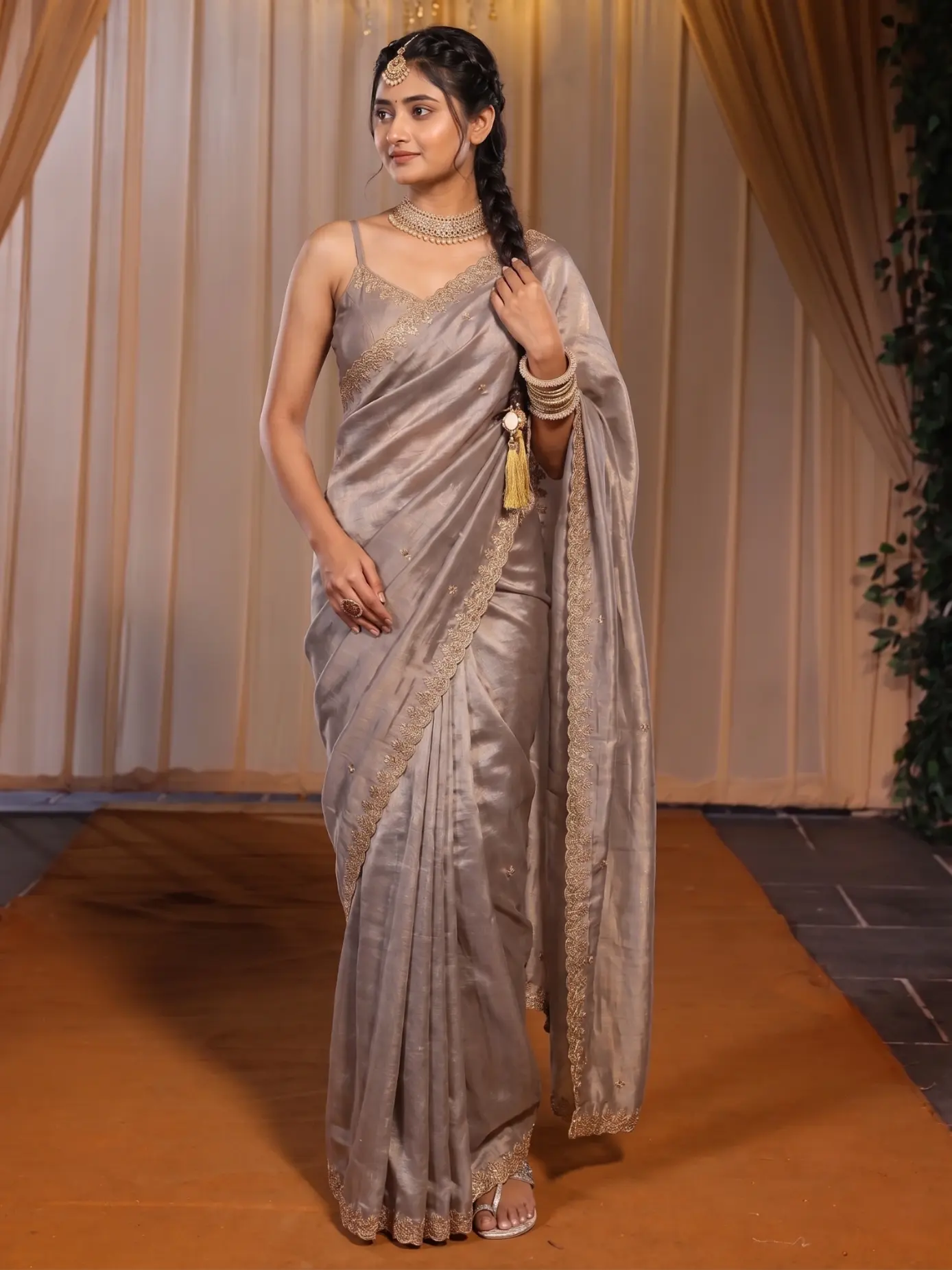 Garment one
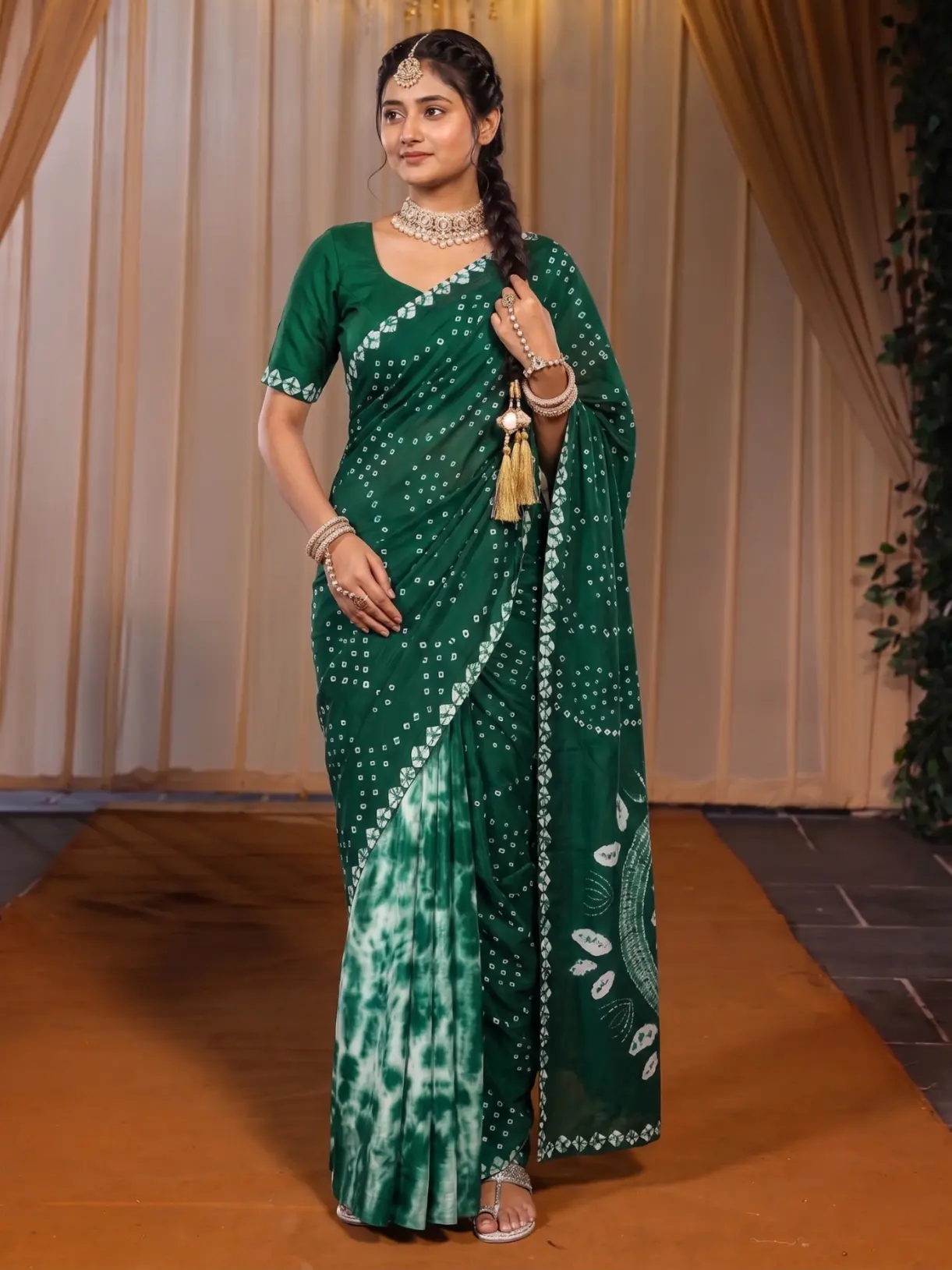 Garment two
The left photo shows a beige tissue saree and the right photo a green bandhani saree. The model, the pose and the set are meant to stay the same, and only the garment changes.
The usual way, and why it drifts
If you hire a model and a photographer, consistency is easy for the day you shoot, and it holds for as long as you shoot everything that day. The trouble starts with the second drop. The model is not free, the studio has changed its lights, the wall has been repainted. Even the same person looks different in a new month. Sellers who work from a phone have it harder still: the afternoon sun is different every day, and so is the corner of the room.
A general image tool makes it worse, because every picture is a fresh invention. Ask it for the same kurti on the same model and you will get a similar picture, not the same one, and when you try to fix a small thing, you get another new picture. A catalogue needs a set of pictures where the choices stay put.
How to keep one look in Catalogue Studio
- Decide the look first
One model, one scene and one picture shape. Write them down. Everything you order after this should use them.
- Upload every garment you want in the batch
Front, back and detail photos for each, shot in the same light and on the same plain background if you can.
- Pick the model and the style once
Choose the model from the library and a scene or a ready photoshoot package. A package is a planned set of poses in one scene, so one order gives you front, back, three-quarter and close-up in the same place.
- Use Same Model, Same Set for the next garment
It locks the model, the pose and the scene and changes only the garment. This is the way to add a new colour or a new design to a catalogue you already made.
- Open the summary and read the whole batch
Every garment, model and style combination is listed as a picture. If one does not belong, remove it before you order.
- Order, then check each shot
Look at each result next to its garment photo. Recreate any that drifted.
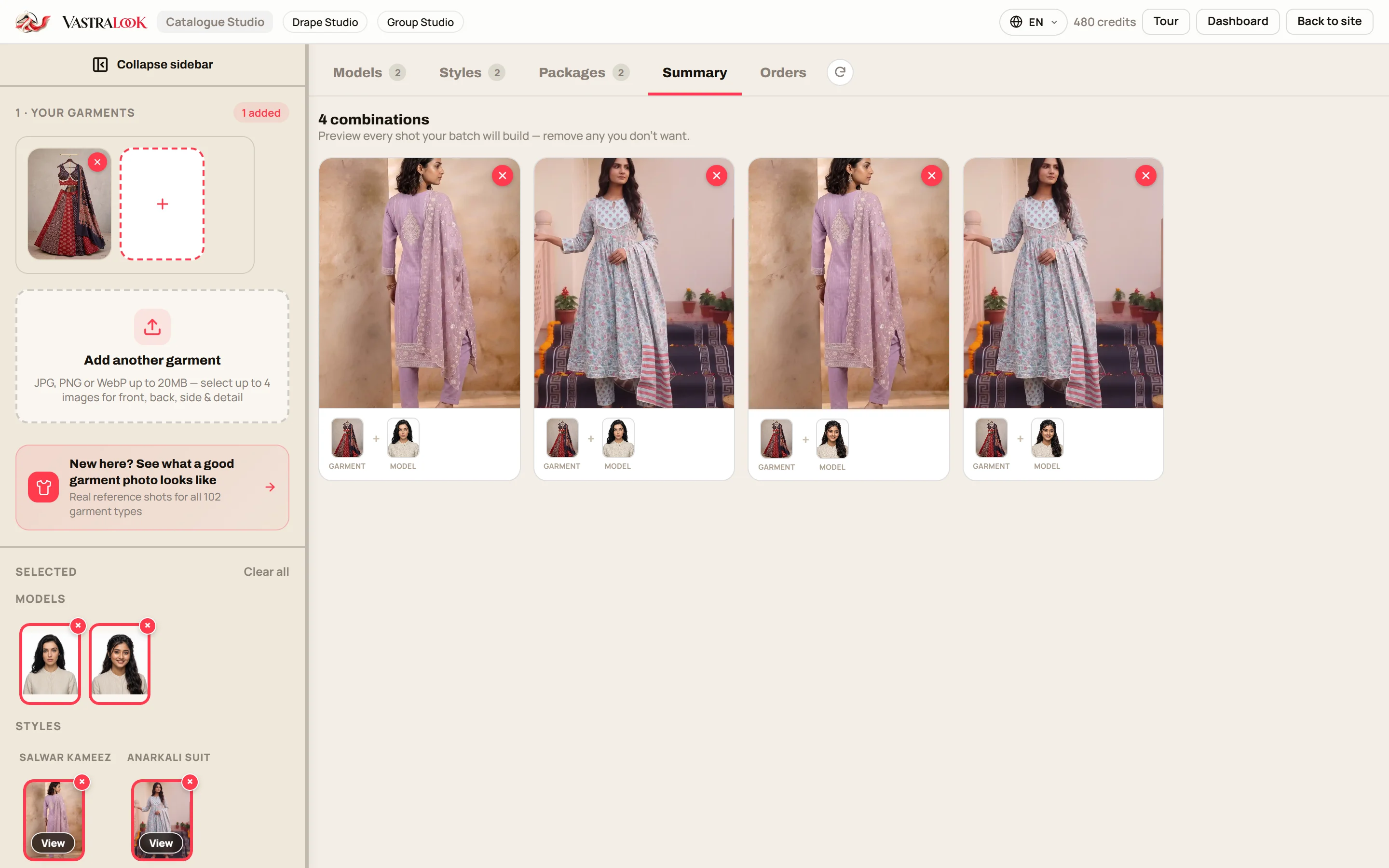
Ready photoshoot packages: a planned set of angles
A package takes the planning off you. Instead of choosing every pose and every scene one by one, you pick a package such as studio, outdoor, editorial or festive, and one order gives you a catalogue's worth of angles in the same light and place. Use the same package for every garment in a range and the angles line up from one product to the next. The pose changer works in a similar way: it takes one upload to a new angle with the model and the background kept.
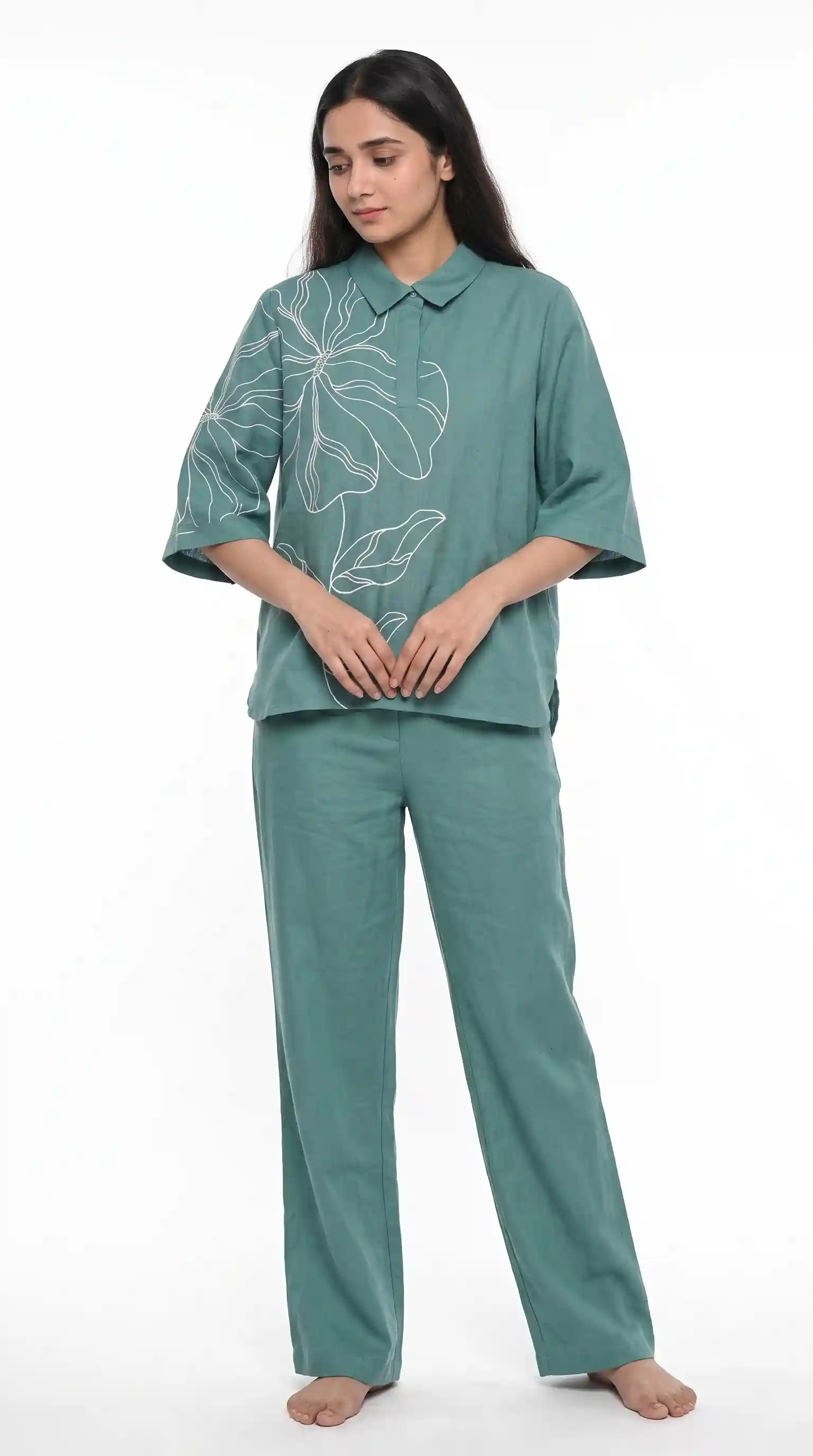 Front
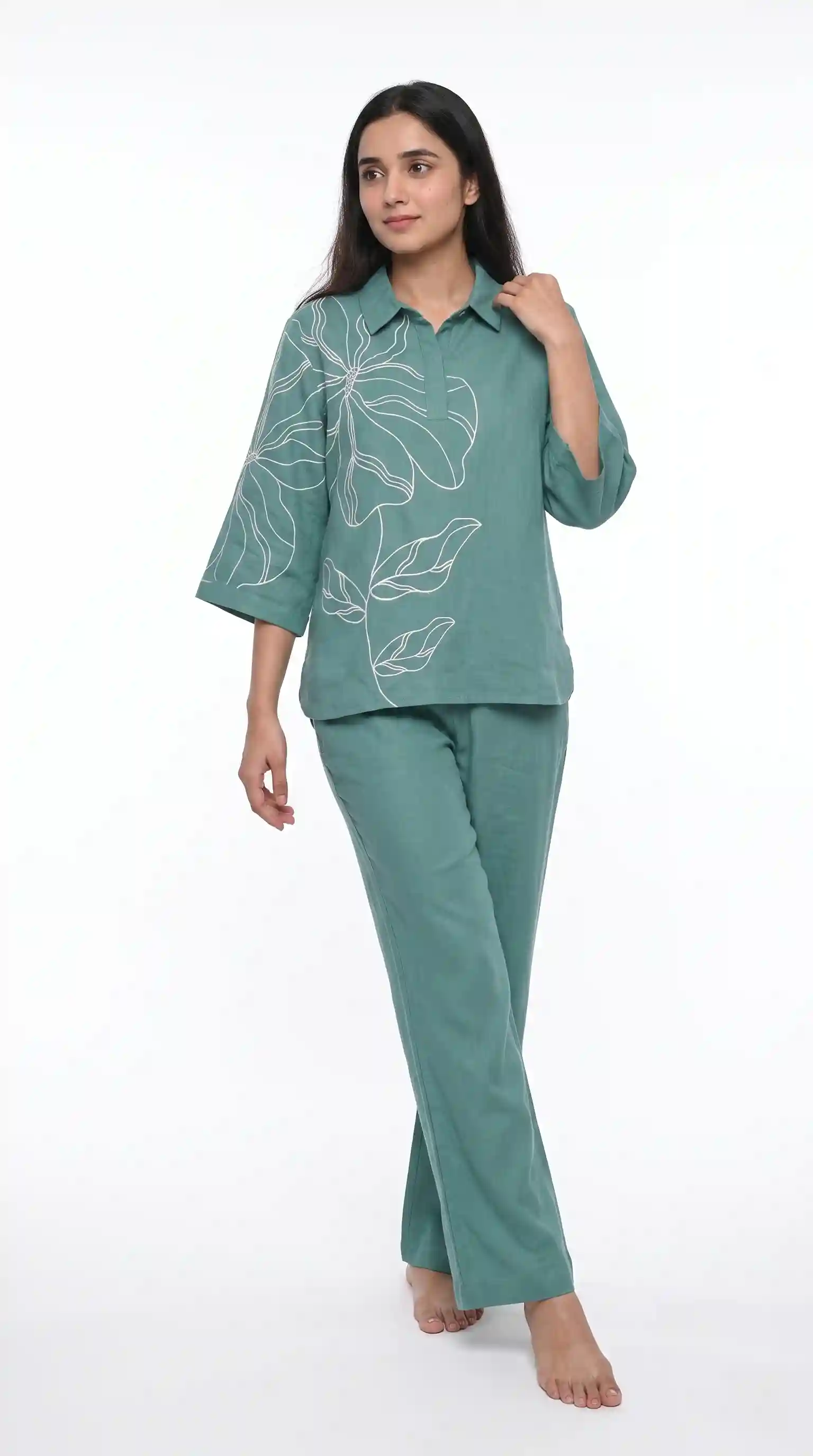 Side
The same co-ord set, the same model and the same background, shown from the front and from a turned angle.
Locking your choices across a batch
When you order a batch, the model, the style, the ratio and the size you chose apply to every garment in it. That is how forty garments get one look. A small habit helps: keep one order per range and one range per look, instead of changing the style halfway through. If you do want a second look, for example an outdoor set for the festive range, make it a separate batch, and keep it consistent inside itself.
Keep your logo on every picture, too
A logo in the same corner at the same size is part of a consistent look. Set it once, with the corner, the size and the opacity, and every download carries it in the same place. It also means that a picture forwarded from group to group still shows whose it is.
Who it helps most
- Resellers and boutique owners who share a catalogue in WhatsApp groups and want it to look planned.
- Wholesalers who show a new range every season and want the new stock to sit beside the old.
- Instagram sellers whose grid is their shop window.
- D2C brands with a product page for every colour of every garment.
What it costs and how long it takes
A Create order shot costs from ₹7 at 1K and from ₹10 at 2K, depending on the pack you buy from, and a Budget order usually takes 4–5 minutes. Since the batch settings apply to every garment, a consistent catalogue does not cost extra. The batch credit maths post shows how to count the shots for a range.
A consistency checklist before you order
- One model, one scene, one picture shape, chosen before you upload the second garment.
- Garment photos taken in the same light and on a plain background.
- A summary read from top to bottom, with anything that does not fit removed.
- A new garment added with Same Model, Same Set, not with a fresh set of choices.
- One logo position for the whole range.
- Each result compared with its garment photo before it goes online.
How do I get consistent product photos for my catalogue?
Choose one model, one scene and one picture shape, then use them for every garment in the batch. In Catalogue Studio, Same Model, Same Set locks the model, pose and scene and changes only the garment.
Can I use the same model for every product?
Yes. You pick the model before you order and Vastralook is built to keep it across the batch. As with any AI image, check each shot and Recreate any where the face drifted.
How do I keep the same background across products?
Pick one style or scene, or a ready photoshoot package, and use it for the whole range. A marketplace preset also sets a standard background for listings.
What is a ready photoshoot package?
A planned set of poses in one scene, so one order gives you several angles of a garment in the same light and place.
Can I see every combination before I pay?
Yes. The summary lists each garment, model and style combination as a picture, and you can remove any you do not want before you order.
Will each picture be an exact copy of my garment?
No. Your garment photo is the reference and Vastralook matches it as closely as it can, but AI output is not exact. Check the border, the print and the colour on each shot.
What if one shot in the batch looks different?
Recreate it, or ask for half the credits back on a paid shot that missed. The team reviews each request.
Does it work for sarees?
Sarees have their own studio, Drape Studio, which handles the pallu and pleats. For a saree, use Drape Studio, and for every other garment use Catalogue Studio.
Who owns the photos?
You do. Everything you generate is yours to use commercially: on your store, marketplaces, WhatsApp, Instagram, ads and in a catalogue.


