
Photographing pinafore dress collections for online catalogues presents a unique set of challenges that standard studio photography frequently fails to solve. When fashion shoppers browse pinafore dress listings on ecommerce platforms, their purchasing confidence hinges directly on clarity: how the garment contours around the body, whether the fabric moves stiffly or drapes fluidly, and how subtle textural details appear under true-to-life lighting. Because pinafore dress pieces often feature square or V-cut bib front, dungaree strap closures with metal buckles, patch pockets, and distinct inner shirt layering interaction, flat-lay and ghost mannequin photography immediately strip away their living dimensionality, reducing high-value designer garments to two-dimensional approximations that fail to convert.
Traditional editorial model shoots have historically been the only answer for fashion brands wanting high-converting imagery. Yet coordinating a physical model shoot for seasonal pinafore dress collections comes with exorbitant overhead: booking professional models, renting specialized high-ceiling studio spaces, hiring hair and makeup teams, managing steamer crews to eliminate creasing, and spending weeks waiting for manual retouchers. For emerging direct-to-consumer labels, boutique retailers, and high-volume fashion manufacturers, spending thousands of dollars per shoot every time five new SKUs drop simply does not scale.
Today, generative fashion AI and digital catalogue studios like Vastralook allow brands to upload ghost mannequin or simple flat-lay captures and instantly generate high-fashion on-model photography across diverse global ethnicities, photorealistic editorial environments, and multiple camera perspectives—all while preserving original seamlines, print scale, and true textile drape.
Real Pinafore Dress catalogue results from Vastralook
Here is an overview of pinafore dress items from our garment reference library. When you run your collection through Catalogue Studio, each piece is preserved with precise edge detection, pattern continuity, and natural body contouring.
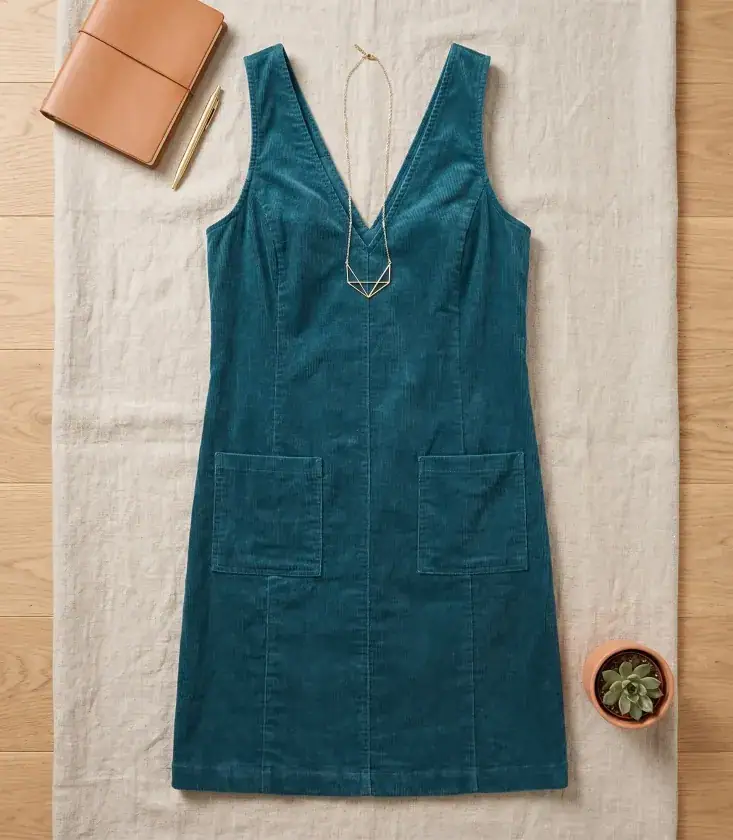
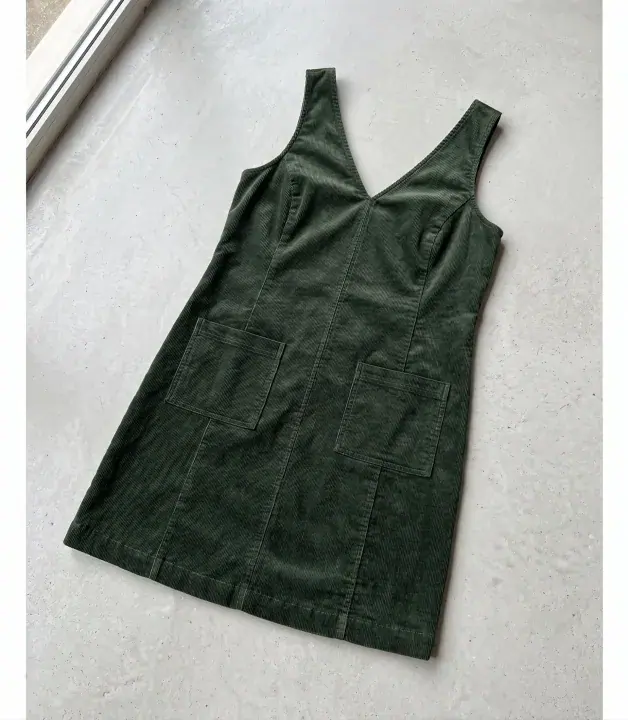
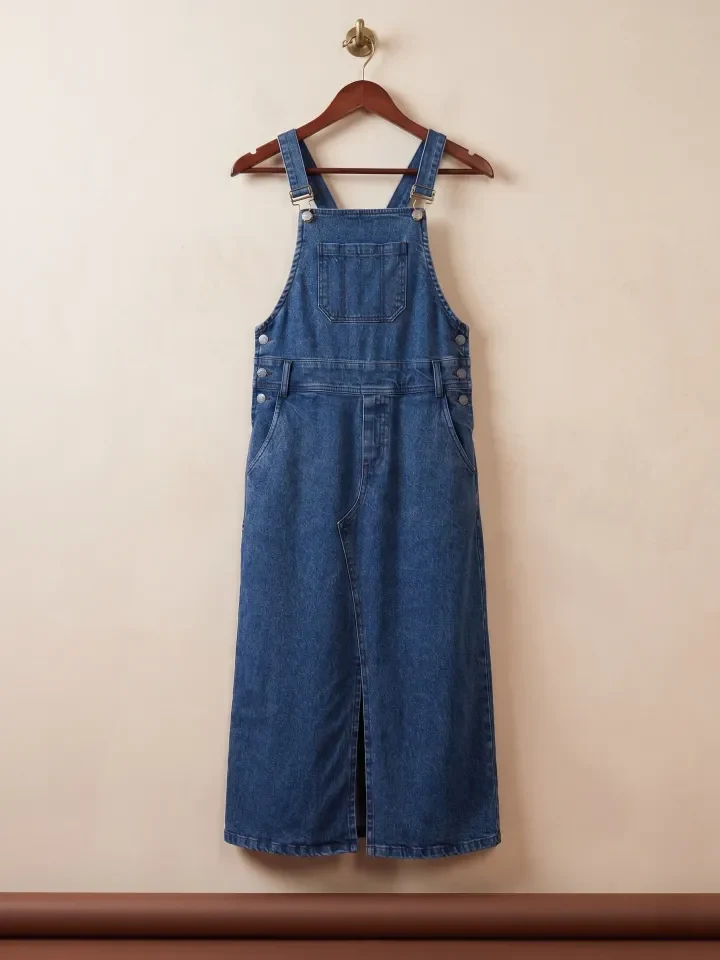
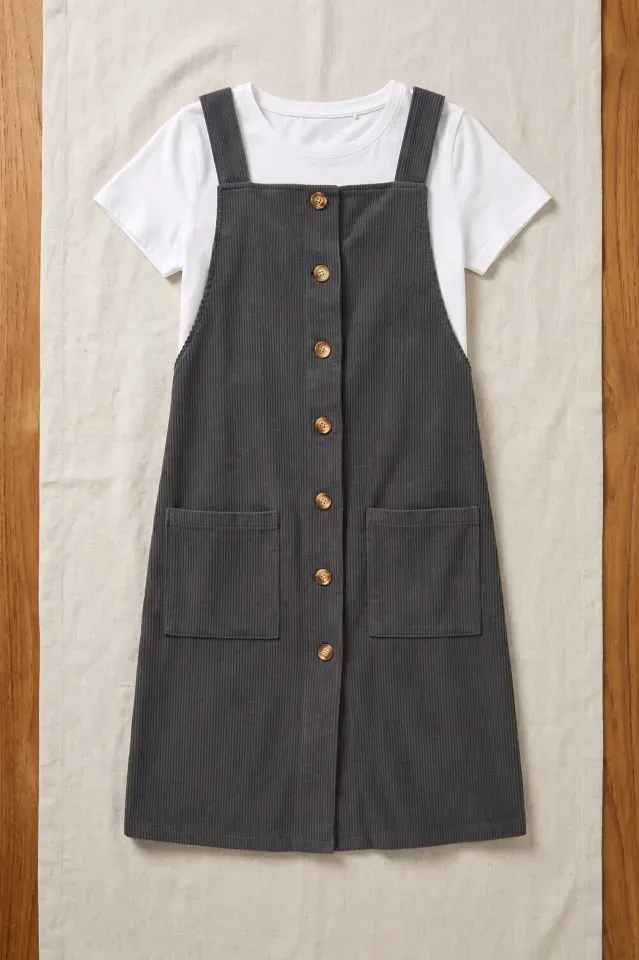
Curated reference captures showcasing diverse pinafore dress fabrications, cuts, and construction details from our studio archives.
Pre-built Pinafore & Midi Dress studio package: multi-angle shoots in one click
To see how virtual catalogue generation operates in real production environments, browse our verified studio package below. Each package represents a fully configured AI studio workflow featuring consistent model identity, matched lighting parameters, and multiple editorial camera framings tailored specifically for pinafore dress and pinafore & midi dress silhouettes:
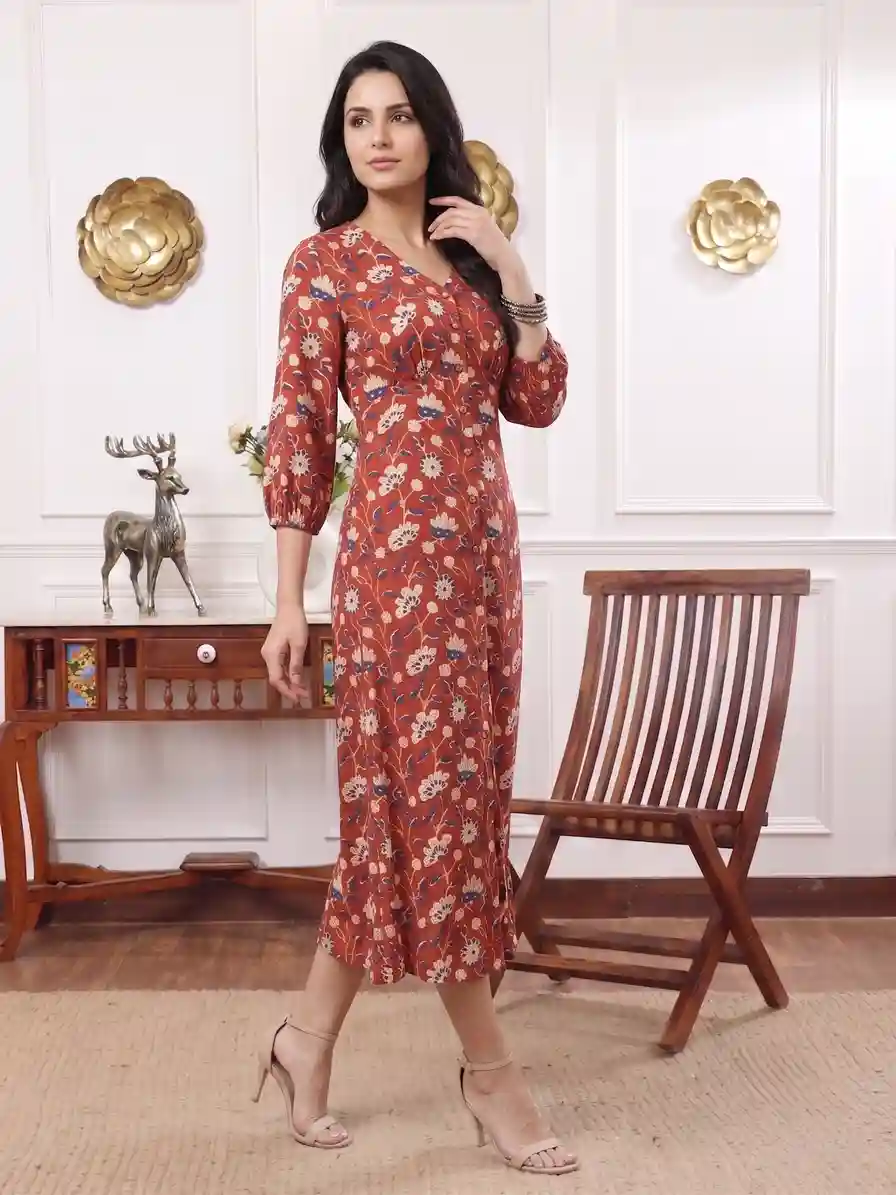
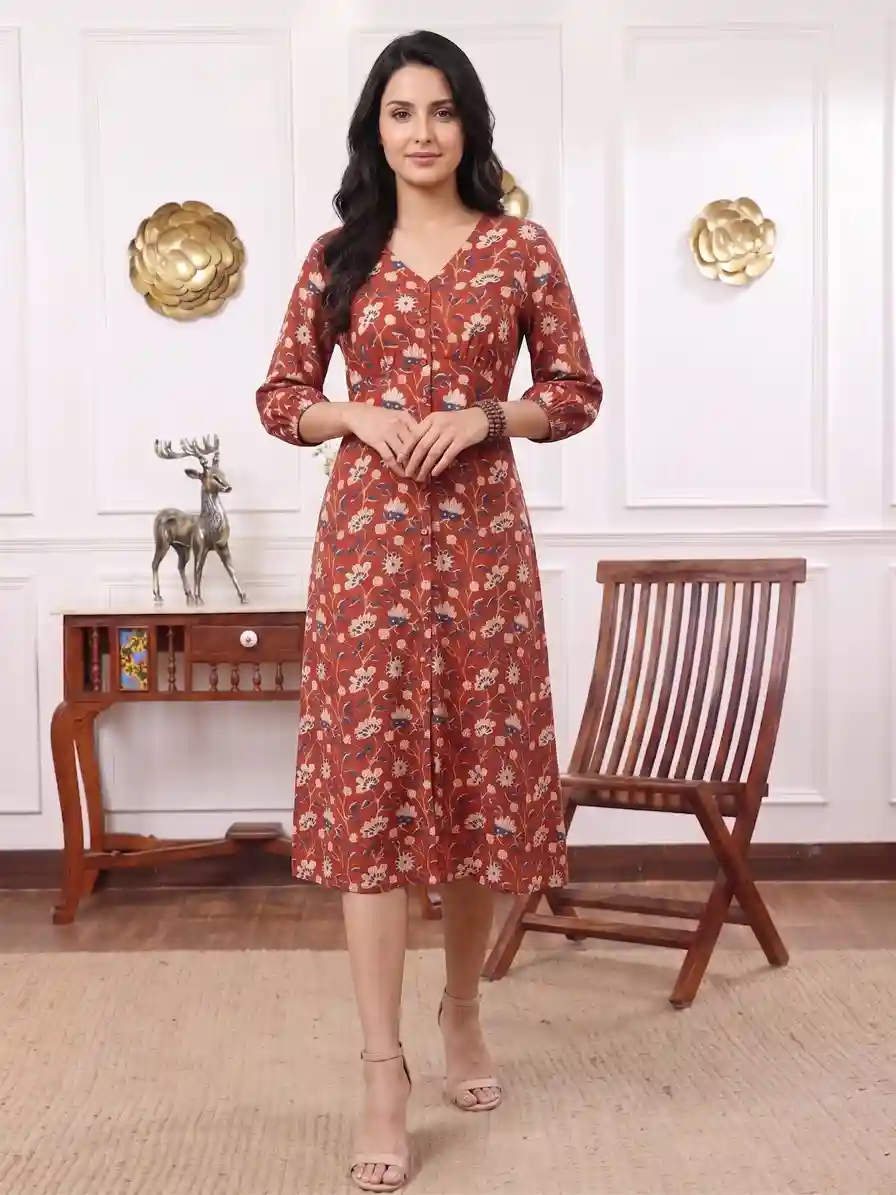
Frames from Package #540 in our studio library — A-line structured dress silhouette across 2 studio angles. Demonstrates clean shoulder strap alignment, torso fit over layers, and crisp skirt flare.
The Real Cost of Traditional Pinafore Dress Photoshoots vs. AI Workflows
Every fashion ecommerce founder and creative director understands the logistical friction involved in organizing physical studio shoots for pinafore dress drops. When coordinating complex collections, small oversights like minor fabric creasing, model unavailability, or lighting inconsistencies create cascading expenses that diminish margins:
| Production Variable | Traditional Physical Shoot | Vastralook AI Catalogue Studio |
|---|---|---|
| Turnaround Time | 10 to 18 business days from booking to retouched delivery | Under 15 minutes for 40+ high-res angles |
| Model Booking & Agency Fees | $800 to $2,500+ per day per professional model | Included directly in platform subscription |
| Location & Studio Hire | $1,200 to $3,500 per day for prime lighting & cyc rental | Unlimited photorealistic virtual studio sets & outdoor scenes |
| Styling & Crease Retouching | Requires full-time steamers, tape, pins, and manual clone-stamping | Automated garment tension smoothing & pristine pixel fidelity |
| Model Demographic Diversity | Limited to agency casting calls within studio geographical area | Instant representation across South Asian, Caucasian, Black & East Asian models |
| Cost per Live SKU Angle | $35 to $75+ per finished image | Under $0.25 to $1.50 per high-definition render |
Step-by-Step Guide: Photographing Pinafore Dress for Digital Catalogues
Achieving hyper-realistic on-model renders starts with structured prep. Follow this battle-tested 6-step framework designed specifically for pinafore dress lines:
- Garment De-wrinkling & Surface Prep
Thoroughly steam your pinafore dress samples before placing them on mannequins. Pay specific attention to hemlines, collar transitions, and draped gathers. Surface wrinkles present during capture require extensive generative reconstruction, whereas a crisply steamed original preserves flawless weave definition.
- Flat-Lay or Ghost Mannequin Baseline Capture
Position your pinafore dress on a matte ghost mannequin or smooth light-neutral table. Position your camera at mid-torso height (approximately 42 to 48 inches) with an 85mm portrait lens to prevent barrel distortion along vertical silhouettes.
- Lighting Balanced for Texture
Use large, diffused continuous LED softboxes angled at 45 degrees to the garment plane. A gentle secondary rim light prevents dark fabrics from merging into dark backgrounds and clearly separates exterior seamlines.
- Uploading to Vastralook Studio
Import high-resolution JPG or PNG source captures into Vastralook. The computer vision pipeline automatically separates the garment boundary, detects seam placement, and maps fabric surface normal maps.
- Selecting AI Model Identity & Setting
Choose from our curated catalog of AI models tailored to your target demographic. Select skin tones, hairstyles, poses (casual hand-in-pocket stance demonstrating utility pocket depth, upright front pose showing square bib alignment and layered inner sleeve contrast, and playful slight twist revealing side button closures), and matching editorial environments.
- Generating Full-Angle Lookbooks
Render full-body frontals, three-quarter walking strides, and zoomed macro texture crops in parallel. Export ready-to-publish 4K assets formatted for Shopify, Amazon, and luxury wholesale portals.
Source Photo Quality Checklist for Pinafore Dress Inputs
Your generative outputs reflect the quality of your input captures. Review this checklist before uploading your pinafore dress photos:
- Camera positioned strictly level at chest/torso height to prevent perspective foreshortening.
- Diffused daylight-balanced (5500K) illumination with zero direct flash hotspots or severe drop shadows.
- Background is clean, non-reflective white, light grey, or neutral beige with high garment-to-backdrop contrast.
- All square or V-cut bib front, dungaree strap closures with metal buckles, patch pockets, and distinct inner shirt layering interaction are arranged symmetrically and free from accidental fold-overs.
- Image resolution is at least 2400 x 3200 pixels with pin-sharp focus on weave texture and stitch details.
- Color balance calibrated against an X-Rite ColorChecker chart for precise dye fidelity.
Weighing AI Generation vs. Traditional Physical Shoots for Pinafore Dress
- Instant turnaround: generate seasonal pinafore dress catalogues in minutes rather than weeks.
- Tremendous cost savings: eliminate $2,000+ daily model fees, makeup artists, and studio rentals.
- Consistent brand identity: maintain the identical AI model across multi-season pinafore dress product drops.
- Global market reach: effortlessly swap model ethnicities and seasonal locations for regional campaigns.
- Zero logistical hassle: no sample shipping delays, weather-ruined outdoor shoots, or booking cancellations.
- Requires high-resolution, well-steamed baseline garment captures to achieve maximum photorealism.
- Extreme bespoke 3D novelty elements (such as fiber-optic lighting or rigid metal wire cages) may need prompt tuning.
- Creative teams must adapt to prompt-based and style-template direction rather than in-person verbal coaching.
High-Converting Editorial Backgrounds for Pinafore Dress Catalogues
The environment surrounding your pinafore dress communicates lifestyle tier, target price point, and wearing occasion. Match your product positioning with these proven virtual studio presets:
| Editorial Backdrop Concept | Recommended Brand / Collection Type | Visual Mood & Conversion Impact |
|---|---|---|
| Sun-drenched vintage independent bookstore with tall oak bookshelves | Autumn collegiate & retro pinafore lookbooks | Nostalgic, scholarly, cozy |
| Warm oat minimalist studio cyc with mid-century modern wooden stool | Boutique ecommerce listings & lookbooks | Clean, wholesome, editorial |
| Cobblestone European bakery street corner with cafe wicker tables | Casual weekend & transitional spring/fall campaigns | Charming, lifestyle, timeless |
| Soft cream seamless studio backdrop with bright diffused softbox lighting | Standard ecommerce multi-angle product grids | Crisp, distraction-free, detailed |
Performance Metrics: How On-Model AI Photography Drives Pinafore Dress Conversions
Fashion brands that transition from flat-lays to photorealistic on-model AI imagery observe quantifiable lifts across engagement and retention. Industry data illustrates the bottom-line advantage:
Frequently asked questions
How does AI ensure my pinafore dress fabric texture and color remain authentic?
Vastralook utilizes neural feature-preserving diffusion networks that analyze your uploaded high-resolution garment capture. Rather than synthesizing a generic pinafore dress, our proprietary architecture preserves pixel-level embroidery, weave density, surface luster, and Pantone-accurate colors while generating realistic lighting interactions with the virtual model.
Can I show multiple poses and angles for the same pinafore dress SKU?
Yes! Consistency across multi-angle listings is fundamental for ecommerce. You can generate front standing, three-quarter stride, back detail, and seated poses using the exact same virtual model face and body type to create cohesive product listings.
Do I need to hire a physical model or use expensive lighting gear?
Not at all. You can photograph your pinafore dress on an inexpensive headless plastic mannequin or simple flat surface using a standard smartphone or digital mirrorless camera. Our studio engine handles virtual model rendering, skin textures, natural hair movement, and studio-grade lighting.
How does on-model imagery impact returns for pinafore dress categories?
Apparel return rates drop significantly—typically by 25% to 35%—when customers can clearly visualize garment proportions, hemline drops, and torso fit on human-proportioned bodies before placing an order.
Can I use generated pinafore dress photos on Amazon, Shopify, and social media?
Yes, all exported imagery meets marketplace requirements for pure white background compliance (Amazon, Myntra, ASOS) as well as rich editorial aspect ratios (4:5, 9:16) for Instagram lookbooks and digital storefront banners.
How quickly can I publish a new pinafore dress collection?
Once source photos are snapped, processing a complete batch of 10 to 20 garments takes less than an hour on Vastralook. You can launch full collections online the exact same day physical production samples leave your factory floor.


