
A shopper on Amazon India sees a row of thumbnails before reading a word. For fashion, that row is the sales pitch: the first image, the angles, the way the garment looks on a person and in a place. If you want AI model photos for Amazon India fashion listings, this guide shows how to make each picture in that row with Vastralook, from your own garment photo.
It is not a guide to Amazon's rules. Which image Amazon wants first, what a model may do in it and what the other slots allow come from Amazon and are checked in Seller Central, so read the marketplace's own seller guide for the current rules. For what we could read, see our pages on Amazon fashion image rules, Amazon lifestyle images and Amazon A+ content images. This page is about making the pictures.
Amazon is a set of pictures, not one
Other marketplaces are often thought of as one tall picture and a few angles. Amazon listings tend to combine different kinds of pictures, and each answers a different question. Plan them as a set.
| Picture | Question it answers | How to make it in Vastralook |
|---|---|---|
| First image | What is this, and does it look right? | Amazon preset: pure white studio, 3:4, 2K, front pose |
| Other angles | How does it look from the back and the side? | The preset's other poses: side and back views |
| Detail shots | What is the fabric, work or print like up close? | A close-up pose, or your own detail photo as a reference |
| Lifestyle shots | How would I wear it? | A scene or background you choose, the same model |
| Brand content (A+) | Who is this brand and what is the range? | A 16:9 image at 4K, or a set of the same model across pieces |
Who sells fashion on Amazon India, and what they struggle with
Fashion sellers on Amazon India range from established brands to small sellers and resellers of sarees, kurtis, dresses and western wear. The photo pain is not only volume. It is that one picture cannot do five jobs, and a lifestyle set or brand content is usually the part that gets skipped because it needs another shoot.
- The first image is one chance and a thumbnail. It has to read at small size.
- Lifestyle shots need a place and a person. That is another shoot, so many listings go without.
- Brand content, where a seller uses it, needs a set of images that look like one brand.
- A listing with several colours and sizes multiplies the work again.
The recipe: Amazon preset, 3:4, 2K
Tap Amazon in the Marketplace step and the studio sets 5 poses (Front Standing, Left Profile, Back View, Seated, Candid Stroll), a pure white studio, an Indian model, 3:4 portrait, 2K and JPEG. A tall 3:4 picture fills a listing, and 2K lets a shopper zoom. The preset is a starting point. Whatever you change afterwards is your own choice.
- Choose the studio
Catalogue Studio for kurtis, sets, dresses and western wear. Drape Studio for sarees.
- Upload your garment photo
Your own product photo as the reference, front first, with back and detail shots if you have them.
- Tap Amazon
The preset sets the poses, the pure white studio, 3:4 and 2K.
- Make the angles with the preset
Run the preset's poses for the first image and the angles. Review them against your garment.
- Make the lifestyle shots separately
Choose a scene or background from StyleMuse, or upload one, keep the same model, and order a second batch. Keep the two sets apart so each is easy to check.
- Check, then download
A Budget order usually takes 4–5 minutes. Download with your logo only where you want it.
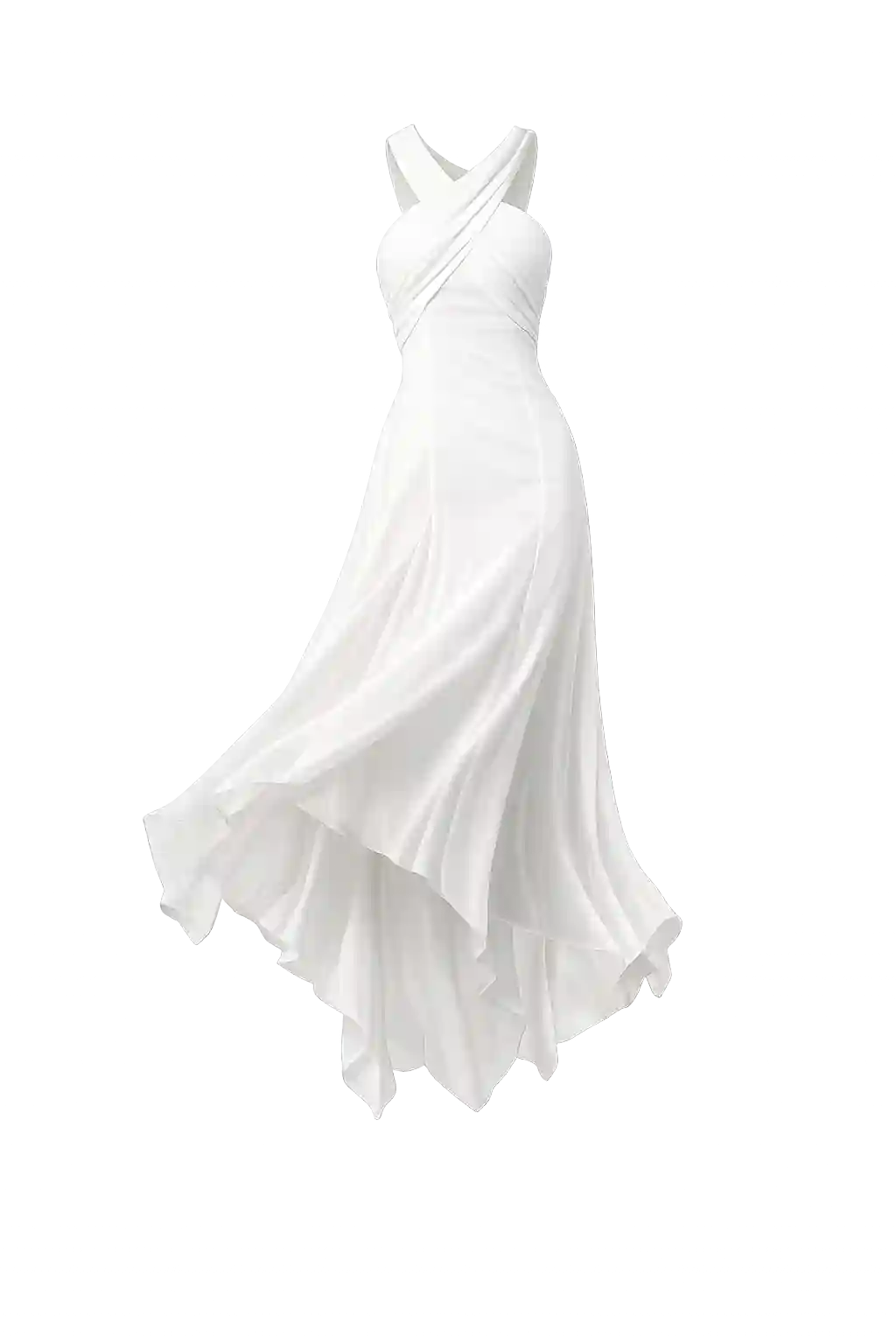 Garment photo you upload
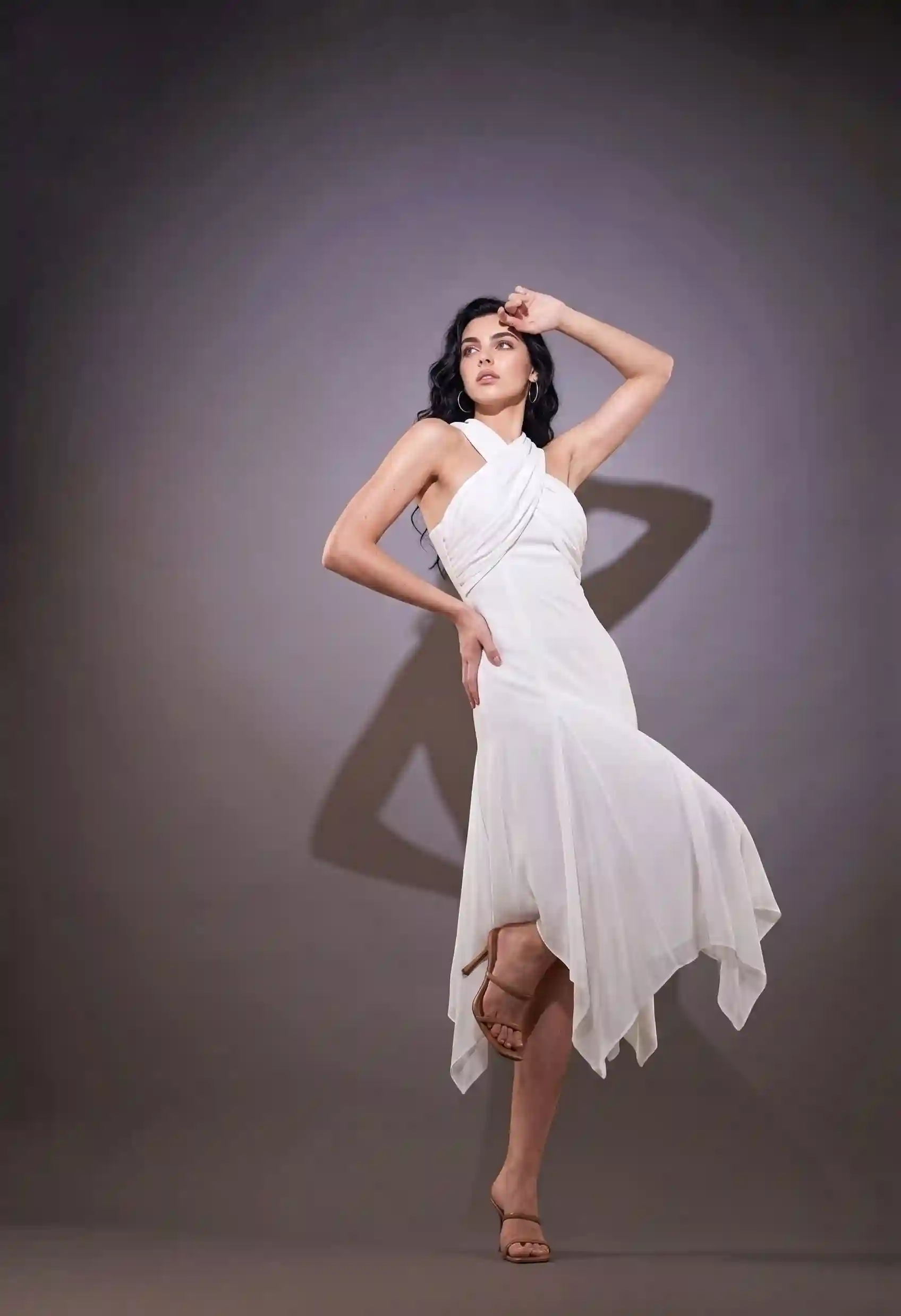 On a model
Left: a white halter dress as a plain garment photo. Right: the same dress on a model. Compare the cross-over neckline, the layered hem and the colour with the plain photo, because those are what a shopper judges.
Lifestyle shots: the same garment in a place
The part of an Amazon set that most small sellers skip is the lifestyle picture: the garment worn somewhere that suggests how to use it. Because you choose the background, the same model can stand on a beach, in a garden or in a room, without a trip. Whether lifestyle pictures are allowed in a given slot is for Amazon to say, and our page on Amazon India lifestyle images covers what we found.
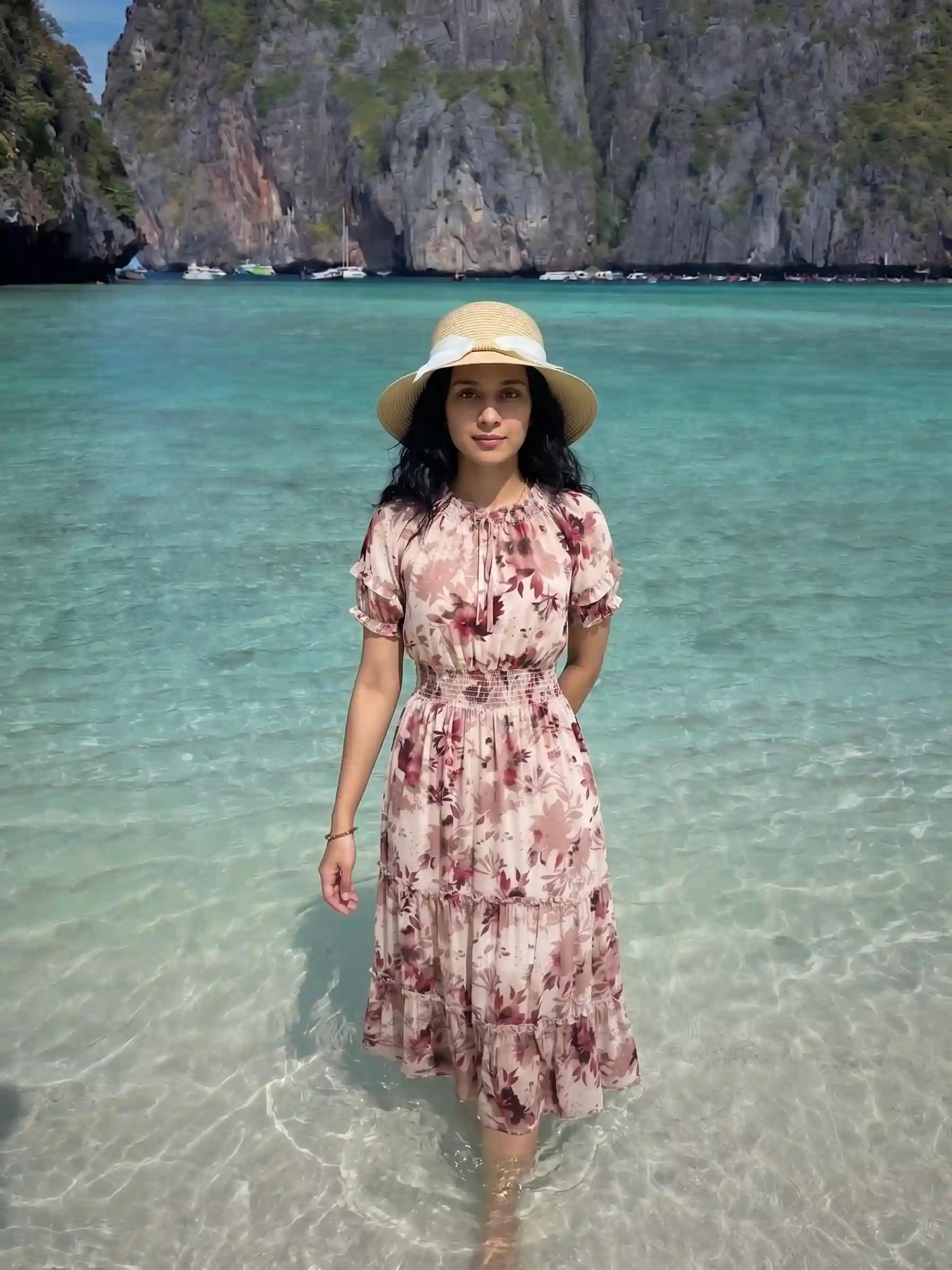
One caution. A lifestyle shot has more going on, so more can go wrong: the scene can pull attention from the garment, and a shadow or colour cast can change how the colour reads. Check the garment colour first.
Brand content: 16:9 at 4K, and a set that looks like one brand
If you use Amazon's brand content, you need pictures that work as a set. Vastralook offers 16:9 for wide pictures and 4K for the most detail, and you can keep one model across pieces so a row of garments looks like a range. What sizes Amazon's builder asks for is shown inside Seller Central, and our page on A+ content images covers what Amazon's own pages say, so we do not give a pixel size here.
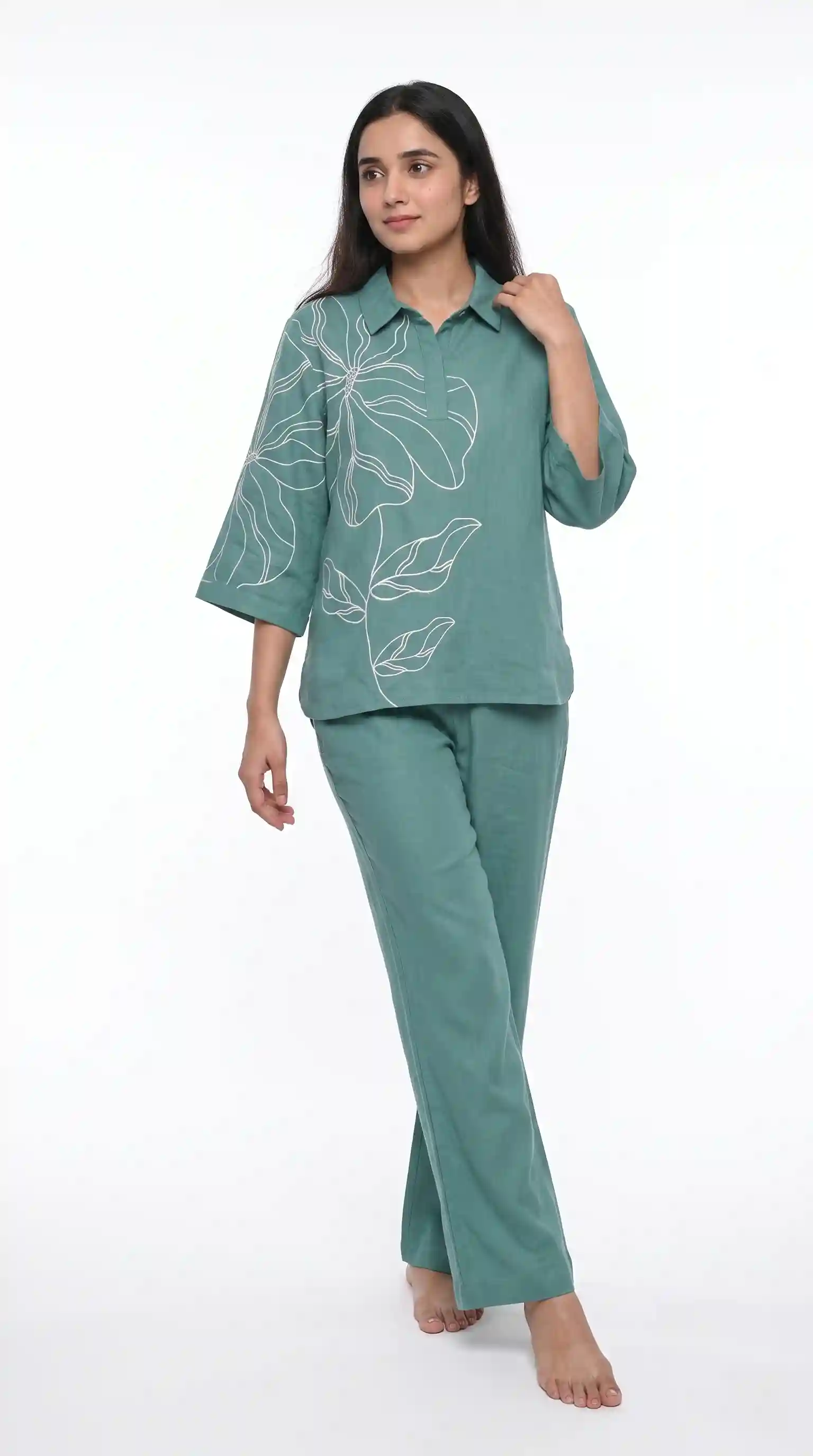
One model across your listings
If you sell several colours or related pieces, a shared model and set makes your listings look like the work of one seller. Pick the model and the background once, and Vastralook is built to keep them across the batch. It matches your garment as closely as it can, and it is still AI, so each shot needs a check.
What to check before you upload to Amazon
- The design matches your garment: print, neckline, sleeves, hem and any embroidery.
- The colour is right in daylight. This matters more on a listing where returns come from colour surprises.
- Nothing is cut off, in any pose.
- Hands, face and feet look natural. Recreate any shot that does not.
- Each picture is for the slot you plan: do not use a lifestyle shot where Amazon expects another kind of image. Check Amazon's own seller guide.
- No text or logos you did not intend. Add your logo only where it suits.
What it costs and how long it takes
A Create order shot costs from ₹7 at 1K and from ₹10 at 2K, and a Budget order usually takes 4–5 minutes. One listing with the preset's 5 poses at 2K is 5 shots, 50 credits, from ₹48. Ten listings is 50 shots, 500 credits, from ₹481. Lifestyle shots are extra shots at the same price. Plans and packs are on the pricing page.
How many pictures a listing can hold is Amazon's rule. Our page on how many product photos per listing goes through the counts we could source and how to plan a shot list.
When a real shoot is still the right choice
If you run a brand campaign, need a video, or sell something where every stitch must be shown exactly, shoot it. Use the studios for the daily work of many listings and the extra pictures that a real shoot would make too costly.
Common mistakes
- Using one picture for every slot. Plan the set.
- Ordering lifestyle shots first and the first image last. Do the first image and the angles first, because they matter most.
- A busy scene that hides the garment.
- Not checking the colour in daylight.
- Taking this page as Amazon's rules. It is not. Read Amazon's seller guide.
Can I make model photos for Amazon India without hiring a model?
Yes. Upload your garment photo to Catalogue Studio (or your saree to Drape Studio), tap Amazon and order. You do not need a model, a studio or a booking.
What does the Amazon preset set?
5 poses (Front Standing, Left Profile, Back View, Seated, Candid Stroll), a pure white studio, an Indian model, 3:4 portrait, 2K and JPEG. You can change any of it.
Does this tell me which Amazon image can show a model?
No. Amazon sets those rules and they change. Check the marketplace's own seller guide, and read our pages on Amazon fashion image rules and lifestyle images for what we found.
Can I make lifestyle shots too?
Yes. Choose a scene or background from StyleMuse, or upload your own, and keep the same model. Whether a slot allows a lifestyle image is Amazon's call.
Which ratio and quality should I use?
3:4 at 2K is what the Amazon preset uses. For a wide picture, 16:9 is available, and 4K gives the most detail. Check Amazon's guide for the sizes it asks for.
How do I keep one look across my listings?
Choose the same model and background for the order. Vastralook is built to keep your choices across a batch. AI output is not exact, so check every shot.
What if a shot is wrong?
Recreate it, or ask for half the credits back on a paid shot that missed. The team reviews each request.
How long does an order take?
A Budget order usually takes 4–5 minutes.
What does it cost?
A Create order shot costs from ₹7 at 1K and from ₹10 at 2K. New accounts get up to 3 free 2K images.
Does Amazon allow AI-made model photos?
We cannot tell you the current policy. Check Amazon's own seller guide and terms before you upload.


