A clothing seller does not have one photography problem. A saree seller has a draping problem. A kurti or lehenga seller has a consistency problem: forty-eight garments, one look. A seller of matching sets has a getting-everyone-together problem. Vastralook has three studios because those are three different jobs, and one tool that does all of them loosely does none of them well.
The one-line version of each studio
| Drape Studio | Catalogue Studio | Group Studio | |
|---|---|---|---|
| For | Sarees | Every other garment | Group pictures |
| The problem | A flat photo does not show a worn saree, and a draped shoot needs a model, a drape artist and a studio | Every garment and colour needs its own shoot, and no two shoots match | Getting everyone together, or joining photos by hand |
| You give it | One flat photo of the saree | Garment photos: front, back, side, detail | One finished photo of each person, 2 to 9 |
| You control | The cut, the pallu line, the pattern repeat, the drape, the model, the background | Model, style or package, pose, background | Pose, background, ratio, quality |
| It is different because | It drapes your actual fabric and shows a live preview | You choose and see first, and the same model and set carry the whole collection | It is built from your own approved photoshoots |
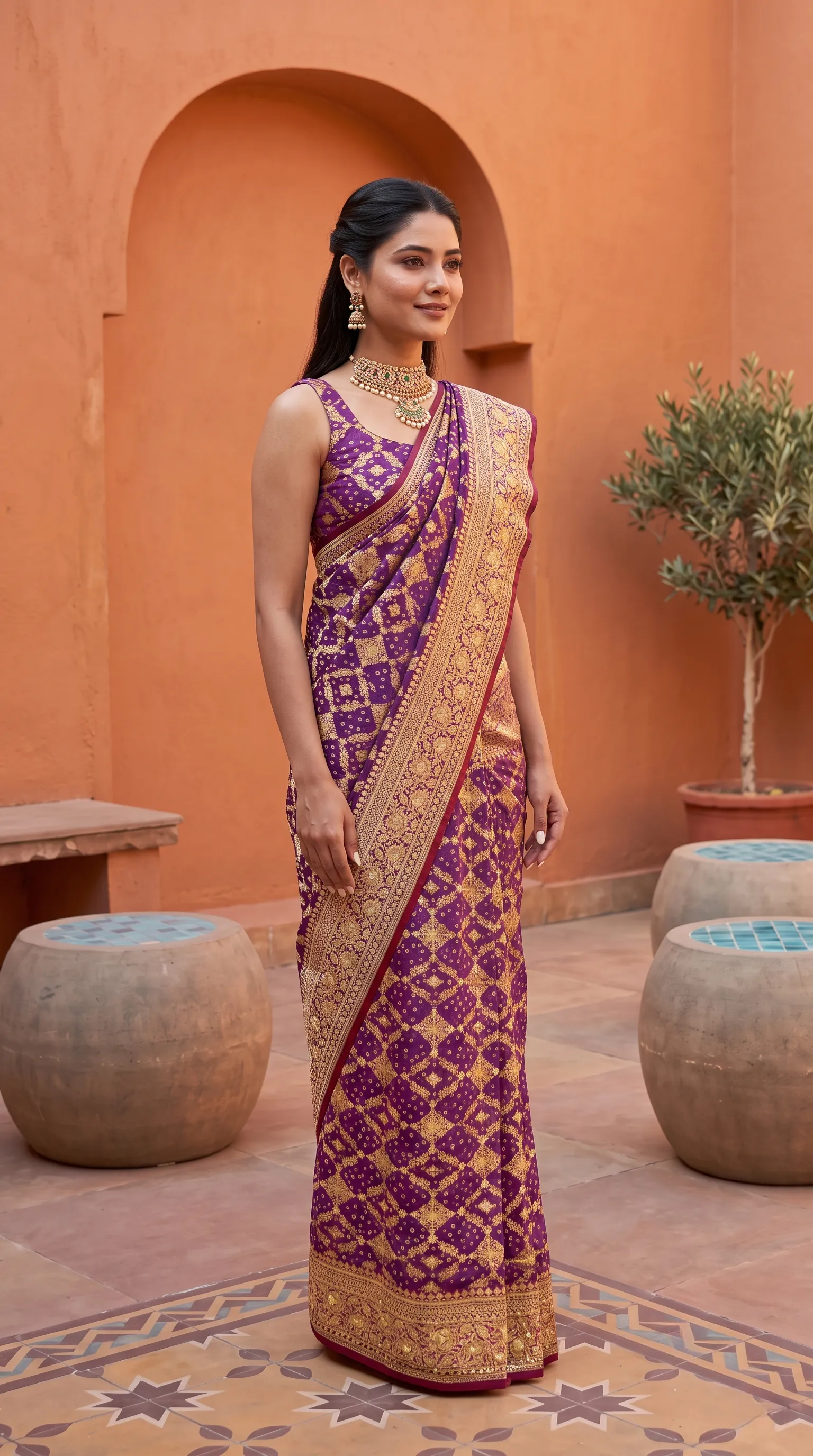 Drape Studio
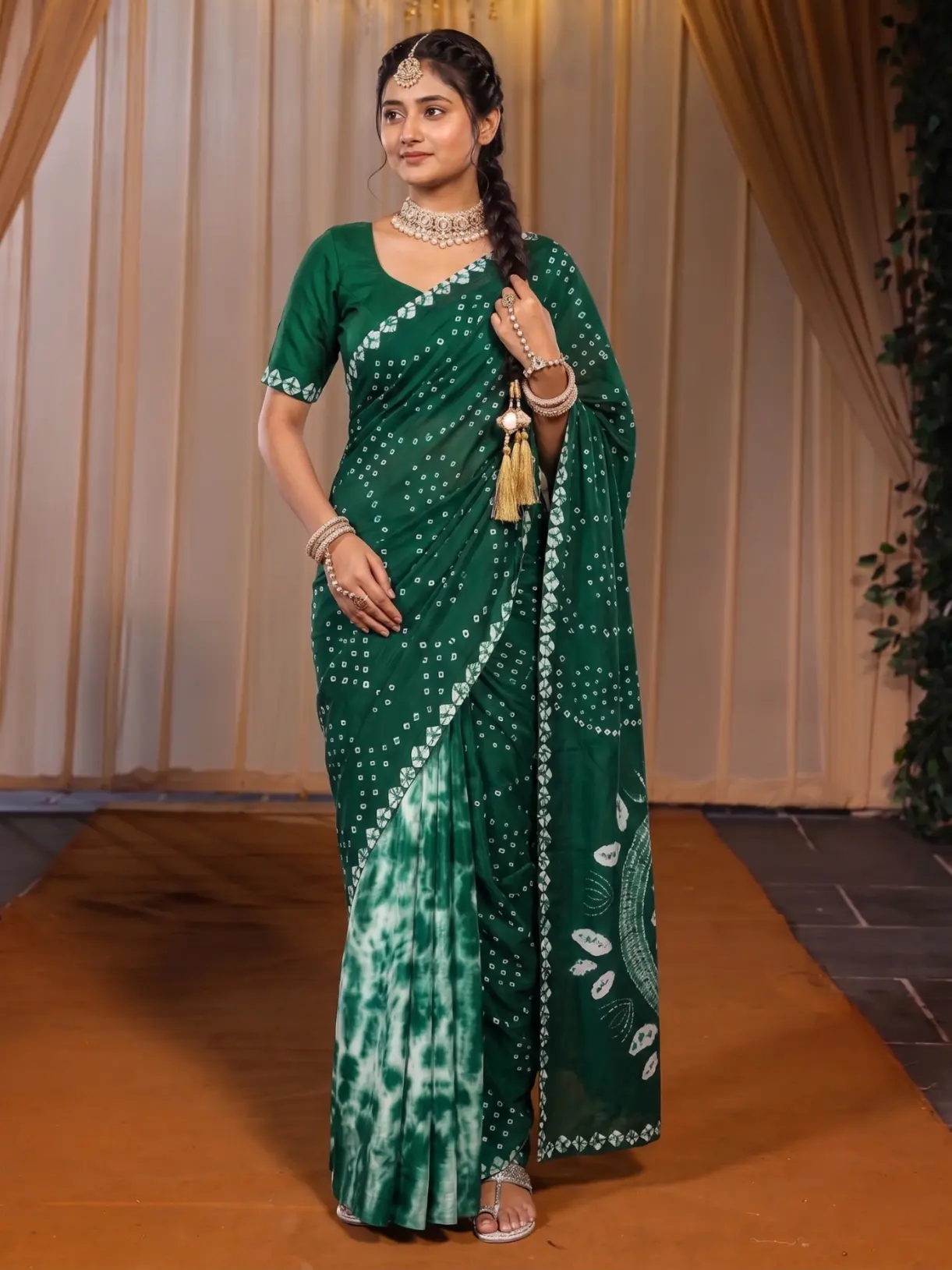 Catalogue Studio
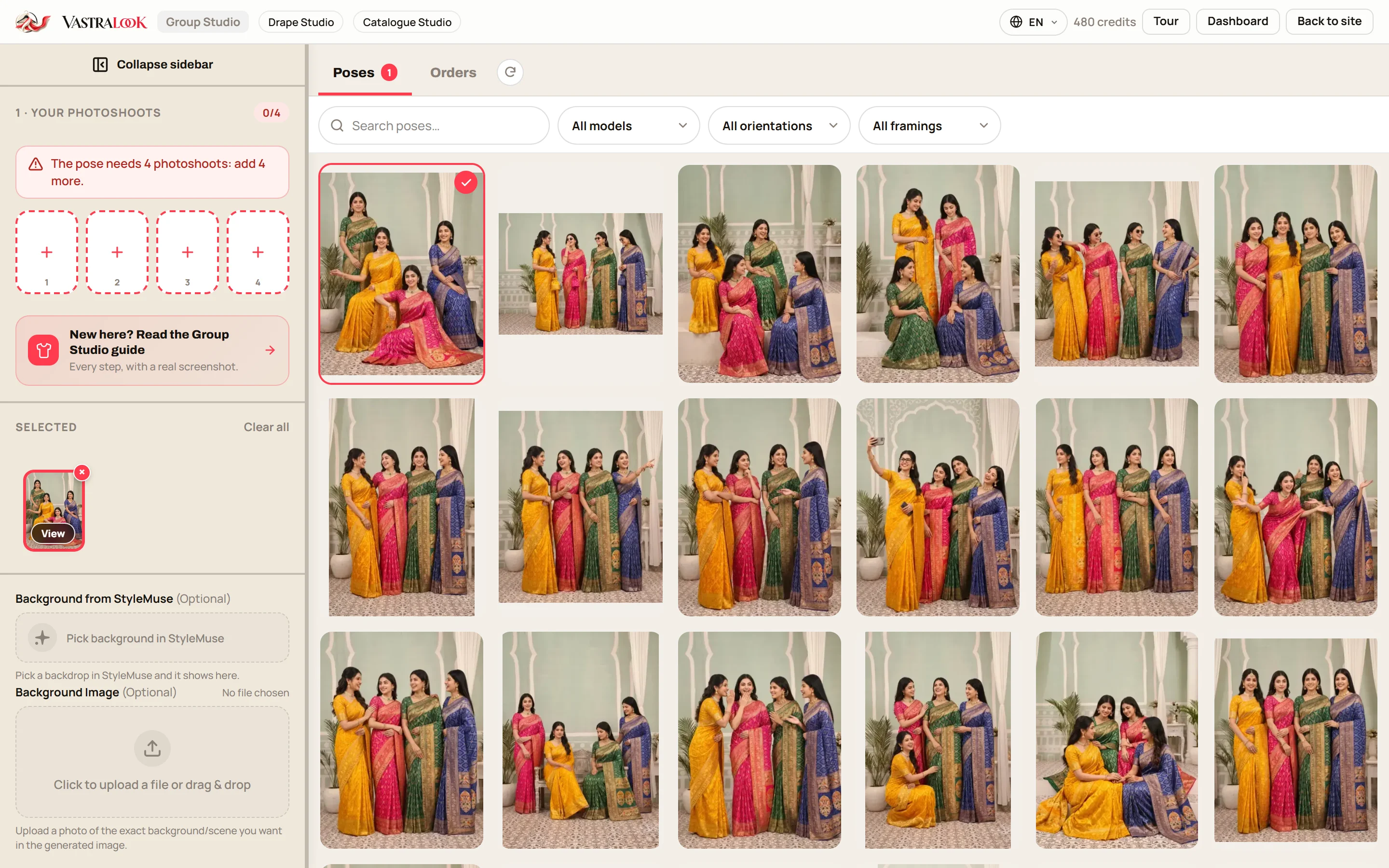 Group Studio
A saree draped on a model (Drape Studio), a garment on the same model in the same set as another (Catalogue Studio), and the studio screen where you pick a group pose (Group Studio).
Drape Studio: when the garment is a saree
A saree is five or six metres of cloth that only makes sense when it is draped. Drape Studio starts from your flat photo, finds the cloth, and lets you mark the cut, the pallu line and the pattern repeat. You see your fabric draped on a body in a live preview before you order. The border, the pallu and the print come from your cloth. We do not invent a new design.
Catalogue Studio: when the garment is anything else
Kurtis, lehengas, dresses, suits, co-ords, footwear and accessories. You upload your garment, pick a model and a ready photoshoot package, check the summary of every combination, and order. The same model and set can carry a whole collection, so forty-eight garments read as one brand. Marketplace presets set the background and size for Myntra, Amazon, Flipkart and Meesho.
Group Studio: when the product is a set
A bridal party, sisters in the same suit, a family in festive outfits. Add one finished photo of each person, choose a pose for 2 to 9 people, and Group Studio builds one picture from them. Every person comes from your own approved photoshoot, so the faces and outfits are the ones you already chose.
Why three studios and not one
It would be simpler to sell one button that does everything. But a saree, a kurti and a bridal party fail in different ways. A saree fails when the pallu lands on the pleats. A kurti collection fails when the model changes from one listing to the next. A group picture fails when the people in it are not the people you approved. Each studio gives you the controls for the way its garment usually goes wrong, and hides the ones that do not matter, so you are never working through a screen of options built for someone else.
The three also share one account, one credit balance and one set of finished shots. A saree you draped last week can sit in a group picture next week, and the logo you set once is on every download from every studio.
How the three work together in a festive season
- Drape your sarees
Photograph each saree once, flat, and drape it in Drape Studio.
- Shoot everything else
Make your kurtis, lehengas and dresses in Catalogue Studio, with one model and one set.
- Build the matching-set picture
Take your approved shots of two to nine people and make a group picture in Group Studio.
- Download everything with your logo
Export with your logo and the marketplace sizes you need.
A worked example: one Diwali collection
Say you sell festive wear and you are launching a Diwali range: six sarees, eight kurti sets, four lehengas and a matching set of four dupatta suits for sisters. In the usual way that is a booked studio, a model for a day, a drape artist for the sarees, and a separate day for the group picture. Here it is three sessions at your desk. Upload the six sarees to Drape Studio and check each live preview. Upload the kurtis and lehengas to Catalogue Studio, choose one model and one scene, and check the summary. Take your four approved suit shots into Group Studio and pick a pose for four people. Every step shows you what you are ordering before you order it.
What is the same in all three
- You choose the model, pose and background first.
- Your own garment photo is the reference. Vastralook does not invent a new design.
- You see what you are ordering before you pay.
- Every shot is yours to check: Recreate it, or ask for half the credits back on a paid shot that missed.
- Your logo can go on every download, in the corner, size and opacity you set once.
- The studios work in English, Hindi and Gujarati, and you own the images you make.
How to choose
- Selling sarees: start in Drape Studio.
- Selling anything else: start in Catalogue Studio.
- Selling a set people wear together: add Group Studio once you have the single shots.
- Not sure: try Catalogue Studio with one garment and look at the summary.
What it costs and how long it takes
A Create order shot costs from ₹7 at 1K and from ₹10 at 2K, depending on the pack you buy from, and a Budget order usually takes 4–5 minutes. Up to 3 free 2K images are included for new accounts, so you can test one garment in each studio before you pay. Plans and credit packs are on the pricing page.
Which studio should a saree seller use?
Drape Studio. It drapes your actual saree photo, lets you mark the pallu and the pattern repeat, and shows a live preview before you order.
Which studio is for kurtis, lehengas and dresses?
Catalogue Studio. It covers every garment except sarees, with the same model and set across a collection and marketplace presets.
When do I need Group Studio?
When you sell a set people wear together, such as a bridal party, sisters or a family set, and you want one picture with everyone in it.
Can I use all three for one collection?
Yes. A common festive-season workflow drapes the sarees, shoots the other garments with one model and one set, and builds a group picture from the approved shots.
What do I pay?
A Create order shot costs from ₹7 at 1K and from ₹10 at 2K, depending on the pack. The pricing page has plans and packs.
Is there a free trial?
New accounts get up to 3 free 2K images on a Create order.
Who owns the images?
You do. They are yours to use commercially in your store, on marketplaces, in ads and on social media.
Are the results exact copies of my garment?
No. Your garment photo is the reference and Vastralook matches it as closely as it can, but AI output is not exact. Check each shot, and Recreate or ask for half the credits back if one misses.