
The first page of a saree catalogue decides whether a reseller opens the second. A good cover shows the whole collection at once: the colours, the number of designs, the feel of the season. Traditionally that means a group shoot, with five or six models draped in five or six sarees and one photographer. For a seller with a new catalogue every month, that is not a plan. It is a cost.
What a catalogue cover has to do
- Show the whole collection, so a buyer sees the set before the details.
- Show every saree clearly enough to tell the designs apart.
- Look like your brand, with your logo and a consistent look.
- Work in the shape of the place it is posted: a WhatsApp Status, an Instagram post or the front of a catalogue.
The workflow, from flat photos to a group cover
You do not need models. You need one finished photo per saree, and a pose that fits the number of sarees. Here is the route, in the order we suggest.
- Photograph each saree flat
One photo of the full saree, body and pallu together, straight-on, in even daylight on a plain floor. Use the original product photo.
- Drape each saree in Drape Studio
The studio finds the cloth, you mark the pallu and the pattern repeat, and it drapes your fabric on a model with a live preview before you order.
- Approve every shot
Look at each draped saree against your flat photo. Recreate any shot where the pallu or the border looks off.
- Add the approved shots to Group Studio
One photo per saree, up to nine. Keep the framing the same, all full body or all half body.
- Pick a pose for that number of people
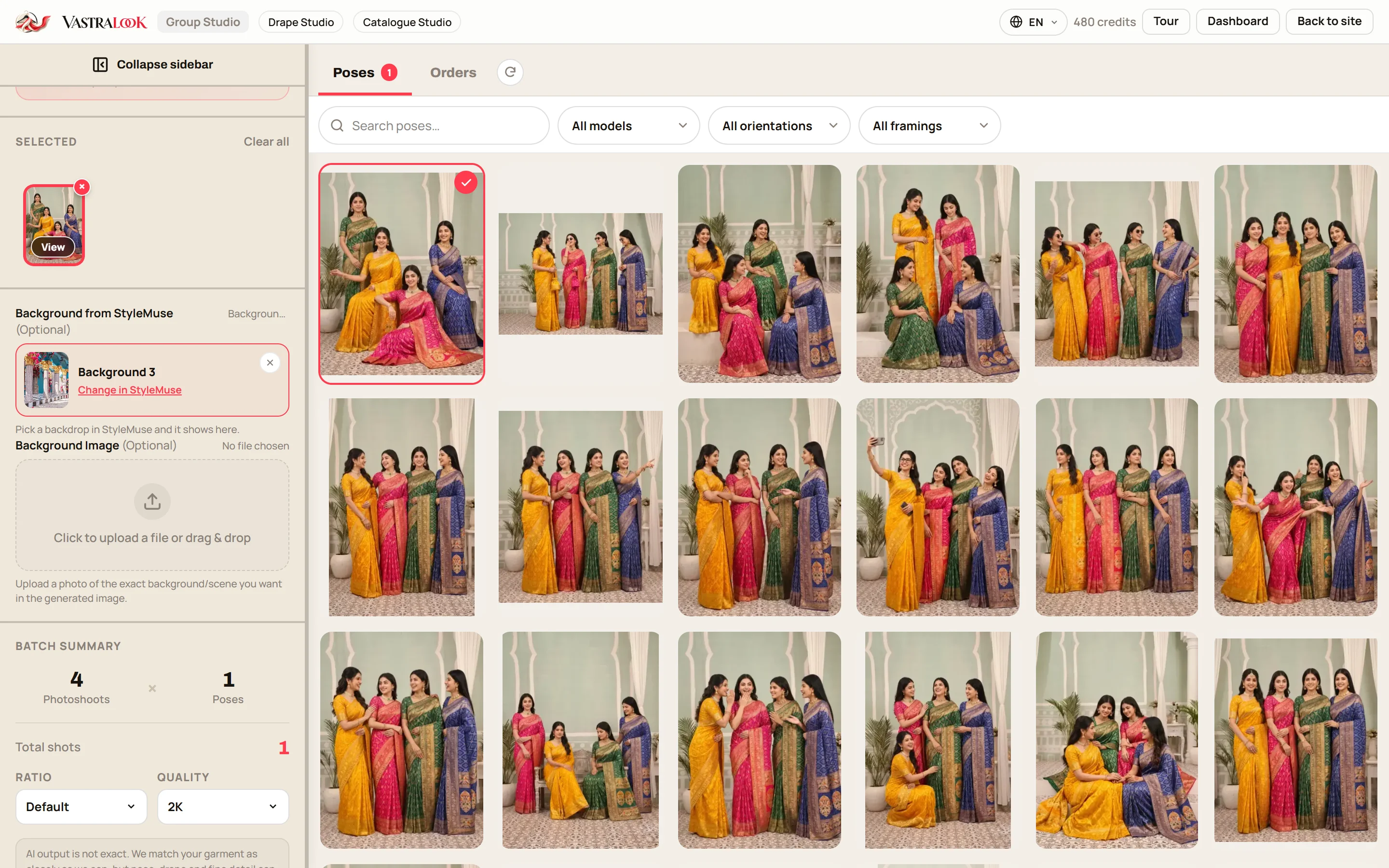
The pose library filters by number of people, picture shape and framing. The note turns green when your photo count fits the pose.
- Choose a background
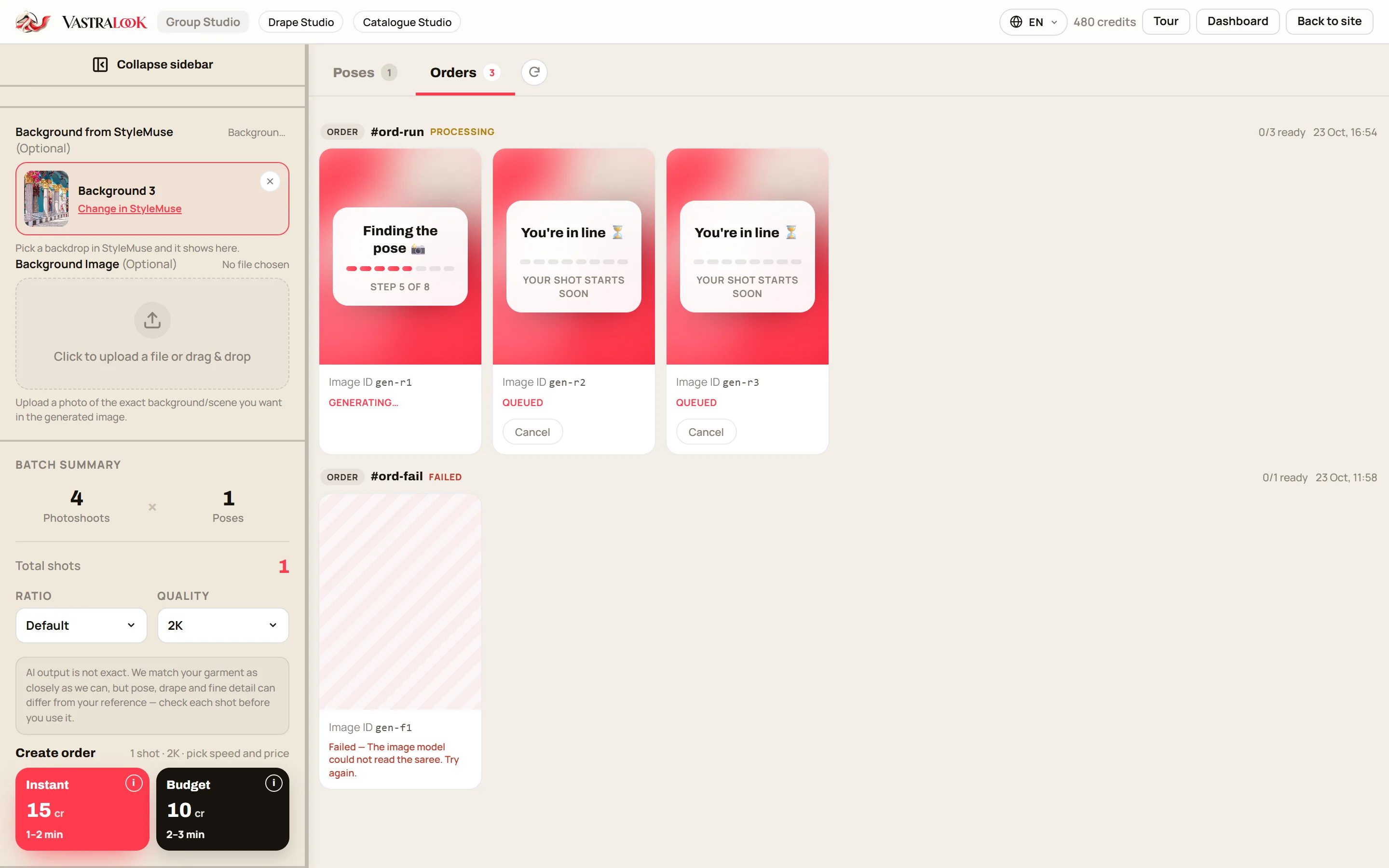
Keep the pose's own background, pick a backdrop from the library, or upload a photo of a scene you want. An uploaded photo wins.
- Set the ratio, order and download with your logo
Pick the shape and the size, check the price in the info button, order and use Export with logo.
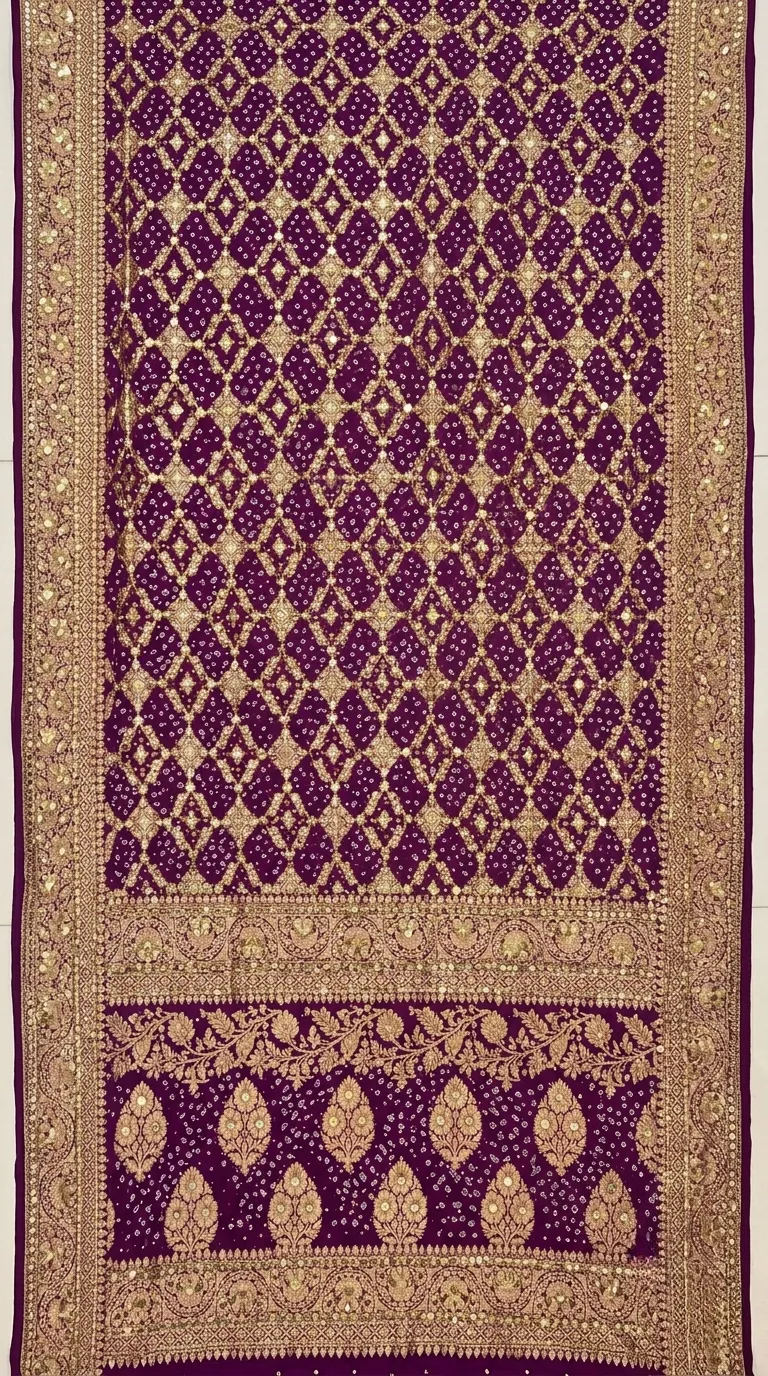 Flat photo
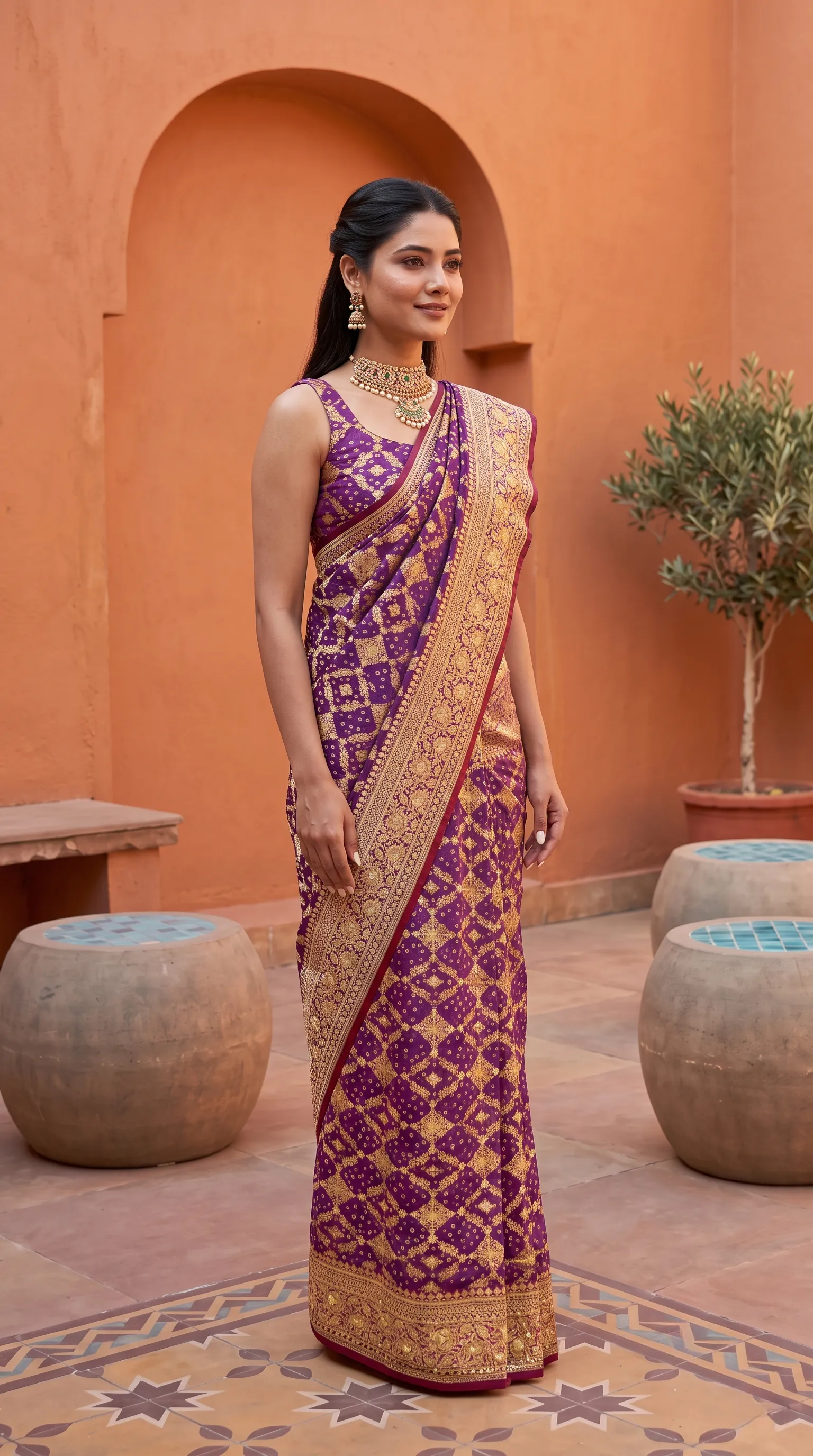 Draped on a model
The left photo is a saree photographed flat. The right photo is the same saree draped on a model in Drape Studio. A group picture is made from photos like the right one, one per saree.
If you have not used Drape Studio before, these guides go through it in more detail. The one on saree photoshoots for traders is written for retailers, vyapari and wholesalers. The multiple angle guide shows how one photo gives several views. The wholesaler guide shows how to build a full on-model catalogue.
Choosing poses and backgrounds for a cover
The pose decides how the group is arranged, so choose it for the job. A wide row of people works for a banner or a cover. A tighter pose with half body shows each saree's border and blouse more closely and suits a square or a vertical picture. Open the pose full size with the View button before you decide, and look for a pose where the sarees overlap least, so each pallu stays visible.
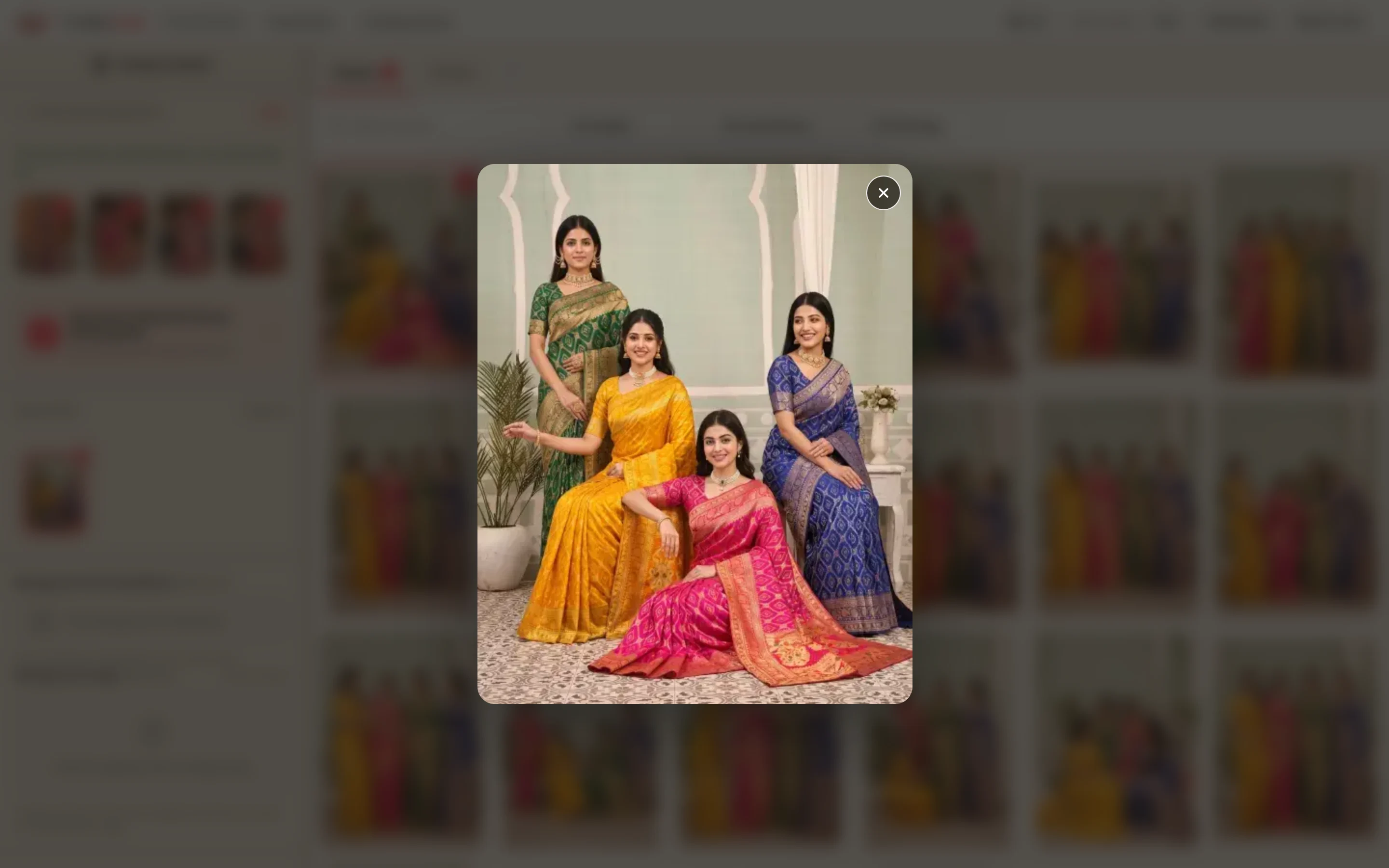
For the background, a simple one lets the sarees carry the picture. Leave it empty and each pose keeps its own, or pick a backdrop from the library, or upload a photo of the scene you want, such as your own shop front. Keep one background across all your catalogue covers and the covers will look like a series.
The right shape for the cover and for each place you post it
| Where it goes | Ratio | Size in pixels | Notes |
|---|---|---|---|
| Instagram feed post or carousel | 4:5 | 1080 × 1350 | Keep the important sarees in the middle, because the profile grid shows a centre crop |
| WhatsApp Status | 9:16 | 1080 × 1920 | Keep names and logos away from the very top and bottom, where the app draws its own labels |
| WhatsApp catalogue or chat picture | 1:1 | 1080 × 1080 | A square sits well in a chat and a catalogue grid |
| Catalogue cover, page one | 3:4 | match your catalogue page | The default vertical shape |
| Website banner or YouTube thumbnail | 16:9 | 1920 × 1080 | A wide pose suits it; use 4K for a big banner |
Put your logo on every cover
Set your logo once, with the corner, the size and the opacity, and use Export with logo. A cover goes through many hands, from reseller to reseller and from group to group, and a logo is the one thing that stays with it. Put it in a corner that no sari is covering, and use the same corner on every cover.
A worked example: a six-design festive catalogue
A wholesaler has six new designs for the festive season. She photographs each one flat on a clean floor in daylight. In Drape Studio she marks the pallu line and the repeat on each and checks the live preview, then orders six on-model photos. She looks at each next to its flat photo and recreates one where the pallu looked odd. Now she opens Group Studio, adds the six photos and the pose library narrows to poses for six people. She picks a full-body pose, uploads a photo of her own shop front as the background, sets 4:5 for Instagram, and orders. A second order at 9:16 gives her the Status version. She downloads both with her logo. The same six single photos also go into the catalogue, and the group picture is the cover.
Who this suits
- Saree wholesalers and manufacturers with a new catalogue every few weeks.
- Vyapari who forward a cover picture to a buyer list.
- Marketers and agents who make launch banners and ads for a saree brand.
- Boutique owners and resellers who want a cover for their own range.
Can I make a group saree photoshoot picture without hiring models?
You can make a group picture from photos you already have. Drape each saree in Drape Studio, then add the approved photos to Group Studio and pick a pose.
How do I make a cover photo for a saree catalogue?
Make one finished photo per saree, add them to Group Studio, choose a pose for that number of people and a background, then order the shape you need and download with your logo.
Which ratio should I use for Instagram, WhatsApp and the catalogue?
4:5 for an Instagram feed post, 9:16 for a WhatsApp Status, 1:1 for a chat or a catalogue grid and 3:4 for a catalogue cover. Generate at the shape you will post in.
Does every saree have to come from Drape Studio?
No. Any finished photo of one person wearing your saree works, as long as you have the right to use it.
How many sarees can I show in one picture?
Poses are for 2 to 9 people, so up to nine photos. For a bigger collection, make more than one picture.
Can I put my logo on the cover?
Yes. Set it once and use Export with logo on the finished picture.
Is the group picture a photo of real people standing together?
No. It is a picture built from the photos you add. Call it a catalogue cover. It is studio-quality and photo-realistic, and it is not an exact record of anything.
What if the group picture misses?
Recreate it, or ask for half the credits back on a paid shot that missed. If a shot cannot be made, its credits come back.
Who owns the picture?
You do. Everything you generate is yours to use commercially: on your store, marketplaces, WhatsApp, Instagram, ads and in a catalogue.


