
Anyone who works in saree wholesale, whether in a Surat catalogue market, a Varanasi weaving trade or a Kanchipuram-style silk business, knows the season rhythm: a lot of new designs arrive together, resellers want to see them on a model, and the catalogue has to go out this week. Photographing every design on a model, in the same look, is where most wholesalers lose time. This guide is a workflow for putting every design of a saree wholesaler catalogue on a model.
Why a catalogue needs one look
A reseller scrolling your catalogue on WhatsApp decides fast. When the model, the background and the framing change from design to design, the catalogue looks like a collection of leftovers. When they stay put, the eye goes to the saree. That is why a wholesaler wants consistency, and why a single clever picture is not a catalogue.
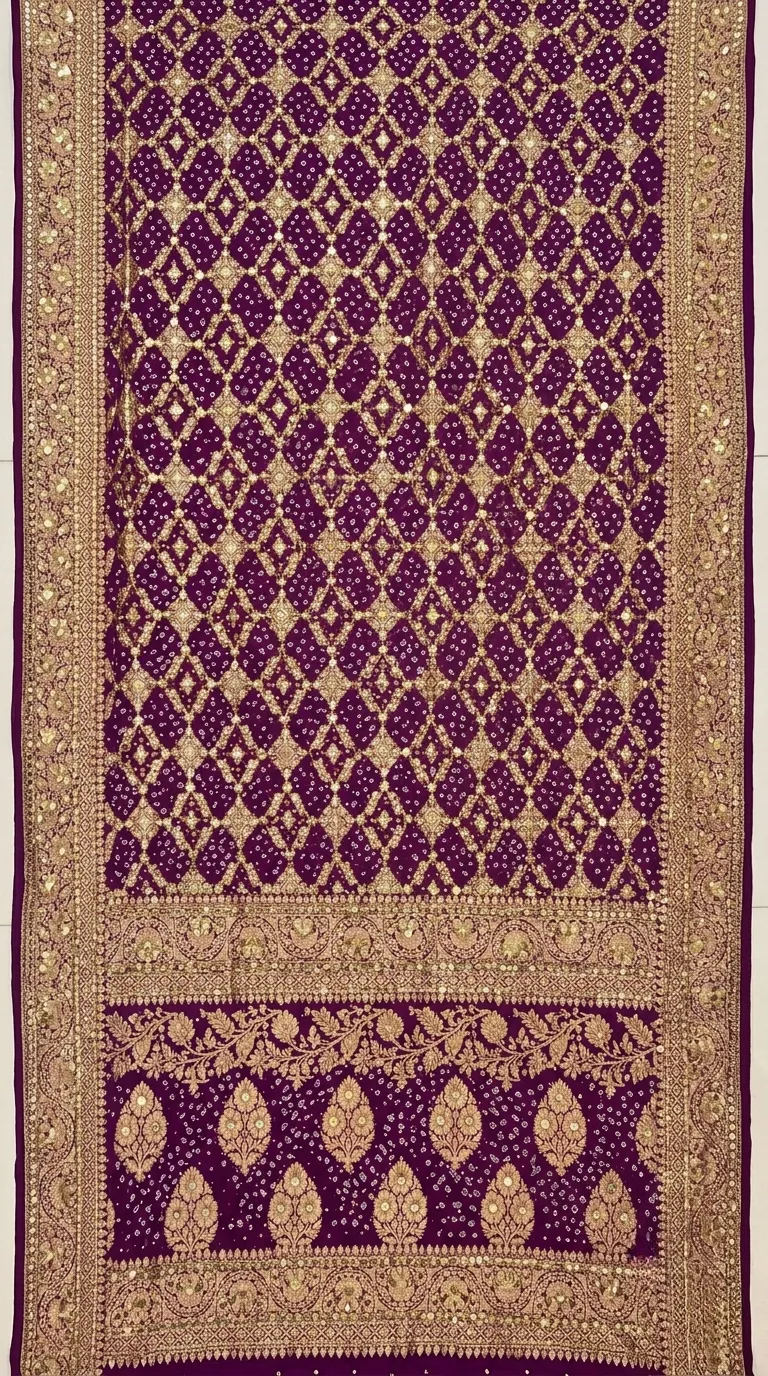 Flat photo of the design
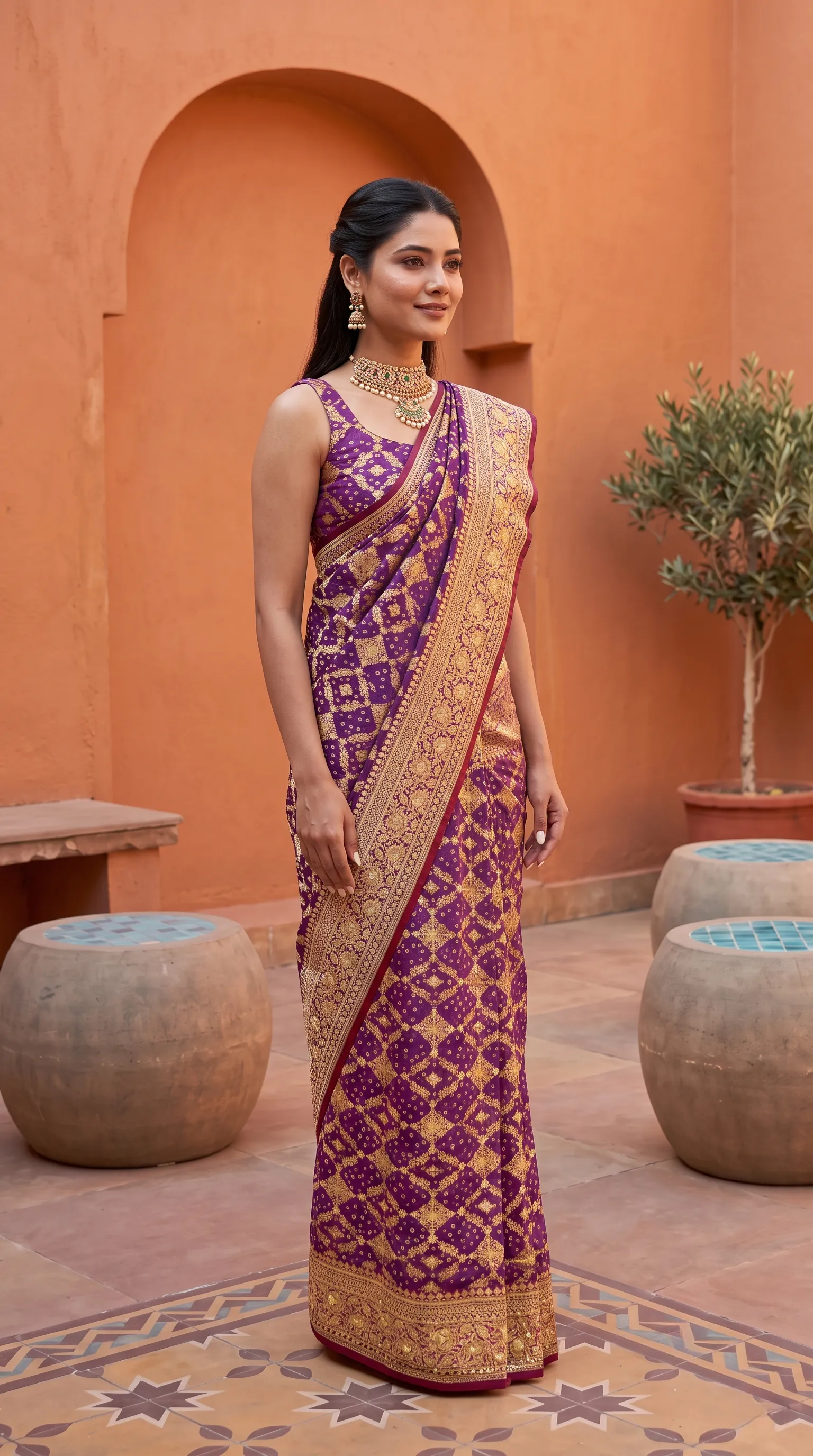 On the model
A saree photographed flat and the same saree on a model. A catalogue is this, repeated for every design, with the model and set kept the same.
The workflow, from flat photo to catalogue
- 1. Photograph every design flat, the same way
One flat photo per design: body and pallu together, straight-on, even daylight, plain floor, filters off. Use the same setup for all of them, so the photos are consistent.
- 2. Set up each saree in Drape Studio
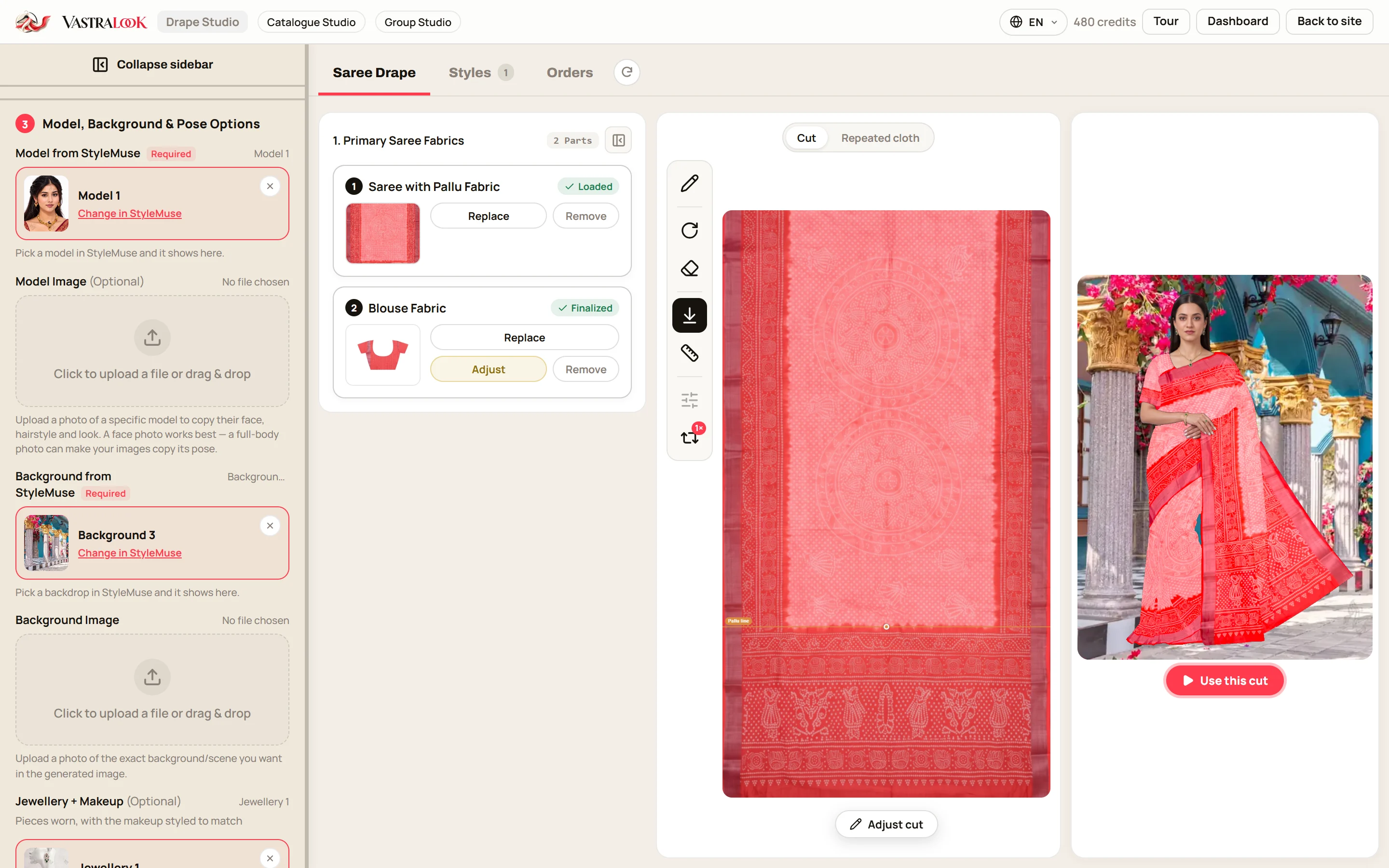
Upload, check the cut, mark the pallu line and the pattern repeat, and add the blouse piece or a close-up where a design needs it. The live preview shows what the studio works from.
- 3. Pick one model and one background for the whole catalogue
Choose the model, the background, the jewellery, hairstyle and makeup once. This is what makes it one house look.
- 4. Choose the poses
A front shot for every design; add a back view or a close-up for the designs where the pallu or the zari is the selling point.
- 5. Choose the size and the marketplace
2K for marketplaces and your website, 1K for WhatsApp drafts. Pick a marketplace preset if you list there, so the background and size are set for you.
- 6. Order in batches and check each shot
Order a batch, then compare each result with the saree. Recreate the ones that missed.
- 7. Download with your logo
Your logo goes in the corner you chose, at the size and opacity you set once.
What 20, 50 and 200 designs cost in credits
Every shot is its own order line, so the cost is a sum. At 2K a Create order shot is 10 credits on a Budget order, and a Budget order usually takes 4–5 minutes. The table below shows what the batches would use, from the lowest price per credit. Your own total depends on the pack you buy from and the size you choose, and the studio shows the price before you order.
| Catalogue | Shots | Credits at 2K | Rupees |
|---|---|---|---|
| 20 designs, front shot each | 20 | 200 | from ₹192 |
| 50 designs, front, back and close-up each | 150 | 1,500 | from ₹1,442 |
| 200 designs, front shot each | 200 | 2,000 | from ₹1,923 |
Do a small test first: one design, at 1K (from ₹7), to check the cut and the pallu line. Fixing a setup before the batch saves credits.
Keeping a big catalogue in order
Two hundred designs is easy to lose track of. Name your flat photos by design number before you upload, so the results can be matched back to the saree they came from. Work in batches of one type, such as all the silks or all the georgettes, because a batch of similar fabrics is quicker to check than a mixed one. Finished shots stay in Orders for a limited time, so download the ones you want as each batch is checked, and keep your own folder of approved photos by design number.
When a new design arrives mid-season, you do not redo the catalogue. You set the new saree up the same way, choose the same model and background you used before, and order one more shot. The earlier shots are untouched, and the catalogue grows one design at a time.
Your logo on every shot, and handing it to resellers
Set your logo once: corner, size, opacity and padding, with a live preview. Every download can carry it at full resolution. If you work for several houses, agencies can save a logo per client and switch between them.
- Send resellers the model photos with your logo on, so your name travels when they forward them.
- Give them the picture shape they need: square for WhatsApp catalogues and the Instagram grid, 4:5 for the feed, 9:16 for Status and Stories.
- Keep the flat photo too. A reseller who sells to shopkeepers may want the flat view next to the worn one.
- Agree in writing how resellers may use your photos. The images are yours to use commercially; what a reseller may do with them is between you and her.
Sarees here, other garments elsewhere
Drape Studio is for sarees. If your catalogue also has kurtis, lehengas, dresses or suits, Catalogue Studio puts them on the same model in the same set, so one catalogue can mix both. If you sell matching sets, Group Studio builds one picture of two to nine people from finished photos you already have, which is useful for a bridal party or sisters in one colourway.
Where a real shoot is still the right choice
A wholesaler's daily problem is many designs, quickly, in one look. That is the job this workflow is for. It is not the right tool for everything.
- A flagship bridal or festive campaign built around a real person, a real place and a story.
- A shoot where the point is the person: an ambassador, a designer, a family brand.
- A look where you need a result exact to the thread. AI output is not exact.
- A video or a runway moment, where movement and fabric in motion are the content.
Can a saree wholesaler put every catalogue design on a model?
Yes. Photograph each design flat, set it up in Drape Studio, choose one model and one background for the whole catalogue, and order the poses you need.
Will every design look like its own saree?
Each design starts from its own saree photo, so the print, border and colours come from that cloth. Vastralook is built to keep them and matches as closely as it can. AI output is not exact, so check each shot.
Can I use the same model for the whole catalogue?
Yes. Choose the model, the background and the styling once and use them for the order, so the catalogue reads as one house.
How many credits does a 200-design catalogue need?
One front shot per design at 2K on a Budget order is 200 shots, 2,000 credits, from ₹1,923. The studio shows the price before you order, and plans and packs are on the pricing page.
How do I get my logo on every photo?
Set your logo once, with its corner, size, opacity and padding, and download with the logo on.
What picture sizes can I get?
3:4, 4:5, 1:1, 9:16 and 16:9, in 1K, 2K or 4K. Marketplace presets set the background and size for Myntra, Amazon, Flipkart and Meesho.
Can I use this for a Surat, Varanasi or Kanchipuram saree catalogue?
Drape Studio is built for sarees in general. Check heavy zari and woven borders closely, and add a close-up of the border when you set the saree up.
How do I give the photos to resellers?
Download with your logo, send the sizes they need, and agree in writing how they may use your photos.
What about kurtis and lehengas in the same catalogue?
Use Catalogue Studio for those, with the same model and set, and Group Studio if you want a matching set in one picture.
When should I book a real shoot instead?
For a flagship campaign with a real person and place, or a video. For the daily work of many designs in one look, this workflow is built for it.


